In the realm of data storage, Hard Disk Drives (HDDs) have long been a staple, offering large capacities at relatively low costs. As an HDD supplier, I've witnessed firsthand the importance of HDD performance in various applications, from personal computers to enterprise - level data centers. However, over time, HDDs can experience performance degradation, which can be a significant concern for users. In this blog, I'll explore the various factors that contribute to the performance degradation of an HDD.
Physical Wear and Tear
One of the most fundamental factors leading to HDD performance degradation is physical wear and tear. HDDs are mechanical devices that rely on spinning platters and moving read - write heads. The constant rotation of the platters at high speeds, typically 5400 or 7200 RPM, subjects the components to continuous stress.
The read - write heads, which float just a few nanometers above the platter surface, are extremely sensitive. Even the slightest physical shock or vibration can cause the heads to come into contact with the platters, a phenomenon known as a head - crash. This can result in scratches on the platter surface, which not only damage the data stored in the affected area but also disrupt the normal operation of the read - write heads.
Moreover, the bearings that support the spinning platters can wear out over time. As the bearings degrade, the rotational speed of the platters may become inconsistent, leading to slower data access times. The lubricants used in these mechanical components also break down with age, further exacerbating the wear and tear.
Heat and Temperature
Heat is another major culprit in HDD performance degradation. HDDs generate heat during normal operation, and if this heat is not properly dissipated, it can have a detrimental effect on the drive's performance. High temperatures can cause the platters to expand, which can lead to misalignment of the data tracks. This misalignment makes it more difficult for the read - write heads to accurately access the data, resulting in slower read and write speeds.
Excessive heat can also damage the electronic components of the HDD, such as the printed circuit board (PCB) and the controller chips. Over time, the solder joints on the PCB can weaken, leading to intermittent connections and data transfer errors. Additionally, high temperatures can accelerate the chemical reactions within the drive, causing the degradation of the magnetic materials on the platters and reducing the overall reliability of the drive.
To mitigate the effects of heat, proper cooling solutions are essential. In desktop computers, this may involve using a well - ventilated case with fans, while in data centers, more sophisticated cooling systems such as liquid cooling may be required.
Fragmentation
Data fragmentation is a common issue that can significantly impact HDD performance. When files are created, modified, or deleted on an HDD, they are often stored in non - contiguous sectors on the platters. This fragmentation occurs because the operating system tries to find available space on the drive to store the data, but it may not always be able to allocate a single, continuous block of space.
As the drive becomes more fragmented, the read - write heads have to move back and forth across the platters to access different parts of a file. This increases the seek time, which is the time it takes for the heads to position themselves over the correct data sector. Fragmentation can also lead to longer transfer times, as the data has to be read or written in multiple passes.
Regular defragmentation can help improve HDD performance by rearranging the fragmented files into contiguous sectors. However, with the increasing use of Solid - State Drives (SSDs), which are not affected by fragmentation in the same way as HDDs, the importance of defragmentation for HDDs may be less emphasized in some modern computing environments.
Power Issues
Power problems can also contribute to HDD performance degradation. Sudden power outages or power surges can cause the drive to stop spinning abruptly or subject it to excessive electrical stress. When the drive stops spinning suddenly, the read - write heads may not be properly parked, increasing the risk of a head - crash when the drive is powered on again.
Power surges can damage the electronic components of the HDD, such as the power supply circuitry and the controller chips. These components are designed to operate within a specific voltage range, and a power surge can exceed this range, leading to permanent damage.
To protect against power issues, it's recommended to use an Uninterruptible Power Supply (UPS) for HDDs, especially in environments where power outages are common. A UPS can provide a short - term power source in the event of a power failure, allowing the drive to shut down gracefully.
Software and Operating System Issues
The software and operating system that interact with the HDD can also play a role in its performance degradation. Outdated device drivers can cause compatibility issues between the HDD and the operating system, leading to slower data transfer speeds and increased error rates.
Malware and viruses can also have a significant impact on HDD performance. These malicious programs can consume system resources, including disk I/O, and can also corrupt the data stored on the drive. Additionally, some malware may encrypt the data on the HDD, rendering it inaccessible until a ransom is paid.
Regular software updates, including operating system patches and device driver updates, are essential to ensure optimal HDD performance. Antivirus software should also be installed and kept up - to - date to protect the drive from malware.
Over - Provisioning and Capacity Utilization
The amount of free space available on an HDD can affect its performance. When an HDD is nearly full, the operating system has to work harder to find available space to store new data. This can lead to increased fragmentation and slower write speeds.
Over - provisioning, which involves leaving a certain amount of free space on the drive, can help improve performance. By having more free space, the operating system has more flexibility in allocating data, reducing the likelihood of fragmentation. It's generally recommended to keep at least 10 - 20% of the drive's capacity free to maintain good performance.
Conclusion
As an HDD supplier, I understand the importance of maintaining the performance of our products. The factors contributing to HDD performance degradation are diverse, ranging from physical wear and tear to software - related issues. By being aware of these factors, users can take steps to mitigate their effects and prolong the lifespan of their HDDs.
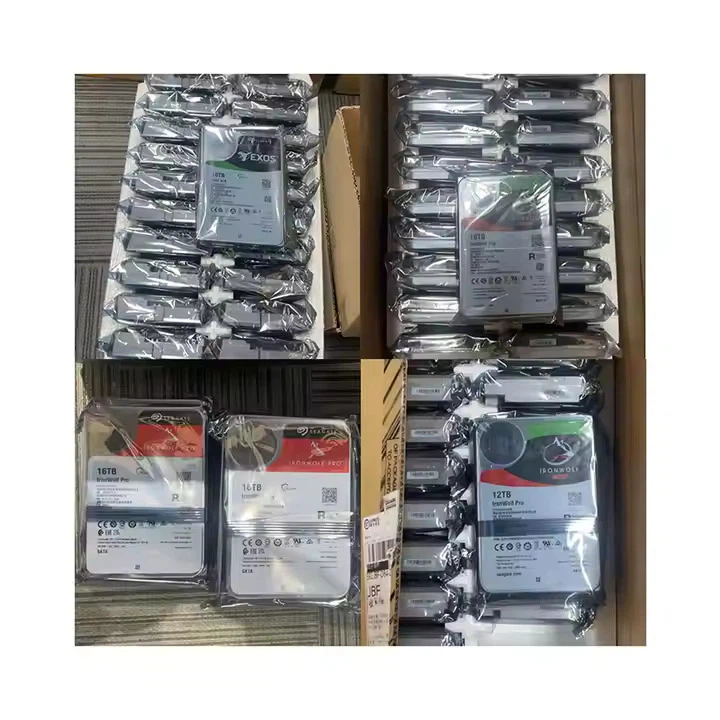

If you're in the market for high - quality HDDs, we offer a range of products to meet your needs. Check out our HDD 22TB, 16TB HDD, and Dell HDD 10TB. If you have any questions or would like to discuss your specific requirements, feel free to contact us for a procurement consultation.
References
- Gibson, G. A., & Katz, R. H. (1998). "Reliability of Redundant Arrays of Inexpensive Disks". ACM Transactions on Computer Systems, 16(2), 152 - 184.
- Chen, P. M., Lee, E. K., Gibson, G. A., Katz, R. H., & Patterson, D. A. (1994). "RAID: High - Performance, Reliable Secondary Storage". ACM Computing Surveys, 26(2), 145 - 185.
- Tanenbaum, A. S., & Woodhull, A. S. (2006). "Operating Systems: Design and Implementation". Prentice Hall.