


Is Dell Workstation good for video editing?
As a supplier of Dell workstations, I've had the privilege of witnessing firsthand the impact these machines can have on various professional fields, especially video editing. In this blog post, I'll delve into the key features of Dell workstations and explore whether they're a good fit for the demanding task of video editing.
Performance and Processing Power
Video editing is a resource - intensive task that requires a workstation with high - end performance. Dell workstations are equipped with some of the most powerful processors in the market. For example, many Dell models support Intel Xeon processors, which are known for their multi - core capabilities. These multi - core processors can handle complex video encoding, decoding, and real - time effects with ease.
When working on a video project, you may need to edit multiple layers of video, add graphics and audio, and apply various effects simultaneously. A Dell workstation can handle these tasks efficiently because its high - performance processors can distribute the workload across multiple cores. This means that you can perform tasks in parallel, significantly reducing the time it takes to complete a project.
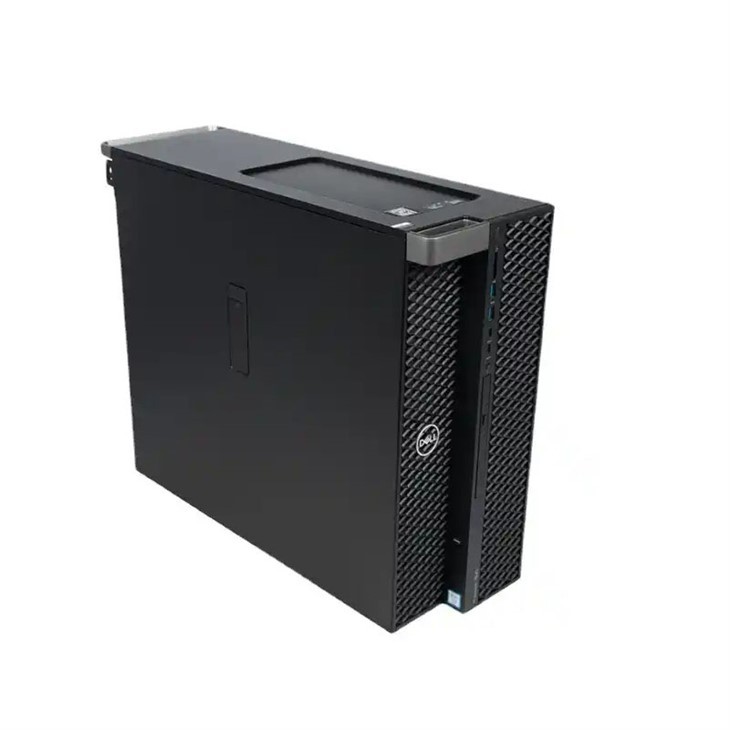
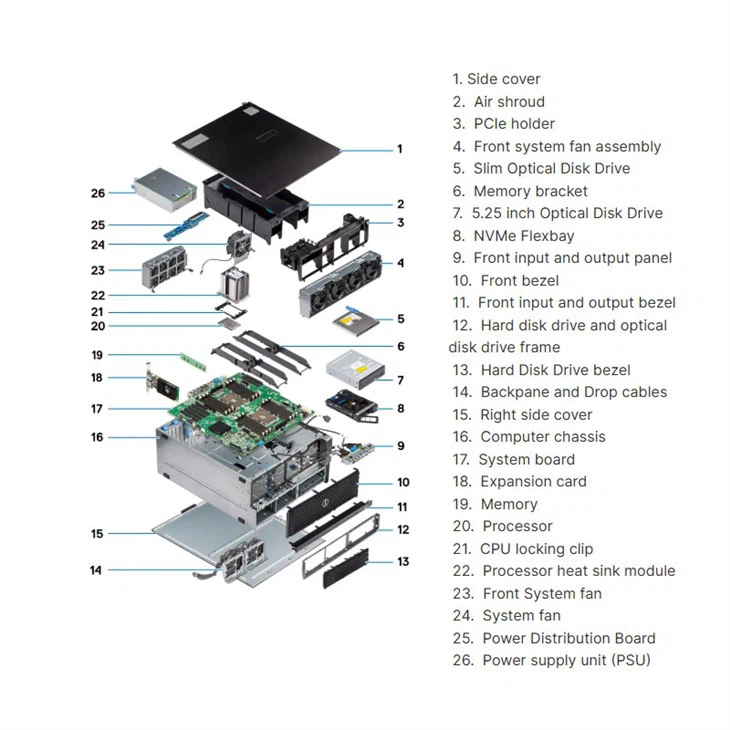
Let's take the Dell Workstation T7920 as an example. It offers a wide range of Intel Xeon Scalable processors, allowing you to choose the one that best suits your specific video editing needs. Whether you're working on small - scale projects or large - budget productions, the T7920 can provide the processing power required.
Graphics and Visual Display
High - quality graphics are non - negotiable in video editing. Dell workstations come with powerful graphics cards that are optimized for professional use. NVIDIA Quadro graphics cards are a common option in Dell workstations, and they offer features like real - time ray tracing and advanced shading technologies.
These graphics cards not only provide smooth playback of high - resolution videos but also enable accurate color representation. In video editing, color accuracy is crucial, as it ensures that the final product looks as intended. Dell workstations are calibrated to provide a wide color gamut and high color accuracy, which is essential for tasks like color correction and grading.
Moreover, Dell workstations support multiple monitors, allowing you to have a large and expansive workspace. This is extremely beneficial in video editing, as you can have your video timeline on one monitor, the project preview on another, and additional tools and effects panels on yet another. The 3680 Tower Workstation is a great choice for those who need a powerful graphics - enabled system for video editing. It can be configured with high - end NVIDIA Quadro graphics cards to meet the most demanding visual requirements.
Storage and Memory
Video files are large, and you need a workstation with sufficient storage and memory to handle them. Dell workstations offer a variety of storage options, including high - speed solid - state drives (SSDs) and large - capacity hard disk drives (HDDs). SSDs are particularly important in video editing because they provide fast data transfer speeds, which means quicker access to your video files and faster rendering times.
In addition to storage, memory is also a critical factor. Dell workstations can be configured with a large amount of RAM, often up to several hundred gigabytes. This allows you to keep multiple video files, audio tracks, and editing software open simultaneously without experiencing any slowdowns. When working on a complex video project, having enough memory ensures that your system can handle the data and processes efficiently.
The Dell T5820 Workstation is a prime example of a Dell system with excellent storage and memory capabilities. It offers flexible storage configurations and can be equipped with a large amount of high - speed RAM to support your video editing workflow.
Software Compatibility
Dell workstations are designed to be compatible with a wide range of video editing software. Whether you're using industry - standard software like Adobe Premiere Pro, Final Cut Pro (for Mac - based Dell workstations), or DaVinci Resolve, you can be confident that your Dell workstation will provide a smooth and seamless experience.
These workstations are tested and optimized for professional video editing applications, ensuring that they can take full advantage of the software's features. For example, Dell workstations support features like GPU acceleration in Adobe Premiere Pro, which can significantly speed up the video editing and rendering process.
Build Quality and Reliability
In a professional video editing environment, reliability is key. Dell workstations are known for their robust build quality and durability. They are designed to withstand the rigors of continuous use, whether it's running 24/7 in a large - scale production studio or being used intermittently in a home - based editing setup.
Dell also offers a comprehensive support and service network. In case of any technical issues, you can rely on Dell's technicians to provide timely and effective solutions. This level of support ensures that your video editing projects are not disrupted due to hardware failures or software glitches.
Cost - Effectiveness
When considering whether a Dell workstation is good for video editing, cost - effectiveness is an important factor. While Dell workstations may have a higher upfront cost compared to some consumer - grade computers, they offer better long - term value. The high - performance components, reliability, and long - lasting build quality mean that you won't have to replace your workstation as frequently.
Moreover, the efficiency and productivity gains you get from using a Dell workstation can lead to cost savings in the long run. Faster rendering times, smoother editing, and fewer technical issues mean that you can complete your video projects more quickly and with higher quality, which can translate into more business opportunities and increased revenue.
Conclusion
In conclusion, Dell workstations are an excellent choice for video editing. Their high - performance processors, powerful graphics cards, ample storage and memory, software compatibility, build quality, and cost - effectiveness make them well - suited for the demanding requirements of video editing. Whether you're a professional video editor working on large - scale projects or an amateur looking to take your video editing skills to the next level, a Dell workstation can provide the tools you need.
If you're interested in learning more about our Dell workstations for video editing or are ready to discuss a purchase, I'd be more than happy to help. Reach out to me, and we can start a conversation about the best Dell workstation configuration for your specific needs.
References
- Intel Corporation. Intel Xeon Processor Family Specifications.
- NVIDIA Corporation. NVIDIA Quadro Graphics Card Features.
- Adobe Systems Incorporated. Adobe Premiere Pro Compatibility and Performance Guidelines.


