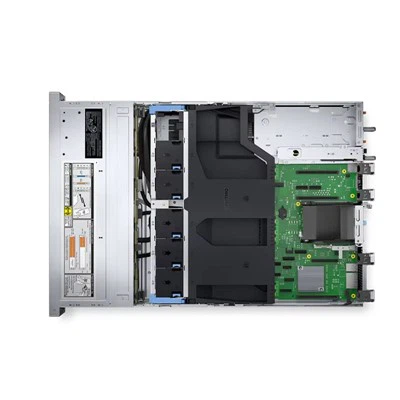
With the development of technology, computers have become an indispensable part of our daily lives. Whether it's work, study, or entertainment, a high-performance computer can greatly improve efficiency and experience. RAM (Random Access Memory), as an important component of computers, directly affects the response speed and multitasking capability of the system.
1. Understand the role of RAM
It is necessary to understand the function of RAM before starting to choose it. RAM is the short-term memory of a computer, used to store programs and data currently in use. When you open a program or document, it is loaded into RAM for quick access and processing by the CPU (central processing unit). Therefore, the size and speed of RAM directly affect the performance of the computer.
2. Determine your computer requirements
Before choosing RAM, you need to determine your computer requirements. Different uses have different requirements for RAM:
Daily use: For daily web browsing, document editing, and email processing, 4GB or 8GB of RAM is usually sufficient.
Gaming and Multimedia: If you are a gaming enthusiast or frequently handle videos and images, it is recommended to choose at least 8GB or 16GB of RAM.
Professional job: For designers, programmers, and video editors, 16GB or higher RAM is necessary to ensure smooth multitasking and large file processing.
3. Choose the appropriate RAM type
There are various types of RAM on the market, such as DDR3, DDR4, etc. The performance and compatibility of each type vary:
DDR3: This is an older technology with slower speed but lower price. If your old computer supports DDR3, you can consider upgrading, but it is not recommended to purchase a new computer.
DDR4: This is currently the mainstream type of RAM, with faster speed and lower power consumption. If your computer supports DDR4, this would be a better choice.
4. Consider the speed of RAM
The speed of RAM is measured in MHz (megahertz), and the faster the speed, the faster the data transfer. However, not all computers can fully utilize high-speed RAM. You need to check the specifications of the motherboard to understand the maximum RAM speed it supports.
5. Check the compatibility of the motherboard
Before purchasing RAM, be sure to check if your motherboard is compatible. Motherboards typically specify the supported RAM types and maximum capacity. You can obtain this information by checking the motherboard manual or the manufacturer's website.
6. Determine the single capacity and number of slots
The number of RAM slots on the motherboard determines how many RAM slots you can install. At the same time, you need to determine the capacity of each RAM to ensure that the total capacity meets your needs. For example, if your motherboard has 4 slots, you can choose 4 8GB RAM slots to achieve a total capacity of 32GB.
7. Consider dual channel configuration
Many modern motherboards support dual channel memory configurations, which means you can install two RAM ports of the same capacity and speed in specific slots to improve performance. When purchasing RAM, consider that this configuration can further enhance the performance of the computer.
8. Brand and Quality
Choosing RAM from well-known brands can ensure quality and compatibility. Famous RAM brands in the market include Corsair, Kingston, Crucial, and others. At the same time, read user reviews and professional evaluations to understand the performance and reliability of specific models.
9. Budget
The price of RAM varies depending on the brand, capacity, and speed. It is wise to choose RAM with high cost-effectiveness within the budget range. However, do not sacrifice performance and quality in order to save costs.
10. Purchase and installation
After determining the appropriate RAM, you can purchase it through e-commerce platforms or physical stores. Installing RAM is relatively simple, but if you are not familiar with this process, you can seek professional help.
conclusion
Choosing the appropriate RAM memory is crucial for improving computer performance. By understanding the role of RAM, determining requirements, selecting appropriate types and speeds, checking compatibility, considering configuration and budget, you can choose the best RAM for your computer.

 English
- English
- Français
- Deutsch
- 日本語
- Italiano
- Español
- Português
- русский
- íslenska
- O'zbek
- Việt Nam
- Srbija jezik (latinica)
- اردو
- bosanski
- Català
- Polski
- Eesti
- हिंदी
- Български
- Čeština
- Latviešu
- বাংলা
- Gaeilgenah Éireann
- suomi
- dansk
- Bai Miaowen
- Türkçe
- Indonesia
- عربي
- Svenska
- slovenčina
- magyar
- România limbi
- Lietuvių
- slovenščina
- فارسی
- ไทย
- Cymraeg
- Kreyòl Ayisyen
- Ελληνικά
- עברית
- Melayu
- Norsk
- 한국어
- hrvatski
- українська
- Malti
- Nederlands