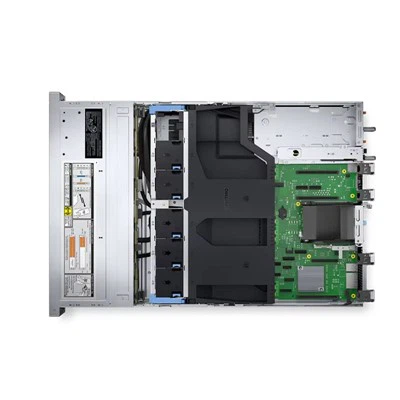
As a core storage component of a computer, the hard drive is known as its "data warehouse". All our data-including the operating system, software, documents, photos, videos, and more-relies on the hard drive for storage support. Many people only understand hard drives as a place to "store files," but their working principles, classifications, and key parameters directly determine a computer's speed and data security. This introductory article will help you understand hard drives from scratch.
Core Functions of a Hard Drive: More Than Just Storage, It Affects Performance
The hard drive is the computer's only long‑term storage device. Unlike RAM (temporary storage, data lost when power is off), a hard drive retains data permanently after shutdown. Meanwhile, operations such as system startup, software loading, file reading/writing, and gaming all require data to be first read from the hard drive into RAM. The read/write speed of the hard drive directly affects how responsive the computer is-which is why replacing the hard drive often makes an old computer run noticeably smoother.
Two Main Types of Hard Drives: HDD vs. SSD
Today's market mainly offers Hard Disk Drives (HDD) and Solid-State Drives (SSD). They differ greatly in structure, working principles, performance, and suitable use cases.
Hard Disk Drive (HDD)A traditional drive that reads and writes data using rotating platters and magnetic heads, with mechanical components including platters, heads, motors, and spindles.
- Advantages: Large capacity, low cost per GB, high data recoverability.
- Disadvantages: Slow read/write speed, sensitive to physical shock, noisy, high power consumption.
- Best for: Mass storage such as media libraries and file backups.
- Solid-State Drive (SSD)A modern drive that stores data on flash memory chips, with no moving parts.
- Advantages: Extremely fast read/write speed (5–20× faster than HDDs), shockproof, silent, low power usage.
- Disadvantages: Higher cost per GB, lower value for small capacities, difficult data recovery if damaged.
- Best for: Installing the operating system, software, and games to boost overall system speed.
Essential Hard Drive Parameters for Beginners
CapacityMeasured in GB and TB, where 1 TB = 1024 GB. Common capacities:
HDD: 1 TB–8 TB
SSD: 256 GB–4 TBChoose based on your needs.
InterfaceDetermines data transfer speed. Older HDDs use the SATA interface, while modern SSDs mainly use the M.2 interface (NVMe protocol), which is significantly faster than SATA.
RPM (Rotations Per Minute)Only applies to HDDs. Common speeds: 5400 RPM and 7200 RPM. Higher RPM means faster reads/writes but more noise.
Read/Write Speed
SSD: Sequential read/write speeds often exceed 2000 MB/s.
HDD: Only 100–200 MB/s.
Simply put, the hard drive is the computer's "data brain." Choosing the right type and specifications can save you money while greatly improving your user experience.