When it comes to data storage in virtualized environments, the choice of hard drives plays a crucial role. As a supplier of HDD 22TB, I have witnessed firsthand the growing demand for high - capacity storage solutions in this field. However, like any technology, using an HDD 22TB in a virtualized environment has its limitations.
Performance Limitations
One of the primary concerns when using an HDD 22TB in a virtualized environment is performance. HDDs rely on spinning disks and mechanical read - write heads. This mechanical nature results in relatively slow data access times compared to solid - state drives (SSDs). In a virtualized environment, where multiple virtual machines (VMs) may be competing for disk I/O resources simultaneously, the slow rotational speed of an HDD can lead to bottlenecks.
For instance, when a virtualized server is hosting multiple VMs for different applications, such as a web server, a database server, and a file server, the HDD may struggle to keep up with the concurrent read and write requests. The latency associated with the mechanical movement of the read - write heads can cause delays in data retrieval and storage, leading to reduced performance of the VMs. This can be particularly problematic for applications that require low - latency access to data, such as real - time analytics or high - frequency trading systems.
In contrast, SSDs offer much faster random access times, which are better suited for the demanding I/O requirements of virtualized environments. While HDDs are still a cost - effective option for large - scale storage, their performance limitations can be a significant drawback in high - performance virtualized setups.
Scalability Limitations
Another limitation is scalability. In a rapidly growing virtualized environment, the ability to scale storage easily is essential. While an HDD 22TB offers a large amount of storage space, adding more HDDs to increase capacity can be challenging.
When you add more HDDs to a system, you need to consider factors such as physical space, power consumption, and cooling requirements. Each additional HDD requires physical space in the server rack, and the power consumption of multiple HDDs can quickly add up, increasing operational costs. Moreover, the heat generated by multiple spinning disks can pose cooling challenges, which may require additional infrastructure investments.
In addition, managing a large number of HDDs can be complex. You need to ensure proper disk alignment, partitioning, and RAID configuration to optimize performance and data redundancy. As the number of HDDs increases, the risk of disk failures also rises, and the time required for data recovery in case of a failure can be substantial.
Data Integrity and Reliability
Data integrity is a critical concern in virtualized environments, where the loss or corruption of data can have severe consequences. HDDs are more prone to mechanical failures compared to SSDs. The spinning disks and moving parts in an HDD are subject to wear and tear over time, which can lead to disk failures.
In a virtualized environment, a single disk failure can affect multiple VMs, potentially leading to data loss or service disruptions. While RAID configurations can provide some level of data redundancy, they are not foolproof. In the event of a catastrophic failure, such as a head crash or a motor failure, data recovery can be difficult and time - consuming.
Moreover, the long - term reliability of an HDD 22TB can be a concern. As the disk ages, the risk of bad sectors and data corruption increases. This can lead to issues such as data read errors, which can affect the performance and stability of the virtualized environment.
Compatibility and Integration
Compatibility and integration can also be limitations when using an HDD 22TB in a virtualized environment. Different virtualization platforms may have specific requirements for storage devices, and not all HDDs may be fully compatible.
For example, some virtualization software may require specific disk controllers or drivers to support large - capacity HDDs. If the HDD 22TB is not properly supported, it may lead to issues such as slow performance, data transfer errors, or even system crashes.
In addition, integrating an HDD 22TB into an existing virtualized infrastructure may require additional configuration and testing. You need to ensure that the HDD is properly recognized by the hypervisor and that it can be integrated seamlessly with the existing storage network. This can be a time - consuming and complex process, especially in large - scale enterprise environments.
Cost - Benefit Analysis
Despite these limitations, HDD 22TB still has its advantages, especially in terms of cost. Compared to SSDs, HDDs offer a much lower cost per gigabyte of storage. For organizations with large - scale data storage requirements and less demanding performance needs, an HDD 22TB can be a cost - effective solution.
However, when considering the cost - benefit analysis, you need to take into account the long - term costs associated with the limitations mentioned above. The potential performance bottlenecks, scalability challenges, and data integrity issues may result in additional costs in terms of system downtime, data recovery, and infrastructure upgrades.

Comparison with Other Options
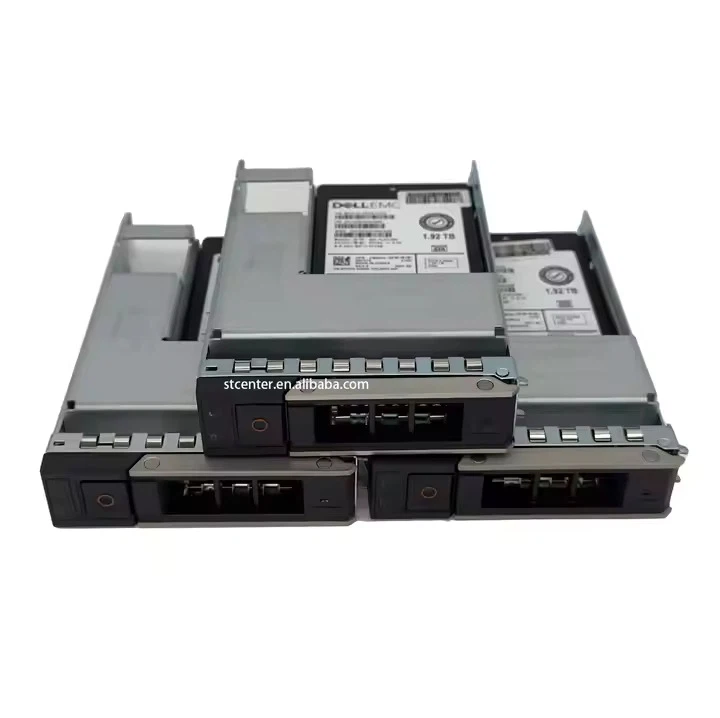
When evaluating the use of an HDD 22TB in a virtualized environment, it's important to compare it with other storage options. For example, Dell HDD 10TB and Dell HDD 8TB are also popular choices. While these drives offer smaller capacities compared to the HDD 22TB, they may be more suitable for smaller - scale virtualized environments or for use in a hybrid storage configuration.
A hybrid storage solution that combines the high - performance of SSDs with the large - capacity of HDDs can be a good compromise. In such a setup, SSDs can be used for the most critical and frequently accessed data, while HDDs can be used for long - term storage of less frequently accessed data.
Conclusion
In conclusion, while an HDD 22TB offers a large amount of storage space, there are several limitations when using it in a virtualized environment. These limitations include performance, scalability, data integrity, and compatibility issues. However, for organizations with specific storage requirements and budget constraints, an HDD 22TB can still be a viable option.
If you are considering using an HDD 22TB in your virtualized environment, it's important to carefully evaluate your needs and weigh the pros and cons. Our company, as a supplier of HDD 22TB, is committed to providing high - quality storage solutions and can offer professional advice on storage configuration and optimization. If you are interested in learning more about our products or discussing your storage requirements, please feel free to contact us for procurement and negotiation.
References
- "Storage in Virtualized Environments: Best Practices and Considerations" - IT Storage Research Report
- "Hard Disk Drive Technology and Performance Analysis" - Journal of Storage Systems
- "Comparative Study of SSDs and HDDs in Virtualized Data Centers" - International Journal of Computer Science and Network Security