Hey there! I'm a supplier of Cisco switches, and I know firsthand how frustrating it can be when link aggregation problems crop up. But don't worry, I'm here to walk you through some troubleshooting steps to get your network back on track.
Understanding Link Aggregation
Before we dive into troubleshooting, let's quickly go over what link aggregation is. Link aggregation, also known as port channeling, is a technique that bundles multiple physical interfaces into a single logical interface. This increases bandwidth, provides redundancy, and can improve network reliability. Cisco switches support several link aggregation protocols, such as EtherChannel, which can use either Layer 2 or Layer 3 settings.
Common Link Aggregation Problems
First off, it's important to know what kinds of problems you might run into. Some common issues include:
- Inconsistent settings: This is a biggie. If the port channels on each end of the link don't have the same settings, like speed, duplex, or VLAN configuration, they might not form properly.
- Hardware issues: Faulty cables, ports, or network interface cards (NICs) can cause problems. A bad cable can lead to intermittent connectivity or a complete failure.
- Protocol mismatches: Different switches might support different link aggregation protocols. If the endpoints can't agree on which protocol to use, the link won't work.
- Software bugs: Sometimes, a bug in the switch's operating system can mess up link aggregation. This can be especially tricky to diagnose, but it's important to keep in mind.
Step-by-Step Troubleshooting
1. Check the Physical Layer
- Cables: Make sure all the cables are properly plugged in and not damaged. Look for any signs of wear and tear, like frayed wires or bent connectors. If you suspect a cable is bad, try replacing it with a known - good one.
- Ports: Inspect the switch ports and NICs for any visible damage. Sometimes, a port can be physically damaged, preventing it from functioning correctly. You can use the
show interfaces statuscommand on your Cisco switch to check the status of each port. If a port shows aserr - disabled, you'll need to troubleshoot further.
2. Verify Configuration Settings
- Speed and Duplex: Ensure that all the ports in the link aggregation group have the same speed and duplex settings. You can use the
show interfacescommand to check the current settings. For example, if one port is set toautoand another is set to100Mbps full - duplex, it can cause problems. - VLAN Configuration: If you're using VLANs, make sure the VLAN settings are consistent across all ports in the link aggregation. You can use the
show vlancommand to view the VLAN configuration. - Link Aggregation Protocol: Check that both ends of the link are using the same link aggregation protocol. For example, if one switch is configured for Port Aggregation Protocol (PAgP) and the other for Link Aggregation Control Protocol (LACP), they won't form a link. You can configure the protocol using commands like
channel - group <group - number> mode <mode>where<mode>can beauto,desirable(for PAgP), oractive,passive(for LACP).
3. Check for Software Issues
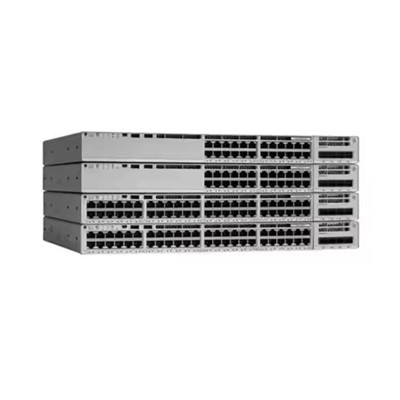
- Firmware Updates: Outdated firmware can sometimes cause link aggregation problems. Check Cisco's official website for the latest firmware releases for your switch model. For example, for the Switch Cisco C1000 24t 4g L, Switch Cisco C2960, or Switch Cisco C9200, you'll want to make sure you're running the latest and greatest.
- Error Logs: Examine the switch's error logs for any error messages related to link aggregation. You can use the
show loggingcommand to view the log. Error messages can give you clues about what might be going wrong.
4. Use Diagnostic Tools
- Cisco's Diagnostic Tools: Cisco provides a range of diagnostic tools that can help you troubleshoot link aggregation problems. For example, the
show etherchannel summarycommand gives you a high - level overview of all the EtherChannel groups on the switch, including their status and the ports in each group. You can also use thedebug etherchannelcommand to get more detailed information about the EtherChannel negotiation process.
Specific Troubleshooting Scenarios
Scenario 1: Port Channel Not Forming
If the port channel is not forming, first double - check the physical connections and make sure there are no loose cables. Then, verify that the link aggregation protocol settings are correct. If you're using PAgP, make sure both switches are set to either auto or desirable mode. For LACP, they should be set to active or passive.


Scenario 2: Intermittent Connectivity
Intermittent connectivity can be caused by a variety of factors. Check the cables for any signs of interference or damage. Also, look at the switch's CPU utilization. High CPU utilization can sometimes cause link aggregation problems. You can use the show processes cpu command to monitor the CPU usage.
Contact for Purchasing and Technical Support
If you're having persistent link aggregation problems or if you're in the market for a new Cisco switch, we're here to help. As a trusted Cisco switch supplier, we can provide you with high - quality switches and expert technical support. Whether you need a Switch Cisco C1000 24t 4g L, a Switch Cisco C2960, or a Switch Cisco C9200, we've got you covered. Reach out to us to start a discussion about your networking needs.
References
- Cisco Systems, Inc. "Cisco Catalyst Switch Configuration Guides."
- Cisco Community Forums. Discussions on link aggregation troubleshooting.
- Network World. Articles on network troubleshooting and Cisco switch configuration.