Hey there! As a supplier of 16TB HDDs, I often get asked if a 16TB HDD can be used for storing CAD files. Well, let's dive right into it and find out.
First off, what are CAD files? CAD, or Computer - Aided Design, files are used by architects, engineers, and designers to create detailed 2D and 3D models of everything from buildings to mechanical parts. These files can be quite large, especially when they involve high - resolution textures, complex geometries, and a large number of components.
So, can a 16TB HDD handle storing CAD files? The short answer is yes, and there are several reasons for that.
Capacity
One of the most obvious advantages of a 16TB HDD is its massive storage capacity. CAD projects can generate a huge amount of data. For example, a large - scale architectural project might involve multiple design iterations, detailed 3D models, and high - resolution renderings. All these files can quickly add up in size. With 16TB of storage, you have plenty of room to store not just one or two projects but an entire portfolio of CAD work. You won't have to worry about running out of space anytime soon, which is a major plus when dealing with long - term projects or a large number of clients.
Cost - effectiveness
When it comes to storage, cost is always a consideration. Compared to other high - capacity storage options like solid - state drives (SSDs) or enterprise - level storage arrays, a 16TB HDD is relatively inexpensive. For small design firms or individual designers on a budget, this makes it an attractive choice. You can get a large amount of storage without breaking the bank. You can invest the money you save on other aspects of your CAD workflow, like upgrading your design software or getting a better graphics card.
Compatibility
Most CAD software is compatible with HDDs. Whether you're using AutoCAD, SolidWorks, or any other popular CAD application, you can easily save your files to a 16TB HDD. There's no need to worry about special drivers or complex setup processes. Just plug in the HDD, format it if necessary, and you're good to go. This ease of use is another reason why HDDs are still widely used in the CAD industry.
Long - term data retention
CAD files are often valuable intellectual property. You might need to access old projects for reference, audits, or to make modifications in the future. A 16TB HDD provides a reliable way to store your data long - term. As long as you take proper care of the drive, like keeping it in a cool, dry place and backing up your data regularly, you can expect it to hold your CAD files for many years.
However, it's not all sunshine and rainbows. There are a few things to keep in mind when using a 16TB HDD for CAD files.
Performance
HDDs are based on spinning disks, which means they have mechanical parts. This can result in slower read and write speeds compared to SSDs. When working with large CAD files, slow read speeds can mean longer loading times for your projects. If you're constantly working on large, complex models and need instant access to data, the performance of an HDD might be a bottleneck. But if you're mainly using your HDD for long - term storage and don't need to access files constantly, this might not be a deal - breaker.
Reliability
While HDDs are generally reliable, they do have a higher risk of mechanical failure compared to SSDs. A single mechanical failure can lead to data loss, which can be catastrophic for your CAD projects. That's why it's crucial to have a proper backup strategy in place. You can use external backup drives or cloud - based storage solutions to ensure that your valuable CAD files are safe in case something goes wrong with your 16TB HDD.
Now, let's compare the 16TB HDD with other HDD options in the market.
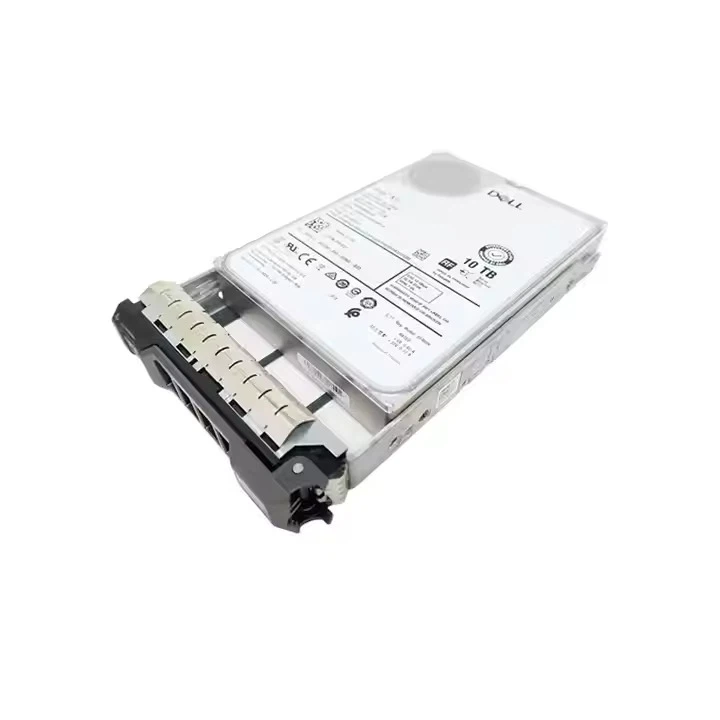
Comparison with Dell HDD 10TB
The Dell HDD 10TB is a popular choice for many users. It offers a large amount of storage, but it has 6TB less capacity than our 16TB HDD. If you have a growing CAD portfolio or work on large - scale projects, the extra 6TB of storage can make a big difference. You'll have more room to store additional projects, reference materials, and backups. However, if you have a relatively small amount of CAD data or are on a very tight budget, the 10TB option might be sufficient.
Comparison with HDD 22TB
On the other hand, the HDD 22TB offers even more storage than the 16TB HDD. If you're a large design firm with a vast amount of CAD data or a company that deals with multiple large - scale projects simultaneously, the 22TB HDD might be a better fit. But it also comes with a higher price tag. The 16TB HDD strikes a good balance between capacity and cost, making it a great choice for many small to medium - sized design businesses.
In conclusion, a 16TB HDD can definitely be used for storing CAD files. It offers a large amount of storage at a reasonable cost, is compatible with most CAD software, and can be a reliable long - term storage solution. However, you need to be aware of its limitations in terms of performance and reliability. If you're looking for a cost - effective way to store your CAD projects and don't need lightning - fast access to your files all the time, a 16TB HDD is a great option.
If you're interested in purchasing a 16TB HDD for your CAD storage needs, I'd love to have a chat with you. We can discuss your specific requirements and see if our product is the right fit for you. Don't hesitate to reach out and start the conversation about your storage needs.
References
- General knowledge about CAD file sizes and storage requirements in the design industry.
- Market research on HDD prices and capacities.