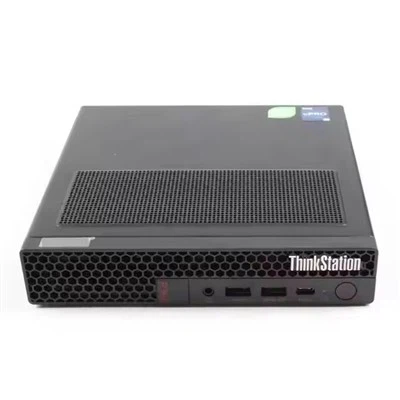
As a supplier of the Z 840, I often receive inquiries from customers about its capabilities, and one question that comes up frequently is whether the Z 840 supports RAID. In this blog post, I'll explore this topic in detail, providing you with the information you need to make an informed decision.
Understanding RAID
Before delving into whether the Z 840 supports RAID, it's important to understand what RAID is and why it's useful. RAID, which stands for Redundant Array of Independent Disks, is a technology that combines multiple physical disk drives into a single logical unit for the purposes of data redundancy, performance improvement, or both. There are several different RAID levels, each with its own characteristics and benefits:
- RAID 0: Striping. Data is split across multiple drives, which can significantly improve read and write performance. However, there is no data redundancy, so if one drive fails, all data is lost.
- RAID 1: Mirroring. Data is duplicated across two or more drives, providing full data redundancy. If one drive fails, the other drive(s) can still be used to access the data.
- RAID 5: Striping with parity. Data is striped across multiple drives, and parity information is also stored on the drives. This provides a balance between performance and data redundancy. If one drive fails, the data can be reconstructed using the parity information.
- RAID 6: Similar to RAID 5, but with additional parity information. This allows for the failure of two drives without data loss.
- RAID 10: A combination of RAID 1 and RAID 0. Data is mirrored (RAID 1) and then striped (RAID 0), providing both high performance and data redundancy.
Z 840 and RAID Support
The Z 840 is a powerful workstation designed for demanding professional applications. It does support RAID, but the level of support depends on the configuration and the components installed.
Hardware RAID
The Z 840 can be equipped with a hardware RAID controller, which provides dedicated hardware resources for managing the RAID array. This can offer better performance and reliability compared to software RAID. Some common hardware RAID controllers that are compatible with the Z 840 include the HP Smart Array P440ar and the HP Smart Array P840.
When using a hardware RAID controller, you can configure the RAID array during the system setup process. The controller will manage the data striping, parity calculation, and drive failure detection automatically, providing a seamless and efficient solution for data storage.
Software RAID
In addition to hardware RAID, the Z 840 also supports software RAID. Software RAID is implemented through the operating system, using the CPU and system memory to manage the RAID array. This can be a more cost-effective solution, as it doesn't require the purchase of a separate hardware RAID controller.
Most modern operating systems, such as Windows Server and Linux, have built-in support for software RAID. You can configure the RAID array using the operating system's disk management tools. However, it's important to note that software RAID may have some performance limitations compared to hardware RAID, especially in high-demand applications.
Benefits of Using RAID with the Z 840
There are several benefits to using RAID with the Z 840:
Data Redundancy
One of the primary benefits of RAID is data redundancy. By storing multiple copies of the data or using parity information, RAID can protect your data from drive failures. This is especially important for professional applications that rely on critical data, such as financial data, medical records, or creative projects.
Performance Improvement
RAID can also improve the performance of your system. By striping the data across multiple drives, RAID 0 can significantly increase the read and write speeds of your storage system. This can be beneficial for applications that require high-speed data access, such as video editing, 3D modeling, or database management.
Scalability
RAID allows you to scale your storage capacity by adding more drives to the array. This can be useful as your data storage needs grow over time. You can easily expand your RAID array without having to replace your entire storage system.
Considerations When Using RAID with the Z 840
While RAID offers many benefits, there are also some considerations to keep in mind when using it with the Z 840:


Cost
Hardware RAID controllers can be expensive, especially for high-end models. In addition, you may need to purchase additional drives to create the RAID array. This can increase the overall cost of your system.
Complexity
Configuring and managing a RAID array can be complex, especially for users who are not familiar with the technology. You need to understand the different RAID levels, their characteristics, and how to configure them properly. In addition, you need to monitor the health of the drives in the array and perform regular maintenance to ensure the reliability of the system.
Performance Trade-offs
As mentioned earlier, different RAID levels have different performance characteristics. For example, RAID 0 offers the highest performance but no data redundancy, while RAID 1 provides full data redundancy but lower performance. You need to choose the RAID level that best suits your needs and budget.
Comparison with Other Workstations
To give you a better understanding of the Z 840's RAID capabilities, let's compare it with some other workstations in the market:
- Workstation Z2 G9: The Workstation Z2 G9 is a compact and powerful workstation designed for small businesses and home users. It also supports RAID, but its RAID capabilities may be more limited compared to the Z 840, especially in terms of the maximum number of drives and the available RAID levels.
- Workstation HP Z8 G4: The Workstation HP Z8 G4 is a high-end workstation designed for enterprise-grade applications. It offers advanced RAID features and support for a large number of drives, similar to the Z 840. However, it may be more expensive and overkill for some users.
- Workstation Z4 G4: The Workstation Z4 G4 is a mid-range workstation that offers a good balance between performance and affordability. It supports RAID, but its RAID capabilities may be less extensive compared to the Z 840 and the Workstation HP Z8 G4.
Conclusion
In conclusion, the Z 840 does support RAID, both through hardware and software solutions. Whether you choose to use hardware RAID or software RAID depends on your specific needs, budget, and technical expertise. RAID can provide significant benefits in terms of data redundancy, performance improvement, and scalability, but it also requires careful consideration and planning.
If you're interested in learning more about the Z 840's RAID capabilities or other features, or if you're looking to purchase a Z 840 workstation, please don't hesitate to contact us. Our team of experts is here to help you find the best solution for your needs.
References
- HP Z 840 Workstation User Guide
- RAID Technology: An Introduction, by Tom Nolle