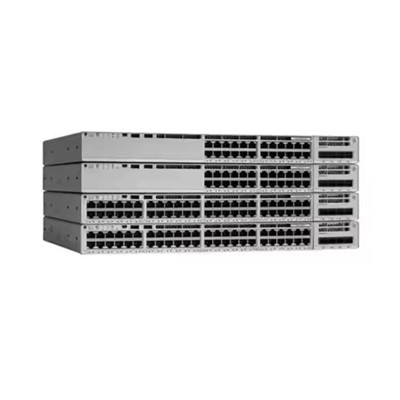
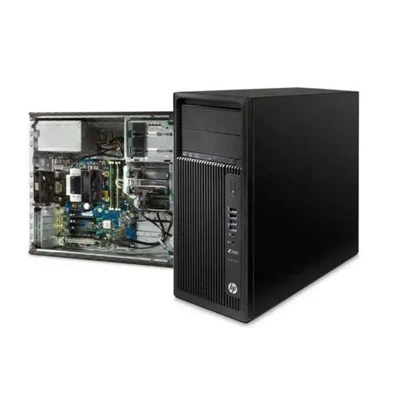
In the realm of professional computing, workstations play a pivotal role in enabling high - performance tasks across various industries. Lenovo and Dell are two prominent players in the workstation market, each offering a diverse range of products tailored to different user needs. As a Lenovo workstation supplier, I am well - versed in the features and capabilities of Lenovo's offerings and am eager to compare them with Dell workstations.
Design and Form Factor
Lenovo workstations come in a variety of form factors, catering to different workspace requirements. For instance, the Thinkstation P340 Tower offers a traditional tower design that provides ample space for component upgrades. It is a great choice for users who need to expand their storage, add more powerful graphics cards, or increase the amount of RAM over time. This tower design also allows for better ventilation, which is crucial for maintaining optimal performance during long - hours of heavy use.
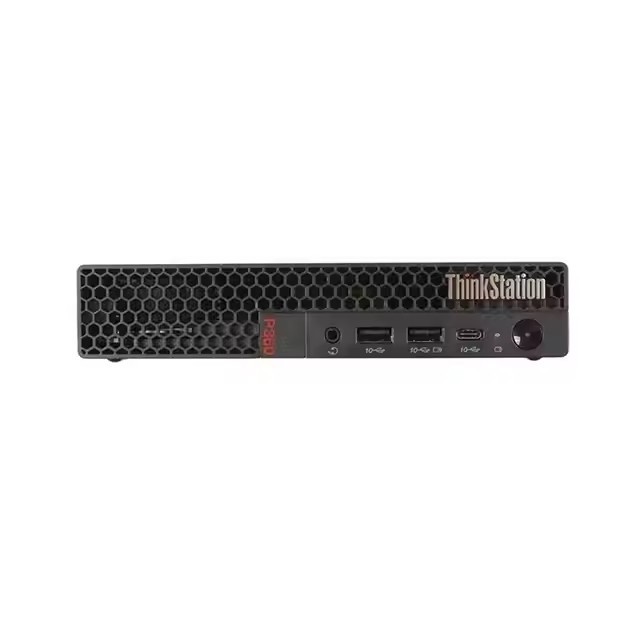
On the other hand, Dell workstations also offer a wide range of form factors. Their tower workstations are known for their sleek and modern designs. However, in some cases, the internal layout of Dell towers may be less user - friendly when it comes to component upgrades compared to Lenovo. Dell also offers small form factor workstations, but Lenovo takes it a step further with the Lenovo Tiny P360. This ultra - compact workstation is ideal for space - constrained environments such as small offices or classrooms. It can be easily mounted behind a monitor, saving valuable desk space without sacrificing performance.
Performance and Processing Power
When it comes to performance, both Lenovo and Dell workstations are equipped with high - end processors. Lenovo workstations often come with the latest Intel Xeon or Core processors, which provide excellent multi - core performance. The Lenovo P920 Workstation is a prime example. It is designed for the most demanding workloads, such as 3D modeling, animation, and data analytics. With support for up to two Intel Xeon Scalable processors, it can handle complex calculations and large - scale simulations with ease.
Dell workstations also offer powerful processors, and they have a reputation for providing reliable performance. However, Lenovo's focus on optimizing the system for specific workloads gives it an edge in certain scenarios. For example, Lenovo workstations are often pre - configured with the latest drivers and software optimizations for popular industry applications, ensuring seamless integration and maximum performance.
In terms of graphics performance, both brands support high - end NVIDIA and AMD graphics cards. Lenovo workstations, especially those in the high - end segment, are often tested and certified with a wide range of graphics cards, ensuring stability and compatibility. Dell workstations also offer similar graphics options, but Lenovo's extensive testing process can give users more confidence when it comes to running graphics - intensive applications.
Memory and Storage
Memory and storage are critical for workstations, as they directly impact the system's ability to handle large datasets and multi - task efficiently. Lenovo workstations typically support a large amount of RAM. The Thinkstation series, for example, can be configured with up to 1TB of DDR4 memory, allowing users to run multiple applications simultaneously without experiencing slowdowns.
Lenovo also offers a variety of storage options, including high - speed SSDs and large - capacity HDDs. Their workstations support RAID configurations, which provide data redundancy and improved performance. Dell workstations, too, offer generous memory and storage options. However, Lenovo's focus on providing flexible storage solutions, such as the ability to easily swap out drives and configure RAID arrays, gives it an advantage for users who need to manage large amounts of data.
Software and Support
Lenovo provides a comprehensive suite of software tools for its workstations. These tools include system monitoring software, which allows users to keep track of the system's performance, temperature, and other vital statistics. Lenovo also offers security software, such as ThinkShield, which provides multiple layers of protection against cyber threats.
In terms of support, Lenovo has a global network of service centers and a dedicated support team. They offer various support plans, including next - business - day on - site service, which ensures that any issues can be resolved quickly. Dell also offers a good range of software and support options. However, Lenovo's focus on security and its user - friendly software tools make it a more attractive option for many users.
Cost - Effectiveness
Cost is always an important factor when choosing a workstation. Lenovo workstations offer a good balance between performance and price. Their mid - range workstations, such as the Thinkstation P340, provide excellent value for money. They come with a decent set of features and performance capabilities at a relatively affordable price.
Dell workstations also have a range of products at different price points. However, in some cases, Lenovo's pricing strategy may be more favorable, especially for users who are looking for high - performance workstations on a budget. Additionally, Lenovo often runs promotions and offers discounts, which can further reduce the overall cost of ownership.
Conclusion
In conclusion, both Lenovo and Dell are leading players in the workstation market, each with its own strengths. Lenovo workstations stand out in terms of form factor flexibility, performance optimization for specific workloads, memory and storage flexibility, software tools, and cost - effectiveness.

If you are in the market for a workstation, I encourage you to consider Lenovo's offerings. Whether you are a small business owner, a creative professional, or an enterprise user, Lenovo has a workstation that can meet your needs. If you are interested in learning more about our Lenovo workstations or would like to discuss a potential purchase, please feel free to reach out. We are here to help you make the best decision for your computing needs.
References
- Lenovo official product documentation
- Dell official product documentation
- Industry reports on workstation performance and market trends