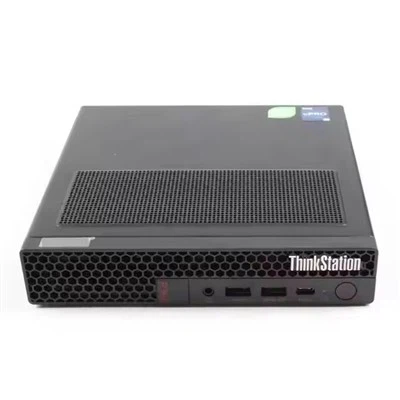
Hey there! As an HP server supplier, I've dealt with all sorts of HP server issues, and one common task that sometimes comes up is replacing the front panel of an HP server. In this blog, I'll walk you through the steps to replace the front panel of an HP server.
First off, why would you need to replace the front panel? Well, there could be a few reasons. Maybe the front panel has been damaged physically, like getting cracked or scratched. Or perhaps some of the buttons on the front panel aren't working properly, which can be a real pain when you're trying to manage the server.
Before you start the replacement process, you need to gather a few tools. You'll typically need a Phillips-head screwdriver. Make sure it's the right size for the screws on your HP server. You might also want to have an anti - static wrist strap handy. This helps prevent any static electricity from damaging the sensitive components inside the server.
Let's start with powering down the server. This is a crucial step. You don't want to be working on a live server. It's not only dangerous but can also cause damage to the server itself. So, shut down the server properly through the operating system. Then, unplug the power cord from the wall outlet. This ensures that there's no power running through the server while you're working on it.
Next, you need to remove the server from the rack (if it's a rack - mounted server). This gives you more space to work on the front panel. Loosen the rack mounting screws on both sides of the server. Then, carefully slide the server out of the rack. Place it on a stable and clean surface.
Now, it's time to access the front panel. Most HP servers have a few screws holding the front panel in place. Use your Phillips - head screwdriver to remove these screws. Usually, there are screws at the bottom and sometimes at the top or sides of the front panel. Once you've removed all the screws, gently pull the front panel away from the server. Be careful not to yank it too hard, as there might be some cables connected to it.


The cables connected to the front panel are usually for things like the power button, the status LEDs, and the USB ports. You need to disconnect these cables. Look for the connectors on the back of the front panel and gently pull them off. Make sure you remember how these cables are connected because you'll need to reconnect them to the new front panel later.
Once you've removed the old front panel, it's time to get the new one. If you're using an HP - branded front panel, it should fit perfectly. But if you're using a third - party replacement, double - check that it's compatible with your specific HP server model. For example, if you have an HP Proliant DL580 G10, make sure the replacement front panel is designed for that model.
Now, connect the cables to the new front panel. Match the connectors to the corresponding ports on the back of the front panel. Make sure they're firmly connected. Then, position the new front panel in place on the server. Align it with the holes where the screws go.
Use your Phillips - head screwdriver to put the screws back in. Tighten them just enough so that the front panel is secure but don't over - tighten them. Over - tightening can damage the front panel or the server chassis.
After you've installed the new front panel, slide the server back into the rack (if it's a rack - mounted server). Tighten the rack mounting screws to secure it in place. Then, plug the power cord back in and power on the server. Check if all the buttons on the front panel are working properly, and if the status LEDs are displaying the correct information.
It's important to note that different HP server models might have slightly different procedures for replacing the front panel. For instance, the Proliant DL360 Gen10 8sff and the HPE Proliant DL380 Gen10 Plus 8sff might have unique features or cable connections. So, always refer to the server's user manual for detailed instructions.
If you're not confident in doing this replacement yourself, don't hesitate to reach out to us. As an HP server supplier, we have a team of experts who can help you with the front panel replacement or any other server - related issues. We also have a wide range of HP server parts, including front panels, available for purchase.
Whether you're looking to replace a front panel due to damage or just want to upgrade your server's appearance, we've got you covered. Our goal is to provide you with high - quality products and excellent customer service.
If you're in the market for an HP server or any of its parts, we'd love to have a chat with you. Contact us to start a procurement discussion. We can offer you competitive prices and reliable solutions for all your HP server needs.
References:
- HP Server User Manuals