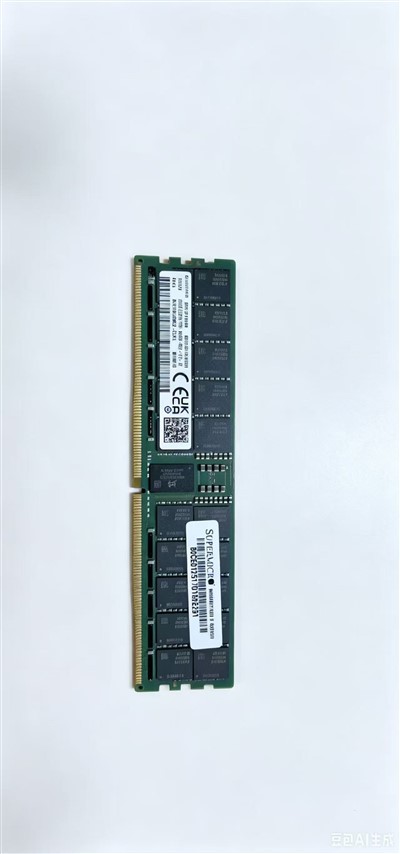
Core Definition of Hard Disk: The "Permanent Data Warehouse" of Devices
A hard disk (full name: "external storage device") is a core hardware in electronic devices used for "permanently storing data". It complements the "temporary storage" of memory and is equivalent to the "permanent warehouse" of the device. Whether it is system files, software installation packages, or data such as documents, pictures, videos, and games, they will all be permanently stored on the hard disk. Even if the device is powered off, the data will not be lost; it will only disappear if actively deleted or if the hard disk is damaged.
Main Types of Hard Disks: Mechanical Hard Disk (HDD) and Solid-State Drive (SSD)
Currently, the mainstream hard disks on the market are mainly divided into two categories: Mechanical Hard Disk (HDD) and Solid-State Drive (SSD). Each has its own advantages and disadvantages and is suitable for different storage scenarios. Among them, SSDs have gradually become the mainstream due to their speed advantage, but HDDs still are widely used in servers, data centers, and large-capacity storage scenarios by virtue of their "large capacity and low price" advantages. The two work together to not only ensure storage speed but also meet large-capacity storage needs.
Mechanical Hard Disk (HDD): A Traditional Choice for Large-Capacity Storage
3.1 Core Structure and Working Principle
A mechanical hard disk is a traditional storage device. Its core structure consists of mechanical components such as a read/write head, disk, and motor. It reads and writes data on the rotating disk through the read/write head, similar to the working method of a "record player".
3.2 Core Advantages and Disadvantages
- Advantages: Large capacity and low price - a 1TB mechanical hard disk only costs about 300 yuan, which is suitable for scenarios that require storing a large amount of data (such as servers, data centers, and monitoring storage).
- Disadvantages: Slow read/write speed (the read/write speed of an ordinary mechanical hard disk is only 50-100MB/s), poor shock resistance (mechanical components are afraid of vibration and falling and are easily damaged), high noise (noise is generated by the rotation of the read/write head during operation), and high power consumption.
3.3 Classification (by Interface and Size)
- Interface: Divided into SATA interface (mainstream, suitable for desktops and laptops) and SAS interface (specialized, mainly used for servers, with stronger stability and faster transmission speed).
- Size: Divided into 3.5-inch (mainly used for desktops and servers, with large capacity and slightly faster speed) and 2.5-inch (mainly used for laptops, with small size and low power consumption).
Solid-State Drive (SSD): The Mainstream Choice for High-Speed Storage (Supplementary Core Points)
- Core advantages: Fast read/write speed, strong shock resistance, low noise, and low power consumption. It is suitable as a system disk and a disk for frequently used software to improve the operating speed of the device.
- Core disadvantages: High price, the larger the capacity, the lower the cost performance, and the flash memory chips have a service life limit (the hard disk will gradually age when the write capacity reaches a certain value).
Hybrid Hard Disk (SSHD): An Obsolete Transitional Product
A hybrid hard disk is a combination of a mechanical hard disk and a solid-state drive. It has a built-in small-capacity flash chip (for caching frequently used data) and a mechanical disk (for permanent storage), combining the speed of an SSD and the large capacity of an HDD. However, its performance is not as good as that of a pure SSD, and its price is not advantageous. It has gradually been eliminated and is only used in a few special scenarios.
Core Principles for Hard Disk Purchase: Choose on Demand and Cooperate with Collocation
1 Ordinary Home Computers and Laptops
It is recommended to use the "SSD + HDD" combination - a 512GB SSD as the system disk to install the system and frequently used software to ensure operating speed; a 1TB or larger HDD as the data disk to store a large amount of data such as documents, pictures, and videos, balancing speed and capacity.
2 Professional Workstations and Gaming Laptops
Prioritize choosing a large-capacity SSD (1TB or more) to meet the high-speed storage needs of large software and games, without the need to match an HDD.
3 Servers, Data Centers, and Monitoring Storage
Prioritize choosing mechanical hard disks (SAS interface, large capacity) with high cost performance, suitable for long-term storage of massive data; core servers can be equipped with SSDs as caches to improve data read/write efficiency.
4 Mobile Storage Scenarios (Such as External Storage)
Prioritize choosing a Portable Solid-State Drive (PSSD), which is small in size, strong in shock resistance, and fast in transmission speed; if large capacity and low cost are needed, a portable mechanical hard disk can be selected, but attention should be paid to avoiding vibration and falling.