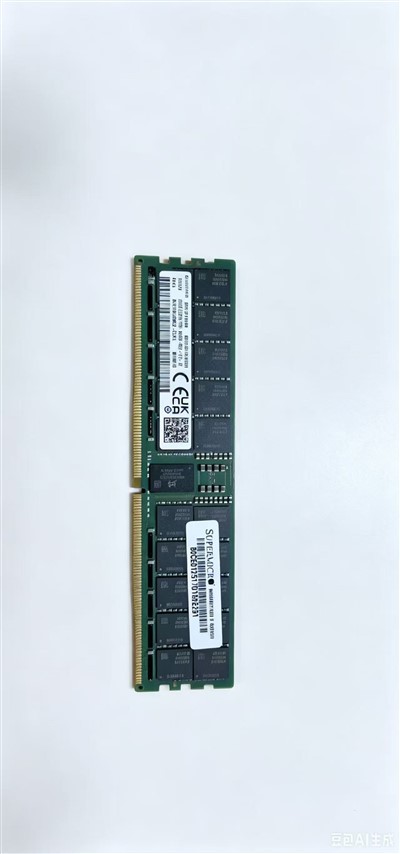
Generation - most crucial, they are incompatible with each other
- DDR3: An older technology, used on mainstream platforms before 2015. The voltage is usually 1.5V.
- DDR4: The mainstream of the previous generation (approximately 2015-2020). Voltage 1.2V, higher frequency, lower power consumption. There is a slight curvature in the middle of the gold finger.
- DDR5: Current and Future Mainstream (after 2020). The voltage is lower (1.1V), the frequency is significantly increased (starting at 4800MHz), on-chip ECC (Error Correction) is introduced, and power management is moved from the motherboard to the memory module itself (PMIC). It has stronger performance, but the initial latency may be higher.
Note: Each generation has different physical anti-misinsertion port (notch) positions, voltages, and pin numbers. They must never be mixed.
Capacity
- Common single capacities: 4GB, 8GB, 16GB, 32GB, 64GB.
- For modern Windows 11/10 systems, 8GB is entry-level, 16GB is mainstream and comfortable, and 32GB or above is suitable for heavy-load tasks such as professional creation, large-scale games, virtualization, and data analysis.
Frequency
- Unit: MHz (megahertz) Such as 2400MHz, 3200MHz, 4800MHz, 6000MHz, etc.
- The higher the frequency, the faster the data transmission speed. However, the actual operating frequency is limited by the support of the CPU memory controller and the motherboard.
- XMP/EXPO: High-frequency memory needs to enable the XMP (Intel) or EXPO (AMD) preset files in the motherboard BIOS to reach the nominal frequency; otherwise, it will operate at a reduced frequency (such as the JEDEC standard 2133/2400 MHZ).
Timings/CAS Latency
- It represents memory response Latency, usually written as CL (CAS Latency) or a set of numbers, such as CL16-18-18-38.
- The lower the CL value, the smaller the delay and the faster the response. However, it makes sense to compare the time series at the same generation and frequency. The CL value of high-frequency memory may be higher than that of low-frequency memory, but its overall performance is usually still stronger.
Channel
- Dual Channel: Mainstream configuration. Using two (or four) memory modules of the same capacity and specification in pairs doubles the memory bit width and significantly increases the bandwidth, which has a remarkable impact on the performance of the integrated graphics and CPU.
- Assembly method: Insert two memory sticks into the slots of the same color specified in the motherboard manual (usually spacer slots, such as slots 2 and 4).
Appearance and Heat dissipation
- Common strip: No heat dissipation jacket, low cost.
- Vest strip: Equipped with a metal heat sink, it helps with heat dissipation and stability during high-frequency operation, and also looks more aesthetically pleasing.
- RGB light strips: Equipped with programmable RGB lights for personalized installation.