


As an HP server supplier, one of the most frequently asked questions I encounter from customers is whether they can use third - party hard drives in an HP server. This is a crucial question that not only affects the server's performance but also its warranty and long - term reliability. In this blog, I'll delve into the details of using third - party hard drives in HP servers, weighing the pros and cons, and providing some guidance based on my experience in the industry.
Compatibility Considerations
HP servers, such as the Proliant DL360 Gen10 8sff, HP Proliant DL580 G10, and HPE Proliant DL380 Gen10 Plus 8sff, are designed with specific hardware requirements. HP has a strict set of standards for the components that are used in their servers to ensure optimal performance, compatibility, and reliability.

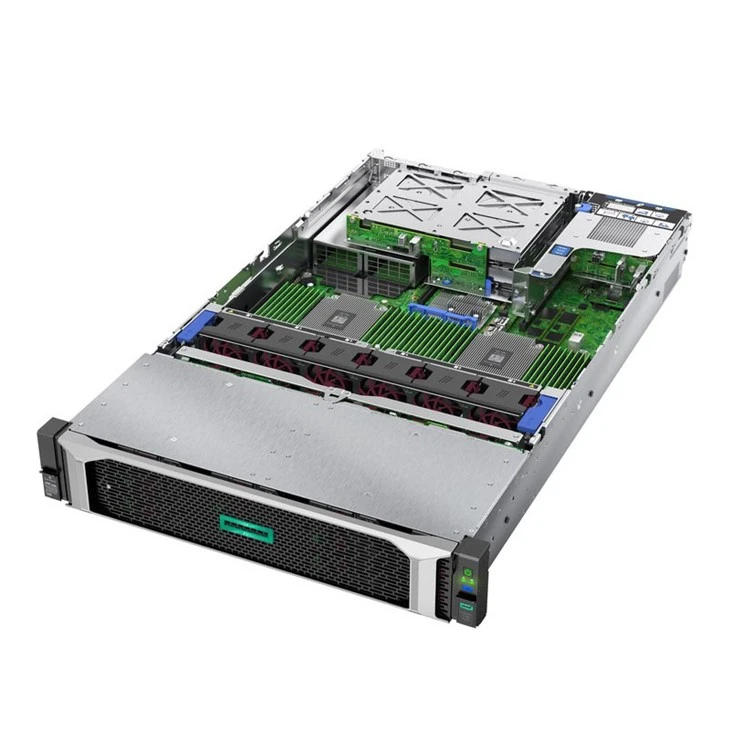
When it comes to hard drives, HP recommends using their own branded drives. These drives are thoroughly tested with the server's hardware and firmware to work seamlessly together. They are also optimized for the server's power management, data transfer rates, and error - correction capabilities. Third - party hard drives, on the other hand, may not have the same level of compatibility. They might not be recognized by the server's BIOS or RAID controller, leading to issues such as boot failures or data transfer errors.
However, it's not always a black - and - white situation. Some third - party hard drives may be physically compatible with HP servers. For example, if a third - party drive has the same form factor (such as 2.5 - inch or 3.5 - inch) and interface (such as SATA or SAS) as the HP - recommended drives, it can be physically installed in the server. But even if the physical installation is possible, there's no guarantee that the drive will function properly.
Performance and Reliability
Performance is another key factor to consider. HP - branded hard drives are engineered to deliver consistent performance within the server environment. They are designed to handle the high - volume data access and transfer requirements of enterprise - level applications. Third - party hard drives may have different performance characteristics. Some may offer higher sequential read/write speeds, but they might not perform as well in random access scenarios, which are common in server operations.
Reliability is also a major concern. HP servers are often used in mission - critical environments where data uptime is essential. HP's hard drives come with a certain level of quality assurance and are backed by HP's support and warranty. Third - party hard drives may have varying levels of reliability. Some may be of high quality, but others may be more prone to failures. If a third - party drive fails, it could lead to data loss or system downtime, which can be extremely costly for businesses.
Warranty Implications
Using third - party hard drives in an HP server can have significant implications for the server's warranty. HP's warranty typically covers only the components that are supplied by HP or authorized partners. If you install a third - party hard drive and encounter a problem with the server, HP may void the warranty. This means that if there are any issues with other parts of the server that are unrelated to the hard drive, you may not be eligible for free repairs or replacements.
However, in some cases, HP may allow the use of third - party hard drives without voiding the warranty, as long as the drive meets certain criteria. It's important to check with HP's official documentation or contact their support team to understand the specific warranty terms regarding third - party components.
Cost - Benefit Analysis
One of the main reasons customers consider using third - party hard drives is cost. Third - party hard drives are often cheaper than HP - branded drives. This can be an attractive option for businesses looking to reduce their hardware costs. However, as mentioned earlier, the cost savings need to be weighed against the potential risks in terms of compatibility, performance, and warranty.
If the server is used for non - critical applications or in a test environment, the cost savings of using third - party hard drives may be worth the risk. But for mission - critical servers, it's usually advisable to stick with HP - branded drives to ensure the highest level of reliability and support.
Best Practices
If you decide to use third - party hard drives in an HP server, here are some best practices to follow:
- Research the drive: Before purchasing a third - party hard drive, do thorough research on its compatibility with HP servers. Look for reviews and feedback from other users who have used the drive in a similar server environment.
- Test the drive: Before installing the drive in a production server, test it in a non - critical or test environment. This will help you identify any potential compatibility or performance issues before they cause problems in a live system.
- Keep backups: Regardless of whether you use HP - branded or third - party hard drives, always maintain regular backups of your data. This will protect you against data loss in case of a drive failure.
- Understand the warranty: Make sure you understand the implications of using a third - party hard drive on the server's warranty. If possible, try to find a way to use the third - party drive without voiding the warranty.
Conclusion
In conclusion, while it is technically possible to use third - party hard drives in an HP server, it comes with a number of risks and considerations. Compatibility, performance, reliability, and warranty are all important factors that need to be carefully evaluated. As an HP server supplier, I always recommend that customers consult with HP's support team or an experienced IT professional before making a decision.
If you're still unsure about whether to use third - party hard drives in your HP server or if you're looking for the best hard drive solutions for your server needs, I'm here to help. I can provide you with detailed information and guidance based on your specific requirements. Contact me to start a discussion about your server procurement and let's find the best solution for your business.
References
- HP Server Hardware Documentation
- Industry reports on server component compatibility and reliability
- Customer feedback and case studies on using third - party hard drives in HP servers




