


How does Dell RAM interact with the graphics card?
As a Dell RAM supplier, I've witnessed firsthand the intricate relationship between Dell RAM and graphics cards. This interaction is crucial for users who demand high - performance computing, whether it's for gaming, graphic design, or video editing.
The Basics of Memory and Graphics Processing
To understand how Dell RAM interacts with the graphics card, we first need to grasp the fundamental roles of each component. Random Access Memory (RAM) is a type of computer memory that stores data that the CPU needs to access quickly. It acts as a short - term storage space, holding the operating system, applications, and data that are currently in use.
On the other hand, a graphics card, also known as a GPU (Graphics Processing Unit), is specialized hardware designed to handle the complex calculations required for rendering images, videos, and 3D graphics. It has its own dedicated memory, called Video Random Access Memory (VRAM), which stores textures, frame buffers, and other graphical data.
Data Transfer between Dell RAM and the Graphics Card
One of the primary ways Dell RAM interacts with the graphics card is through data transfer. When you launch a graphics - intensive application, such as a modern video game or a professional 3D modeling software, the CPU needs to load the necessary data from the storage drive (e.g., HDD or SSD) into the RAM. This data includes game assets, textures, and code.
Once the data is in the RAM, the CPU then sends relevant graphical data to the graphics card. For example, when you are playing a game and move your character to a new area, the CPU fetches the corresponding textures and models from the RAM and transfers them to the GPU's VRAM. The graphics card can then process this data and render the new scene on your monitor.
The speed of this data transfer is critical. Dell RAM with higher clock speeds and bandwidth can transfer data to the graphics card more quickly. For instance, if you have a Dell 32G RAM with a high - speed DDR4 or DDR5 specification, it can supply the graphics card with the required data in a timely manner, reducing loading times and improving overall performance.
Memory Sharing and Overclocking
In some cases, the graphics card may not have enough VRAM to handle all the graphical data required by an application. This is where memory sharing comes into play. Some systems allow the graphics card to borrow a portion of the Dell RAM as additional VRAM. For example, if your graphics card has 4GB of VRAM but the game requires 6GB to run smoothly, the system can allocate 2GB of your Dell RAM to the graphics card.
However, this memory sharing has its limitations. The data transfer between the system RAM and the graphics card is generally slower than the internal data transfer within the VRAM. So, while it can help in some situations, it's not a substitute for having sufficient dedicated VRAM.
Overclocking is another aspect related to the interaction between Dell RAM and the graphics card. Overclocking involves increasing the clock speed of the RAM or the graphics card beyond their default settings to achieve better performance. When overclocking Dell RAM, it can potentially supply data to the graphics card at a faster rate. But this requires careful tuning, as overclocking can also lead to instability if not done correctly.
Impact on Different Applications
Gaming
In the gaming world, the interaction between Dell RAM and the graphics card is extremely important. Modern games are becoming more and more demanding, with high - resolution textures, detailed environments, and complex lighting effects. A Dell 32G 8G 16G 128G RAM can ensure that the game has enough memory to load all the necessary assets quickly.
For example, in a first - person shooter game, when you enter a large open - world area, the RAM needs to transfer a large amount of terrain and object data to the graphics card. If your RAM is slow or insufficient, you may experience long loading times, stuttering, or even crashes. A high - performance Dell RAM can keep up with the graphics card's demand, providing a smooth and immersive gaming experience.
Graphic Design and Video Editing
Graphic designers and video editors also rely heavily on the interaction between Dell RAM and the graphics card. These professionals often work with large - scale projects, such as high - resolution images and 4K or even 8K videos.
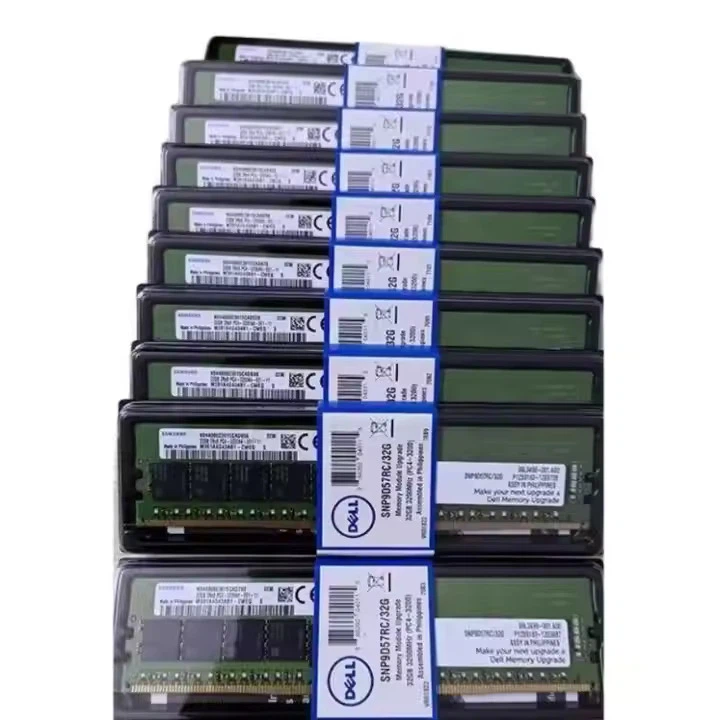

When editing a video, the RAM stores the raw video footage, intermediate editing data, and effects. The graphics card then processes these data to apply filters, color correction, and other visual effects. A 128G RAM can handle large - scale projects more efficiently, allowing the graphics card to receive a continuous stream of data for seamless editing.
Choosing the Right Dell RAM for Your Graphics Card
Selecting the appropriate Dell RAM for your graphics card depends on several factors. First, consider the type of applications you will be using. If you are a gamer, a 16GB or 32GB Dell RAM is usually sufficient, but for more demanding games or multi - tasking, you may want to consider a higher capacity like 64GB or even 128G RAM.
Second, pay attention to the RAM's speed and bandwidth. Match the RAM's specifications with your graphics card's requirements. For example, if you have a high - end graphics card, it can benefit from high - speed DDR5 Dell RAM.
Finally, ensure that your motherboard is compatible with the Dell RAM you choose. Different motherboards support different types and capacities of RAM.
Conclusion
The interaction between Dell RAM and the graphics card is a complex but essential part of a high - performance computer system. From data transfer to memory sharing, every aspect plays a role in determining the overall performance of your system, whether you are a gamer, a graphic designer, or a professional in any other field that requires intensive graphics processing.
If you are looking to upgrade your Dell RAM to enhance the interaction with your graphics card and improve your system's performance, we are here to help. We offer a wide range of Dell RAM products, including Dell 32G 8G 16G 128G RAM, to meet your specific needs. Contact us for more information and to start a procurement negotiation. We are committed to providing you with the best - quality Dell RAM at competitive prices.
References
- "Computer Architecture: A Quantitative Approach" by John L. Hennessy and David A. Patterson.
- "Graphics Pipeline Architecture" by Wolfgang Heidrich.
- Manufacturer documentation from Dell and major graphics card manufacturers.




