


Server virtualization has emerged as a cornerstone technology in modern data centers, enabling businesses to optimize their server resources, enhance efficiency, and reduce costs. As a leading server supplier, I've witnessed firsthand the transformative power of server virtualization and its ability to revolutionize the way organizations manage their IT infrastructure. In this blog post, I'll delve into the intricacies of how server virtualization works, exploring its key components, benefits, and real-world applications.
Understanding the Basics of Server Virtualization
At its core, server virtualization is the process of creating multiple virtual servers on a single physical server. These virtual servers, also known as virtual machines (VMs), are isolated from each other and can run different operating systems and applications independently. This allows organizations to consolidate multiple physical servers into a single hardware platform, reducing hardware costs, energy consumption, and maintenance requirements.
The key to server virtualization is a software layer called a hypervisor. The hypervisor acts as a mediator between the physical server's hardware resources and the virtual machines running on it. It manages the allocation of CPU, memory, storage, and network resources to each virtual machine, ensuring that they can operate efficiently and independently.
There are two main types of hypervisors: Type 1 and Type 2. Type 1 hypervisors, also known as bare-metal hypervisors, run directly on the physical server's hardware without the need for an underlying operating system. This provides better performance and security compared to Type 2 hypervisors, which run on top of an existing operating system.
How Server Virtualization Works: A Step-by-Step Process
Let's take a closer look at how server virtualization works by walking through the process of creating and managing virtual machines on a physical server.
Step 1: Install the Hypervisor
The first step in setting up a virtualized server environment is to install a hypervisor on the physical server. There are several popular hypervisors available in the market, including VMware ESXi, Microsoft Hyper-V, and Citrix XenServer. Each hypervisor has its own features and capabilities, so it's important to choose the one that best suits your organization's needs.
Step 2: Create Virtual Machines
Once the hypervisor is installed, you can start creating virtual machines. To create a virtual machine, you need to define its hardware specifications, such as the amount of CPU, memory, storage, and network resources it will require. You can also choose the operating system and applications that will run on the virtual machine.
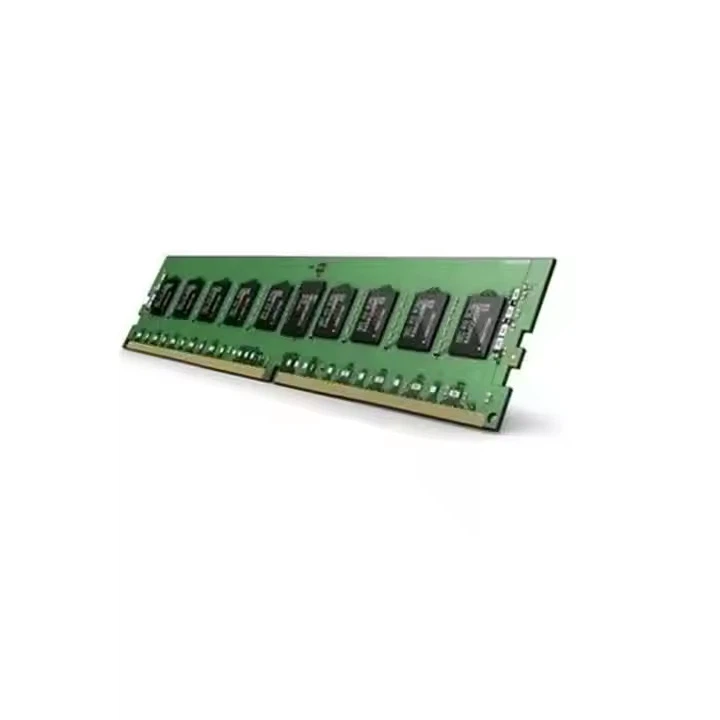
For example, if you need to create a virtual machine for a web application, you might allocate 2 CPU cores, 32GB DDR4 2133MHz of memory, and 500GB of storage to the virtual machine. You can then install a web server, such as Apache or Nginx, and a database server, such as MySQL or PostgreSQL, on the virtual machine.
Step 3: Allocate Resources
After creating the virtual machines, the hypervisor will allocate the physical server's resources to each virtual machine based on its defined hardware specifications. The hypervisor uses a technique called resource pooling to aggregate the physical server's resources and distribute them among the virtual machines as needed.
For example, if you have a physical server with 16 CPU cores, 64GB of memory, and 1TB of storage, and you create four virtual machines with the following hardware specifications:
- Virtual Machine 1: 2 CPU cores, 8GB of memory, and 200GB of storage
- Virtual Machine 2: 4 CPU cores, 16GB of memory, and 300GB of storage
- Virtual Machine 3: 6 CPU cores, 24GB of memory, and 400GB of storage
- Virtual Machine 4: 4 CPU cores, 16GB of memory, and 100GB of storage
The hypervisor will allocate the physical server's resources to each virtual machine based on its requirements. If one virtual machine needs more resources, the hypervisor can dynamically reallocate resources from other virtual machines to meet its needs.
Step 4: Manage and Monitor Virtual Machines
Once the virtual machines are created and running, you need to manage and monitor them to ensure they are operating efficiently and securely. The hypervisor provides a management console that allows you to perform tasks such as creating, deleting, and modifying virtual machines, allocating resources, and monitoring performance.
You can also use third-party management tools to manage and monitor your virtualized server environment. These tools provide advanced features such as automated resource allocation, performance monitoring, and security management.
Benefits of Server Virtualization
Server virtualization offers several benefits for organizations of all sizes, including:
Cost Savings
By consolidating multiple physical servers into a single hardware platform, server virtualization can significantly reduce hardware costs, energy consumption, and maintenance requirements. This can result in substantial cost savings for organizations, especially those with large data centers.
Improved Efficiency
Server virtualization allows organizations to make better use of their server resources by allocating them more efficiently. This can improve the performance and reliability of applications and services, while also reducing the time and effort required to manage and maintain the server infrastructure.

Increased Flexibility
Server virtualization provides organizations with greater flexibility in terms of resource allocation and application deployment. Virtual machines can be easily created, deleted, and modified, allowing organizations to quickly adapt to changing business needs and demands.
Enhanced Security
Server virtualization provides a higher level of security compared to traditional physical servers. Virtual machines are isolated from each other, which means that a security breach in one virtual machine is less likely to affect other virtual machines on the same physical server.
Real-World Applications of Server Virtualization
Server virtualization is used in a wide range of industries and applications, including:
Data Centers
Server virtualization is widely used in data centers to consolidate multiple physical servers into a single hardware platform. This can reduce hardware costs, energy consumption, and maintenance requirements, while also improving the performance and reliability of applications and services.
Cloud Computing
Server virtualization is a key technology in cloud computing, enabling cloud service providers to offer virtualized server resources to their customers on a pay-as-you-go basis. This allows organizations to scale their IT infrastructure up or down as needed, without having to invest in expensive hardware.
Development and Testing
Server virtualization is commonly used in development and testing environments to create multiple virtual machines for different purposes. This allows developers and testers to quickly and easily create and test new applications and services without affecting the production environment.
Conclusion
Server virtualization is a powerful technology that offers several benefits for organizations of all sizes. By consolidating multiple physical servers into a single hardware platform, server virtualization can reduce hardware costs, energy consumption, and maintenance requirements, while also improving the performance and reliability of applications and services.
As a server supplier, I'm committed to helping organizations leverage the benefits of server virtualization to optimize their IT infrastructure and achieve their business goals. If you're interested in learning more about server virtualization or exploring how it can benefit your organization, please don't hesitate to contact us to schedule a consultation. We'll be happy to discuss your specific needs and requirements and provide you with a customized solution that meets your budget and goals.
References
- VMware. (n.d.). What is Server Virtualization? Retrieved from https://www.vmware.com/topics/glossary/content/server-virtualization.html
- Microsoft. (n.d.). What is Hyper-V? Retrieved from https://docs.microsoft.com/en-us/windows-server/virtualization/hyper-v/hyper-v-technology-overview
- Citrix. (n.d.). What is XenServer? Retrieved from https://www.citrix.com/products/citrix-hypervisor/




