Hey there! As a supplier of Huawei switches, I've seen firsthand how crucial it is to secure the management of these devices. In today's digital age, network security is no joke, and a well - secured Huawei switch can be the linchpin of a reliable and safe network. So, let's dive into how you can make sure your Huawei switch management is top - notch.
1. User Authentication and Authorization
First things first, user authentication and authorization are the gatekeepers to your switch. You don't want just anyone fiddling around with your Huawei switch settings.
Strong Passwords
Always set strong passwords for all user accounts on the switch. A strong password should be a mix of uppercase and lowercase letters, numbers, and special characters. Avoid using common words or phrases that can be easily guessed. For example, instead of "password123", use something like "P@ssw0rd!#Hu@wei". Also, make sure to change passwords regularly. This simple step can prevent unauthorized access to your switch's management interface.
Role - Based Access Control (RBAC)
Huawei switches support RBAC, which allows you to define different roles with specific permissions. You can create roles for network administrators, operators, and auditors, each with their own set of access rights. For instance, an auditor might only have the right to view logs, while an administrator can make configuration changes. By implementing RBAC, you limit the potential damage that can be caused if an account is compromised.
2. Software and Firmware Updates
Keeping your Huawei switch's software and firmware up - to - date is like giving it a shot of the latest security vaccine.
Regular Checks
Huawei frequently releases software and firmware updates to fix security vulnerabilities, improve performance, and add new features. You should set up a regular schedule to check for these updates. You can do this manually through the switch's management interface or use Huawei's management tools to automate the process.
Testing Before Deployment
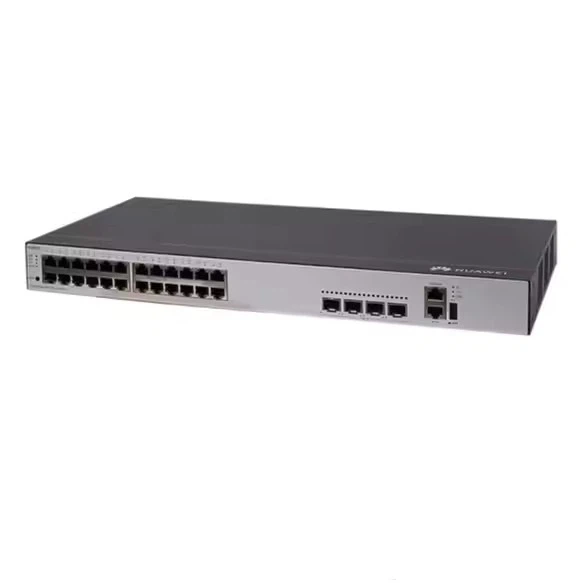
Before deploying an update across your entire network, it's a good idea to test it in a staging environment. This way, you can make sure the update doesn't cause any compatibility issues or disrupt your network operations. For example, if you're using a Huawei Switch S5735, test the update on a single device of this model first.
3. Network Segmentation
Network segmentation is a powerful security strategy that can protect your Huawei switch and the entire network.
VLANs (Virtual Local Area Networks)
Use VLANs to separate different types of traffic on your network. For example, you can create a VLAN for your management traffic, another for your user data, and a third for your IoT devices. By isolating traffic, you can limit the spread of a security breach. If an attacker manages to compromise a device on one VLAN, they won't be able to easily access other parts of the network.
Access Control Lists (ACLs)
ACLs work hand - in - hand with VLANs. You can use ACLs to define which types of traffic are allowed to enter or leave a VLAN. For example, you can block all incoming traffic from untrusted IP addresses or restrict certain types of traffic, like Telnet or FTP, to only specific devices. This helps to prevent unauthorized access to your switch and other network resources.
4. Physical Security
Don't forget about the physical security of your Huawei switch. After all, if someone can physically access the switch, they can do a lot of damage.
Secure Location
Place your switch in a locked and secure location, such as a server room or a data center. Limit access to this area to only authorized personnel. You can also use security cameras to monitor the area and detect any unauthorized access attempts.
Cable Management
Keep your network cables organized and protected. Loose or exposed cables can be easily tampered with, which can lead to network disruptions or security breaches. Use cable trays and conduits to keep cables out of harm's way.

5. Monitoring and Logging
Monitoring and logging are essential for detecting and responding to security incidents.
Real - Time Monitoring
Use Huawei's management tools or third - party network monitoring software to keep an eye on your switch's performance and security status. You can monitor things like CPU usage, memory utilization, and network traffic. Unusual spikes in these metrics could indicate a security issue, such as a DDoS attack.
Logging and Analysis
Enable logging on your switch to record all system events, including user logins, configuration changes, and security alerts. Regularly review these logs to detect any suspicious activity. You can also use log analysis tools to help you identify patterns and trends that might indicate a security threat. For example, if you notice multiple failed login attempts from the same IP address, it could be a sign of a brute - force attack.
6. Encryption
Encryption is like wrapping your data in a secure blanket, protecting it from prying eyes.
SSH (Secure Shell)
Use SSH instead of Telnet for remote management of your Huawei switch. SSH encrypts all data transmitted between your management device and the switch, preventing eavesdropping and man - in - the - middle attacks. Make sure to configure SSH with strong encryption algorithms and use key - based authentication for an extra layer of security.
IPsec (Internet Protocol Security)
If your switch is involved in site - to - site or remote access VPNs, use IPsec to encrypt the traffic. IPsec provides authentication, integrity, and confidentiality for your network traffic, ensuring that your data is safe as it travels across the network.
7. Backup and Recovery
In case of a security incident or a system failure, having a backup and recovery plan is crucial.
Regular Backups
Create regular backups of your switch's configuration files. You can store these backups on an external server or a cloud - based storage service. This way, if your switch is compromised or needs to be restored to a previous state, you can easily do so.
Testing Backups
Periodically test your backups to make sure they are valid and can be restored successfully. This will give you peace of mind knowing that you can quickly recover your switch in case of an emergency.
Conclusion
Securing the management of a Huawei switch is a multi - faceted process that requires a combination of technical measures, physical security, and regular monitoring. By following the steps outlined above, you can significantly reduce the risk of security breaches and ensure the reliability and performance of your network.
If you're interested in purchasing Huawei switches or need more advice on securing your network, feel free to reach out for a procurement discussion. We're here to help you build a secure and efficient network with our top - quality Huawei switch products, such as the Huawei S6720 30C EI 24S AC and S6730 Huawei.
References
- Huawei Switch User Manuals
- Network Security Best Practices Guides
- Industry - Standard Security References