Hey there! As an SSD supplier, I'm super stoked to dive into the security features of SSDs with you. In today's digital age, data security is no joke, and SSDs have come a long way in offering top - notch protection. Let's break it down!
Encryption: The First Line of Defense
Encryption is like a secret code for your data. It scrambles your information so that even if someone manages to get their hands on your SSD, they won't be able to read it without the right key. Most modern SSDs support two main types of encryption: hardware - based and software - based.
Hardware - based encryption is built right into the SSD controller. It encrypts data on the fly as it's written to the drive and decrypts it when it's read. This is super fast and doesn't put much of a strain on your system's resources. For example, our SSD 22TB comes with advanced hardware - based encryption. It uses algorithms like AES (Advanced Encryption Standard) with 256 - bit keys. That's a seriously strong lock for your data!
Software - based encryption, on the other hand, is done by software installed on your computer. Programs like BitLocker on Windows or FileVault on macOS can encrypt the entire drive. While it offers great security, it can be a bit slower than hardware - based encryption, especially on older systems.
Self - Encrypting Drives (SEDs)
SEDs take encryption to the next level. These drives are pre - configured to encrypt data automatically. When you power on the drive, it asks for an encryption key. Without the correct key, the drive remains locked, and the data is inaccessible.
One of the cool things about SEDs is that they follow industry standards like TCG Opal. This means that they're compatible with a wide range of systems and can be managed centrally in an enterprise environment. Our 16TB M.2 SSD is a SED, which makes it a great choice for businesses that need to protect sensitive data.
Secure Erase
Data deletion isn't as simple as just hitting the "delete" button. When you delete a file on an SSD, the data might still be recoverable. That's where secure erase comes in.
A secure erase operation overwrites all the data on the SSD with random characters or zeros. This makes it virtually impossible to recover the original data. Most SSDs support secure erase commands, and some even have a built - in secure erase feature that can be triggered from the BIOS or a special utility. Our M.2 8TB SSD has a reliable secure erase function, which is great for when you want to repurpose or dispose of the drive.
Wear - Leveling and Data Integrity
Wear - leveling is a feature that helps distribute data evenly across the SSD's memory cells. This not only extends the lifespan of the drive but also helps maintain data integrity. When an SSD writes data, it tries to use different cells to avoid wearing out any single cell too quickly.
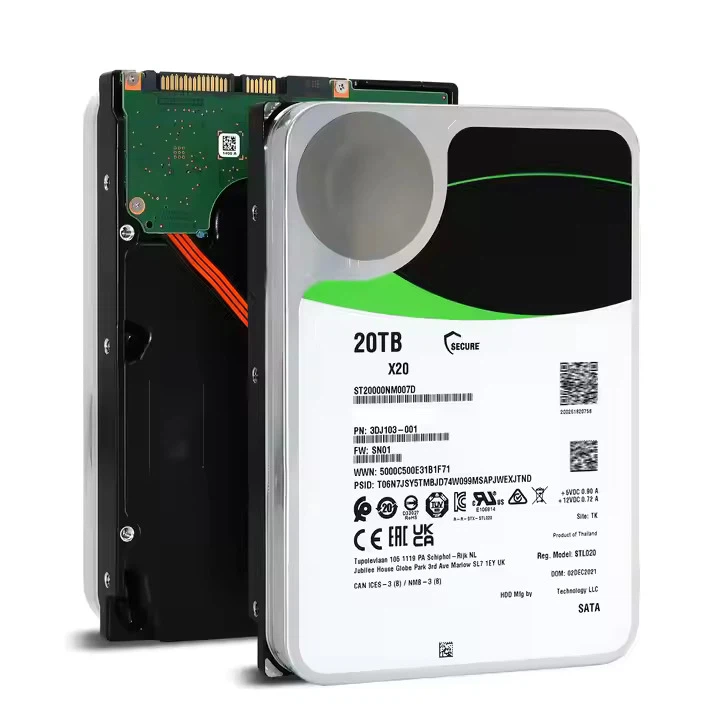

Data integrity is crucial for security. If your data gets corrupted, it can lead to all sorts of problems, including security vulnerabilities. SSDs use error - correcting codes (ECC) to detect and fix small errors in the data. This ensures that the data you read from the drive is the same as the data you wrote to it.
Power - Loss Protection
Power outages can be a nightmare for data storage. When the power suddenly goes out, data that's in the process of being written to the SSD might not get saved properly. This can lead to data corruption.
To prevent this, many SSDs have power - loss protection mechanisms. These usually involve a small capacitor or battery that can provide enough power to finish writing the data to the drive when the main power fails. Our SSDs are equipped with reliable power - loss protection, so you don't have to worry about losing data during a blackout.
Physical Security
Physical security is also important. SSDs are small and easy to carry around, which means they can be lost or stolen. To address this, some SSDs come with features like tamper - evident seals or the ability to be locked in a physical enclosure.
In an enterprise setting, you can also use security policies to control who has access to the drives. For example, you can limit access to certain users or require authentication before the drive can be used.
Authentication and Access Control
Authentication is all about verifying who you are. SSDs can use different methods of authentication, such as passwords, biometric data (like fingerprints), or smart cards. Once you're authenticated, the drive can then give you access to the data.
Access control goes a step further. It allows you to define who can do what with the data on the drive. For example, you can set up different levels of access for different users. Some users might only be able to read the data, while others can modify or delete it.
Why These Security Features Matter
In today's world, data breaches are becoming more and more common. Whether you're an individual storing personal photos and documents or a business handling sensitive customer information, protecting your data is essential.
For individuals, a secure SSD can give you peace of mind knowing that your personal information is safe. You don't have to worry about someone stealing your drive and accessing your private data.
For businesses, data security is not just about protecting customer information. It's also about complying with regulations. Many industries have strict data security requirements, and using SSDs with strong security features can help you meet those requirements.
Conclusion
So, there you have it! The security features of SSDs are diverse and powerful. From encryption to power - loss protection, these features work together to keep your data safe.
If you're in the market for a secure SSD, we've got a great range of products to choose from. Whether you need a large - capacity drive for your business or a high - performance drive for your personal computer, we've got you covered.
If you're interested in learning more about our SSDs or want to discuss your specific needs, don't hesitate to reach out. We're here to help you find the perfect SSD for your security requirements. Let's start a conversation about how we can protect your data!
References
- "Solid State Drives: Technology, Performance, and Applications" by John D. Carpinelli
- "Data Security in the Digital Age" by Jane Smith
- Various industry whitepapers on SSD security features