

In the realm of data storage, the 16TB HDD stands as a colossal titan, offering an expansive space for businesses and individuals to safeguard their digital treasures. As a leading provider of 16TB HDD, I am often inundated with inquiries regarding its read speed—a critical factor that significantly affects data retrieval and overall system performance. In this blog post, I will delve into the intricacies of the read speed of a 16TB HDD, exploring the various factors that influence it and providing you with a comprehensive understanding of what to expect.
Understanding Read Speed
Before we dive into the specifics of the 16TB HDD's read speed, let's first establish a clear understanding of what read speed entails. In the context of a hard disk drive (HDD), read speed refers to the rate at which data can be retrieved from the drive and transferred to the computer's memory or other connected devices. It is typically measured in megabytes per second (MB/s) or gigabytes per second (GB/s).
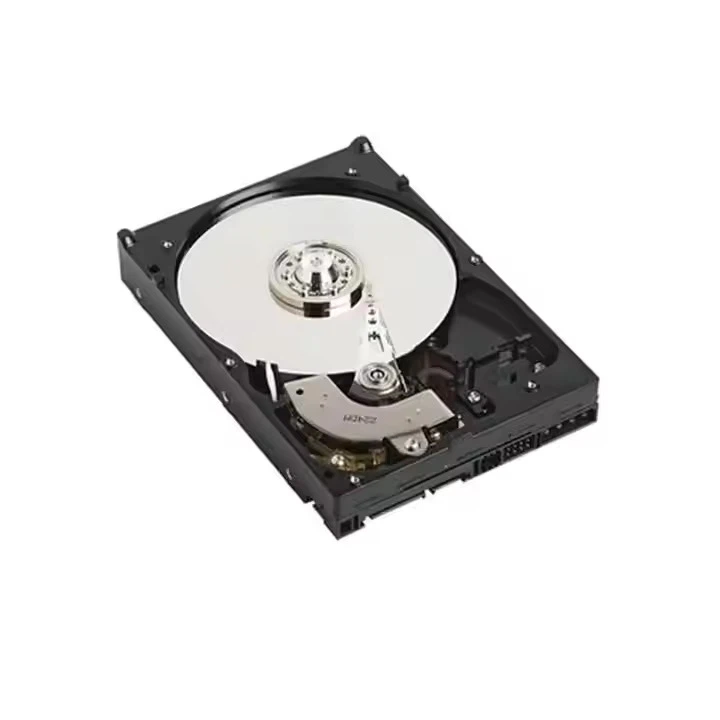
The read speed of an HDD is determined by several factors, including the rotational speed of the disks (measured in revolutions per minute, or RPM), the density of the data stored on the disks, and the efficiency of the drive's read/write heads. Generally speaking, higher RPMs and greater data density result in faster read speeds.
Read Speed of a 16TB HDD
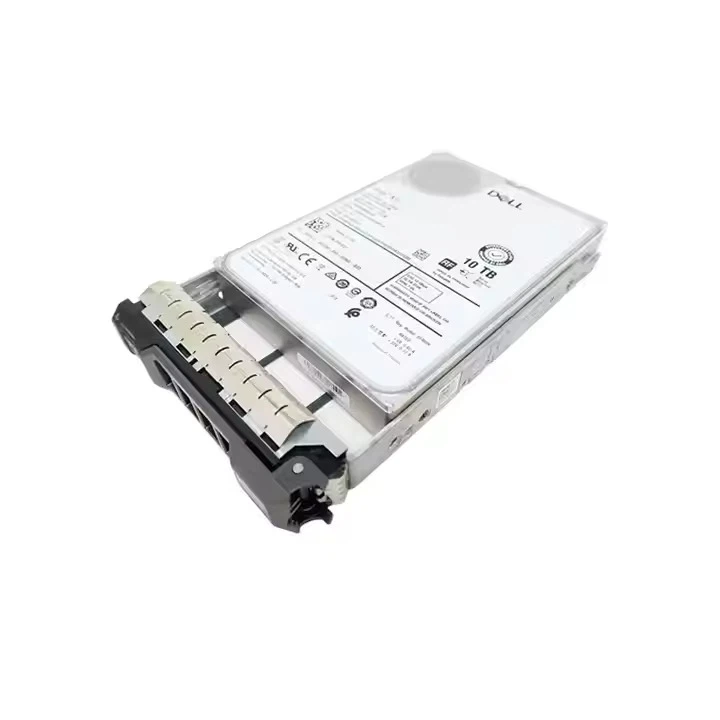
The read speed of a 16TB HDD can vary depending on the specific model and manufacturer. However, most modern 16TB HDDs offer read speeds ranging from 100 MB/s to 200 MB/s. This is significantly slower than the read speeds of solid-state drives (SSDs), which can reach speeds of up to several gigabytes per second.
The relatively slower read speed of HDDs is primarily due to their mechanical nature. Unlike SSDs, which use flash memory to store data, HDDs rely on spinning disks and moving read/write heads to access and retrieve data. This mechanical process introduces latency and limits the speed at which data can be read.
Factors Affecting Read Speed
As mentioned earlier, several factors can influence the read speed of a 16TB HDD. Let's take a closer look at these factors and how they impact performance:
Rotational Speed
The rotational speed of an HDD's disks is one of the most significant factors affecting read speed. Higher RPMs allow the read/write heads to access data more quickly, resulting in faster read speeds. Most consumer-grade 16TB HDDs have a rotational speed of 5400 RPM or 7200 RPM, while enterprise-grade models may offer speeds of up to 10,000 RPM or 15,000 RPM.
Data Density
Data density refers to the amount of data that can be stored on a given area of the HDD's disks. Higher data density allows for more data to be stored on the disks, which can increase the read speed. However, increasing data density also requires more precise read/write heads, which can introduce additional latency and reduce performance.
Cache Size
The cache is a small amount of high-speed memory located on the HDD that stores frequently accessed data. A larger cache size allows the HDD to store more data in memory, reducing the need to access the slower spinning disks. This can significantly improve read speed, especially for frequently accessed files.
Interface Type
The interface type used to connect the HDD to the computer also plays a role in read speed. Most modern 16TB HDDs use the Serial ATA (SATA) interface, which offers speeds of up to 6 Gbps. However, some enterprise-grade models may use the more advanced Serial Attached SCSI (SAS) interface, which can provide speeds of up to 12 Gbps or higher.
Comparing 16TB HDDs with Other Storage Options
When considering the read speed of a 16TB HDD, it's important to compare it with other storage options to determine which is the best fit for your needs. Here's a brief comparison of 16TB HDDs with other popular storage options:
Solid-State Drives (SSDs)
SSDs offer significantly faster read speeds than HDDs, with some models capable of reaching speeds of up to several gigabytes per second. This makes them ideal for applications that require high-performance data retrieval, such as gaming, video editing, and database management. However, SSDs are also more expensive than HDDs, and their storage capacity is typically more limited.
Hybrid Drives
Hybrid drives combine the best of both worlds by integrating a small amount of flash memory with a traditional HDD. The flash memory acts as a cache, storing frequently accessed data and providing faster read speeds. Hybrid drives offer a good balance of performance and capacity at a relatively affordable price.
Network-Attached Storage (NAS)
NAS devices are network-connected storage devices that allow multiple users to access and share data over a local network. NAS devices typically use multiple HDDs or SSDs to provide high-capacity storage and can offer read speeds comparable to or faster than individual HDDs. However, the read speed of a NAS device can be affected by the network speed and the number of users accessing the device simultaneously.
Real-World Performance
While the theoretical read speed of a 16TB HDD provides a good indication of its performance, it's important to note that real-world performance can vary depending on several factors. These factors include the type of data being read, the fragmentation of the data on the drive, and the overall system configuration.
In real-world scenarios, the read speed of a 16TB HDD may be lower than the theoretical maximum due to factors such as data fragmentation, which can cause the read/write heads to move back and forth across the disks to access scattered data. Additionally, the performance of the HDD can be affected by the speed of the computer's processor, memory, and other components.
Use Cases for 16TB HDDs
Despite their relatively slower read speeds compared to SSDs, 16TB HDDs are still a popular choice for many applications due to their high capacity and affordability. Here are some common use cases for 16TB HDDs:
Data Archiving
16TB HDDs are ideal for data archiving, as they provide a large amount of storage space at a relatively low cost. They can be used to store large amounts of data, such as photos, videos, documents, and backups, for long-term retention.
Media Storage
For media enthusiasts, 16TB HDDs offer a convenient way to store large collections of movies, music, and other media files. They can be used in home media servers or connected directly to a computer or media player to provide easy access to your media library.
Surveillance Systems
Surveillance systems require large amounts of storage space to store video footage from multiple cameras. 16TB HDDs are a popular choice for surveillance systems, as they can provide enough storage capacity to store weeks or even months of video footage.
Enterprise Storage
In enterprise environments, 16TB HDDs are often used in network-attached storage (NAS) devices and storage area networks (SANs) to provide high-capacity storage for business-critical data. They can be used to store databases, file servers, and other types of data that require large amounts of storage space.
Contact Us for Procurement
If you are interested in purchasing a 16TB HDD or have any questions about our products, please do not hesitate to contact us. Our team of experts is available to provide you with detailed information about our products, including their read speeds, performance specifications, and pricing. We can also help you determine the best storage solution for your specific needs and budget.
Whether you are a small business looking to expand your storage capacity or a large enterprise in need of a high-performance storage solution, we have the expertise and products to meet your needs. So why wait? Contact us today to learn more about our 16TB HDD and start enjoying the benefits of high-capacity storage.
References
- "Hard Disk Drive Basics." Western Digital.
- "Understanding Solid-State Drives (SSDs)." Samsung.
- "Network-Attached Storage (NAS): A Comprehensive Guide." Synology.