

Hey there! As a supplier of HPE workstations, I often get asked about the best keyboards and mice to pair with these powerful machines. In this blog, I'll share some recommendations based on different user needs and the specific features of HPE workstations like the Z 840, Workstation HP Z8 G4, and Workstation Z2 G9.
Why Choosing the Right Keyboard and Mouse Matters
Before we dive into the recommendations, let's talk about why it's so important to choose the right keyboard and mouse for your HPE workstation. These input devices are your primary interface with the computer, and using high - quality ones can significantly improve your productivity, comfort, and overall user experience. Whether you're a graphic designer, a data analyst, or a gamer, the right keyboard and mouse can make a world of difference.
Keyboard Recommendations
1. Mechanical Keyboards
Mechanical keyboards are a popular choice among HPE workstation users, especially those who do a lot of typing. They offer a tactile and responsive typing experience, with each key press providing clear feedback.
-
Corsair K95 RGB Platinum XT: This keyboard is a beast. It has Cherry MX Speed RGB Silver switches, which are known for their fast actuation. The RGB lighting is customizable, allowing you to set up different lighting effects to match your workstation's aesthetic. It also has macro keys, which can be programmed to perform complex tasks with a single press. This is great for users who need to automate repetitive actions in software like Adobe Photoshop or AutoCAD.
-
Logitech G Pro Mechanical Gaming Keyboard: If you're into gaming or need a keyboard that can handle intense use, the Logitech G Pro is a solid option. It uses GX Red switches, which are linear and provide a smooth typing experience. The keyboard is also lightweight and compact, making it easy to carry around if you need to work on the go.
2. Ergonomic Keyboards
For users who spend long hours at their desks, an ergonomic keyboard can help prevent repetitive strain injuries.
-
Microsoft Sculpt Ergonomic Keyboard: This keyboard has a split design that allows your hands to rest in a more natural position. It also has a cushioned palm rest for added comfort. The keys are well - spaced and have a soft tactile feel, making typing a breeze.

-
Kinesis Advantage2: The Kinesis Advantage2 is a highly customizable ergonomic keyboard. It has a contoured shape that conforms to the natural position of your hands, and the keys are arranged in a way that reduces finger movement. This keyboard is ideal for users who have wrist or hand problems.
Mouse Recommendations
1. Gaming Mice
Gaming mice are known for their high precision and responsiveness, which makes them suitable for tasks that require accurate cursor control, such as graphic design and gaming.
-
Razer DeathAdder V2: The Razer DeathAdder V2 is a popular gaming mouse with a high - precision optical sensor. It has a comfortable grip and customizable buttons, allowing you to assign different functions to each button. The mouse also has a long battery life, which is great for users who need to work for extended periods without recharging.
-
Logitech G502 Hero: This mouse is another great option for gaming and professional use. It has a Hero 25K sensor, which provides accurate tracking even at high speeds. The G502 Hero also has adjustable weights, allowing you to customize the mouse's weight to your preference.
2. Ergonomic Mice
Just like ergonomic keyboards, ergonomic mice can help reduce the risk of repetitive strain injuries.
-
Microsoft Arc Touch Mouse: This mouse has a unique design that can be folded for easy portability. It has a smooth scrolling wheel and a comfortable grip. The Arc Touch Mouse also uses Bluetooth technology, which means you can connect it to your HPE workstation without the need for a USB receiver.
-
Logitech MX Vertical: The Logitech MX Vertical is designed to promote a more natural hand position. It has a vertical design that reduces the strain on your wrist. The mouse also has customizable buttons and a high - precision sensor, making it suitable for both work and play.
Considerations for Different HPE Workstation Models
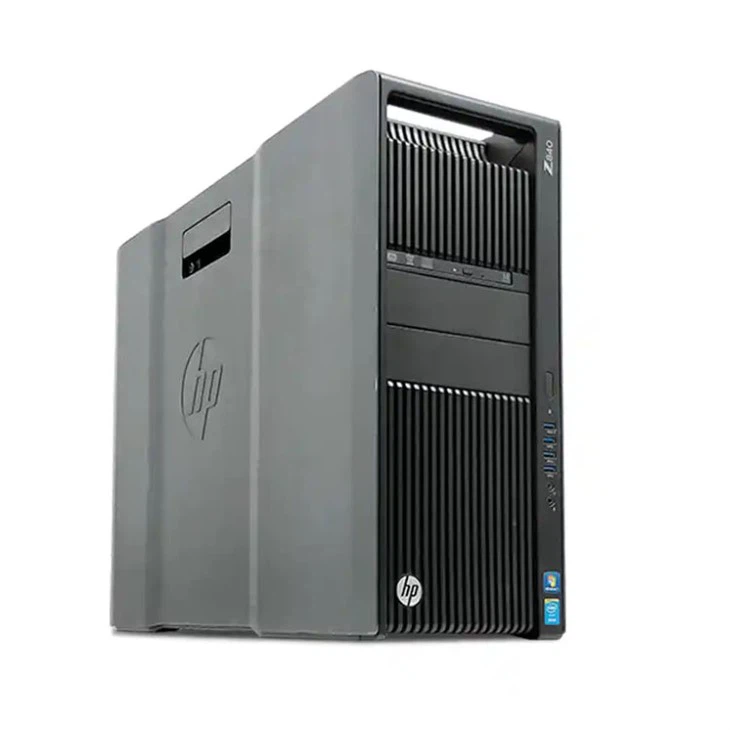
Z 840
The Z 840 is a high - performance workstation that is often used for demanding tasks such as 3D modeling and video editing. For this workstation, you might want to choose a keyboard and mouse that can keep up with its processing power. A mechanical keyboard like the Corsair K95 RGB Platinum XT and a gaming mouse like the Razer DeathAdder V2 would be a great combination. They offer the precision and responsiveness needed for these types of tasks.
Workstation HP Z8 G4
The Workstation HP Z8 G4 is a powerful workstation that can handle complex calculations and data processing. If you're using this workstation for data analysis or programming, an ergonomic keyboard like the Microsoft Sculpt Ergonomic Keyboard and an ergonomic mouse like the Logitech MX Vertical would be a good choice. They can help you stay comfortable during long hours of work.
Workstation Z2 G9
The Workstation Z2 G9 is a more compact and affordable workstation. For this model, a lightweight and portable keyboard and mouse would be ideal. The Logitech G Pro Mechanical Gaming Keyboard and the Microsoft Arc Touch Mouse are great options as they are easy to carry around and still offer good performance.
Conclusion
Choosing the right keyboard and mouse for your HPE workstation is crucial for a better user experience. Whether you're a professional or a casual user, there are plenty of options available to suit your needs. If you're interested in purchasing HPE workstations or need more advice on the best input devices to pair with them, don't hesitate to reach out for a procurement discussion.
References
- Corsair official website
- Logitech official website
- Microsoft official website
- Razer official website