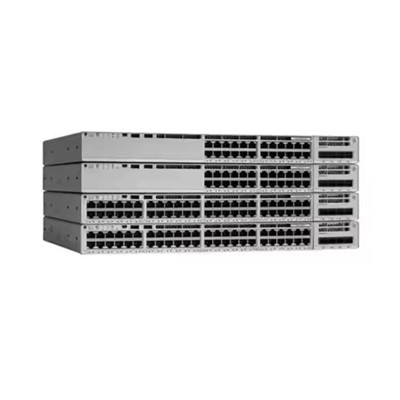
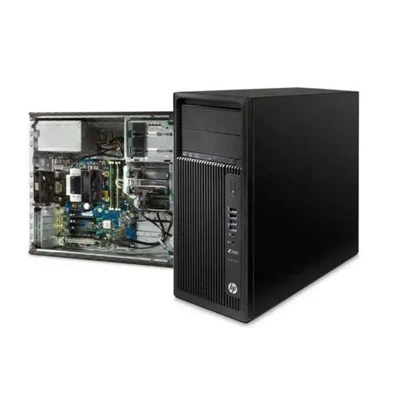
As a dedicated supplier of HPE Workstations, I understand the importance of security in today's digital age. HPE Workstations are equipped with a comprehensive array of security features that safeguard your data, protect against threats, and ensure compliance with industry regulations. In this blog post, I will delve into the key security features of HPE Workstations, highlighting how they provide peace of mind and support for your business operations.
1. Hardware - Level Security
HPE Workstations are built with security at the hardware level, starting from the foundation. One of the key hardware - related security features is the Trusted Platform Module (TPM). TPM is a dedicated microcontroller that provides cryptographic services, such as generating and storing keys used for authentication. With TPM, HPE Workstations can securely boot and protect the integrity of the system. The TPM ensures that only verified software is loaded during the boot process, preventing malicious code from taking over the system at an early stage.
For example, in the Workstation Z2 G9, the TPM technology acts as a reliable defense mechanism. It helps in encrypting sensitive data stored on the device, ensuring that if the workstation is lost or stolen, the data remains protected from unauthorized access.
In addition to TPM, HPE Workstations often come with a BIOS that features advanced security settings. These settings allow administrators to set up password protection for the BIOS, preventing unauthorized changes to the system's low - level configuration. This helps in maintaining the stability and security of the workstation, as any incorrect BIOS settings can potentially compromise the entire system.
2. Data Encryption
Data encryption is a crucial aspect of workstation security. HPE Workstations support multiple encryption standards to protect data both at rest and in transit. At rest, technologies like Self - Encrypting Drives (SEDs) are available. SEDs automatically encrypt data as it is written to the drive and decrypt it when accessed. This provides an additional layer of security, especially for organizations that handle sensitive information, such as financial data, patient records, or intellectual property.
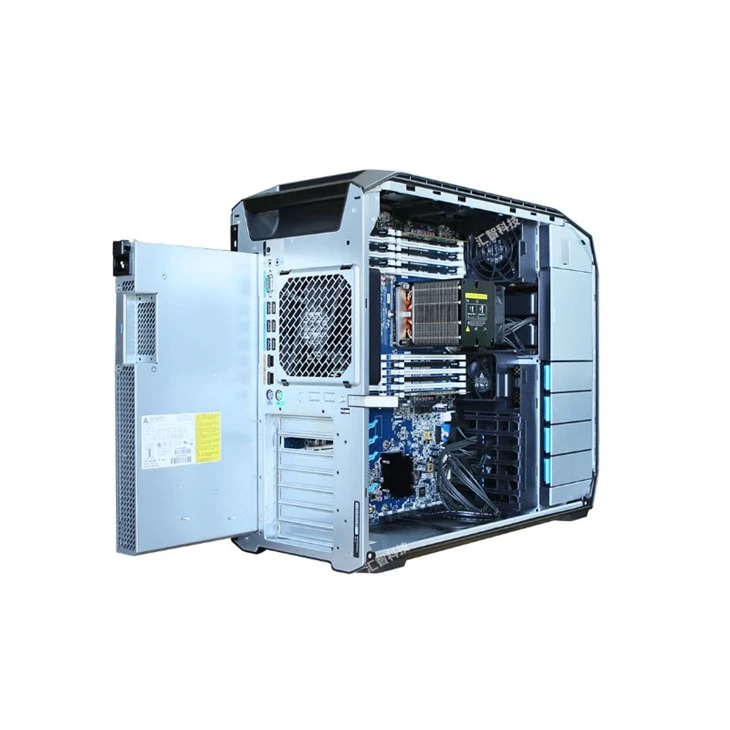
For instance, the Workstation HP Z8 G4 can be configured with SEDs. These drives use built - in encryption keys, which are protected by the TPM. In case of a drive failure or if the workstation needs to be decommissioned, the data on the SED remains encrypted, reducing the risk of data leakage.
When it comes to data in transit, HPE Workstations support secure protocols such as Transport Layer Security (TLS). TLS encrypts data as it travels between the workstation and other devices or servers on the network. This ensures that any data exchanged, whether it is emails, files, or application data, is protected from interception by malicious actors.
3. Threat Detection and Prevention
To combat ever - evolving cyber threats, HPE Workstations are equipped with advanced threat detection and prevention mechanisms. HPE's Sure Start technology is a prime example. Sure Start is a self - healing BIOS that can detect and correct BIOS corruption caused by malware or other threats. If the BIOS is compromised, Sure Start will automatically restore the BIOS to its original, secure state, preventing the system from being bricked or taken over by malicious code.
Another important feature is the integrated security software, which can be customized to meet the specific needs of different organizations. This software provides real - time threat monitoring, detecting and blocking suspicious activities such as malware infections, unauthorized network access attempts, and phishing attacks.
The HP Z1 G9 Workstation HP Z1 G9 Workstation benefits from these threat - detection capabilities. It can analyze network traffic patterns, file behavior, and system processes to identify potential threats and take immediate action to mitigate them.
4. User Authentication and Access Control
Proper user authentication and access control are essential for maintaining the security of a workstation. HPE Workstations offer multiple authentication methods to ensure that only authorized users can access the system. In addition to traditional password - based authentication, biometric authentication options such as fingerprint scanners and facial recognition cameras are available on some models.
Biometric authentication provides a higher level of security as it is unique to each individual. For example, a fingerprint scanner can quickly and accurately verify the identity of the user, reducing the risk of password - related security breaches such as brute - force attacks or password sharing.
Access control features also allow administrators to define user roles and permissions. This means that different users can have different levels of access to the workstation's resources, files, and applications. By implementing strict access controls, organizations can limit the potential damage that could be caused by an insider threat or a compromised user account.

5. Physical Security
Physical security is often overlooked but is equally important as digital security. HPE Workstations come with several physical security features to prevent unauthorized physical access. Many models are equipped with a Kensington lock slot, which allows users to secure the workstation to a desk or other fixed object using a cable lock. This deters thieves from simply walking away with the expensive hardware.
Some HPE Workstations also have tamper - detection features. For example, if the case of the workstation is opened without proper authorization, the system can be configured to send an alert to the administrator. This helps in detecting and preventing any unauthorized attempts to access or modify the internal components of the workstation, which could potentially lead to data theft or system compromise.
6. Compliance and Support
HPE Workstations are designed to meet various industry - specific security standards and regulations. Whether it's HIPAA for the healthcare industry, GDPR for organizations dealing with European citizens' data, or other regulatory requirements, HPE ensures that its workstations are compliant. This compliance not only helps organizations avoid costly fines but also builds trust with customers and partners.
In addition to the built - in security features, HPE provides comprehensive support for its workstations. This includes regular security updates, patches, and technical support. By keeping the workstation's software up - to - date, organizations can stay protected against the latest security vulnerabilities.
Conclusion
In conclusion, HPE Workstations offer a wide range of security features that address the diverse security needs of modern businesses. From hardware - level security to data encryption, threat detection, and physical security, these workstations provide a robust defense against cyber threats. Whether you are a small business or a large enterprise, the security features of HPE Workstations can help you protect your valuable data, maintain business continuity, and comply with industry regulations.
If you are interested in learning more about how HPE Workstations can enhance the security of your business, or if you are ready to start the procurement process, I encourage you to reach out to me for a detailed discussion. We can work together to find the best HPE Workstation solution that meets your specific security and performance requirements.
References
- HPE official product documentation for Workstation Z2 G9.
- HPE official product documentation for Workstation HP Z8 G4.
- HPE official product documentation for HP Z1 G9 Workstation.
- Industry reports on workstation security best practices.