


Hey there! As a supplier of HPE workstations, I often get asked about the storage options available for these powerful machines. In this blog post, I'll break down the different storage solutions you can consider for your HPE workstation, so you can make an informed decision based on your needs.
Internal Hard Drives
One of the most common storage options for HPE workstations is internal hard drives. These drives are installed directly inside the workstation and come in different types, such as hard disk drives (HDDs) and solid-state drives (SSDs).
Hard Disk Drives (HDDs)
HDDs are the traditional choice for storage. They use spinning disks to store data, which makes them relatively affordable and available in large capacities. You can find HDDs with capacities ranging from 1TB to 16TB or more. This makes them a great option if you need to store a large amount of data, such as videos, photos, or large files.
However, HDDs have some drawbacks. They are slower than SSDs because of the moving parts, which can result in longer boot times and slower data access. If you're working with applications that require fast data transfer, like video editing or 3D modeling, an HDD might not be the best choice.
Solid-State Drives (SSDs)
SSDs are the newer and faster alternative to HDDs. They use flash memory to store data, which means there are no moving parts. This results in much faster data access, shorter boot times, and better overall performance. SSDs are ideal for applications that require high-speed data transfer, such as gaming, graphic design, and data analysis.
SSDs come in different form factors, such as 2.5-inch and M.2. The M.2 form factor is smaller and faster, making it a popular choice for modern workstations. You can find SSDs with capacities ranging from 256GB to 8TB or more. While SSDs are more expensive per gigabyte than HDDs, the performance boost is well worth the investment if you need speed.
External Storage
If you need additional storage or want to keep your data separate from your workstation, external storage is a great option. There are several types of external storage devices available for HPE workstations.

External Hard Drives
External hard drives are similar to internal HDDs, but they come in a portable enclosure that can be connected to your workstation via USB or Thunderbolt. They are available in both HDD and SSD options, with capacities ranging from 1TB to 20TB or more. External HDDs are a cost-effective way to add extra storage, while external SSDs offer faster data transfer speeds.
External hard drives are great for backing up your data, storing large files, or transferring data between different devices. They are also portable, so you can easily take your data with you on the go.
Network-Attached Storage (NAS)
NAS is a storage device that is connected to your network and can be accessed by multiple devices. It acts as a central storage location for your data, allowing you to share files and folders between different workstations and users. NAS devices come in different configurations, with capacities ranging from a few terabytes to hundreds of terabytes.
NAS devices are ideal for businesses or home users who need to share data between multiple devices. They offer features like data redundancy, remote access, and file sharing, which can improve productivity and collaboration. Some popular NAS brands include Synology, QNAP, and Western Digital.
Cloud Storage
Cloud storage is a popular option for storing data online. It allows you to access your data from anywhere with an internet connection and provides a secure and reliable way to back up your data. There are several cloud storage providers available, such as Google Drive, Dropbox, and Amazon Web Services (AWS).
Cloud storage is a great option if you need to access your data on the go or want to share files with others. It also provides an extra layer of protection for your data, as it is stored on remote servers. However, cloud storage can be expensive if you need a large amount of storage, and you need to have a reliable internet connection to access your data.
Storage Configurations for Specific HPE Workstations
Now, let's take a look at some storage configurations for specific HPE workstations.
HP Z1 G9 Workstation
The HP Z1 G9 Workstation is a powerful all-in-one workstation that offers a range of storage options. It comes with up to four M.2 SSD slots and two 2.5-inch drive bays, allowing you to configure your storage according to your needs. You can choose to install a combination of SSDs and HDDs for a balance of speed and capacity.
For example, you could install a high-capacity HDD for storing your large files and an SSD for your operating system and applications. This will give you fast boot times and quick access to your most frequently used programs.
Z 840
The Z 840 is a high-performance workstation that offers extensive storage options. It comes with up to eight 3.5-inch drive bays and two M.2 SSD slots, allowing you to configure your storage for maximum capacity and performance. You can choose to install a combination of HDDs and SSDs, or you can use a RAID configuration for data redundancy and improved performance.
For example, you could set up a RAID 0 configuration with multiple SSDs for fast data transfer, or a RAID 1 configuration for data redundancy. This will ensure that your data is safe and accessible, even if one of your drives fails.
Workstation HP Z8 G4
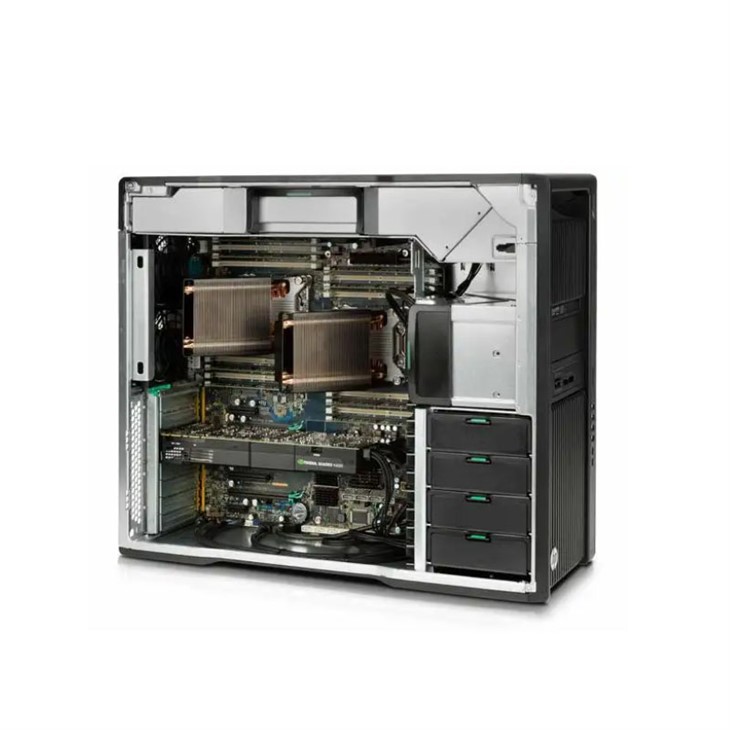
The Workstation HP Z8 G4 is a powerful and versatile workstation that offers a range of storage options. It comes with up to eight 3.5-inch drive bays and two M.2 SSD slots, allowing you to configure your storage according to your needs. You can choose to install a combination of HDDs and SSDs, or you can use a RAID configuration for data redundancy and improved performance.
For example, you could install a high-capacity HDD for storing your large files and an SSD for your operating system and applications. You could also set up a RAID 5 configuration with multiple HDDs for data redundancy and improved performance.
Conclusion
As you can see, there are several storage options available for HPE workstations. Whether you need fast data access, large storage capacity, or a combination of both, there's a storage solution that's right for you. When choosing a storage option, consider your budget, your performance requirements, and your data storage needs.
If you're still not sure which storage option is best for your HPE workstation, don't hesitate to reach out to me. I'm here to help you make the right decision and ensure that your workstation meets your needs. Whether you're a small business owner, a creative professional, or a data analyst, I can provide you with the expertise and support you need to get the most out of your HPE workstation.
So, if you're interested in purchasing an HPE workstation or need help with storage configuration, feel free to contact me. I'll be happy to discuss your options and provide you with a customized solution that fits your budget and requirements. Let's work together to find the perfect storage solution for your HPE workstation!
References
- HP official website
- Industry reports on storage technologies
- User reviews and forums




