When it comes to optimizing the performance of your Dell Inspiron series laptop or desktop, one of the most effective upgrades you can make is to increase the Random Access Memory (RAM). RAM is crucial as it allows your computer to handle multiple tasks simultaneously, run applications smoothly, and improve overall system responsiveness. However, not all RAM is compatible with the Dell Inspiron series. In this blog, as a Dell RAM supplier, I will guide you through the factors to consider when choosing compatible RAM for your Dell Inspiron device.
Understanding the Basics of RAM Compatibility
Before delving into the specific RAM options for Dell Inspiron series, it's essential to understand the key factors that determine compatibility:
1. Type of RAM
The most common types of RAM in modern computers are DDR3, DDR4, and DDR5. Each type has a different physical design and electrical specifications, which means they are not interchangeable. To determine the type of RAM your Dell Inspiron supports, you can check the system specifications on the Dell official website or use system information tools like CPU-Z (for Windows) or System Information (for macOS).
2. Speed of RAM
RAM speed is measured in megahertz (MHz) and indicates how fast the RAM can transfer data. While a higher speed generally results in better performance, your computer's motherboard must support the specified speed. Most Dell Inspiron models have a maximum supported RAM speed, and using RAM with a higher speed than what the motherboard can handle will cause the RAM to run at the motherboard's maximum supported speed.
3. Capacity of RAM
The capacity of RAM refers to the amount of data it can store at a given time. Common RAM capacities include 4GB, 8GB, 16GB, 32GB, and even 128GB. Your Dell Inspiron's motherboard has a maximum supported RAM capacity, and you should choose RAM modules that do not exceed this limit.
4. Form Factor
The form factor of RAM refers to its physical size and shape. Laptop RAM typically uses a smaller form factor called Small Outline Dual In-line Memory Module (SO-DIMM), while desktop RAM uses the standard Dual In-line Memory Module (DIMM). Make sure you choose the correct form factor based on whether your Dell Inspiron is a laptop or a desktop.
Compatible RAM for Dell Inspiron Series
Dell Inspiron Laptops
Most Dell Inspiron laptops released in the last few years support DDR4 SO-DIMM RAM. For older models, DDR3 SO-DIMM RAM may be required. Here are some general guidelines based on the release year:
- Older Models (2010 - 2015): These models typically support DDR3 SO-DIMM RAM with speeds ranging from 1333MHz to 1600MHz. The maximum supported RAM capacity is usually 8GB or 16GB.
- Mid-Range Models (2016 - 2019): These laptops generally support DDR4 SO-DIMM RAM with speeds of 2133MHz or 2400MHz. The maximum supported RAM capacity is often 16GB or 32GB.
- Newer Models (2020 and later): The latest Dell Inspiron laptops support DDR4 or DDR5 SO-DIMM RAM with speeds up to 3200MHz or higher. The maximum supported RAM capacity can go up to 64GB in some models.
If you are looking for an 8GB RAM upgrade for your Dell Inspiron laptop, you can consider Dell RAM 8GB. This RAM module is specifically designed to be compatible with a wide range of Dell Inspiron laptops and offers reliable performance.
Dell Inspiron Desktops
Dell Inspiron desktops also have different RAM requirements depending on the model and release year. Similar to laptops, older desktops may support DDR3 DIMM RAM, while newer models support DDR4 or DDR5 DIMM RAM.
- Older Desktops (2010 - 2015): These desktops typically support DDR3 DIMM RAM with speeds of 1333MHz or 1600MHz. The maximum supported RAM capacity is usually 16GB or 32GB.
- Mid-Range Desktops (2016 - 2019): These models generally support DDR4 DIMM RAM with speeds of 2133MHz or 2400MHz. The maximum supported RAM capacity can go up to 64GB.
- Newer Desktops (2020 and later): The latest Dell Inspiron desktops support DDR4 or DDR5 DIMM RAM with speeds up to 3600MHz or higher. The maximum supported RAM capacity can reach 128GB in some high-end models.
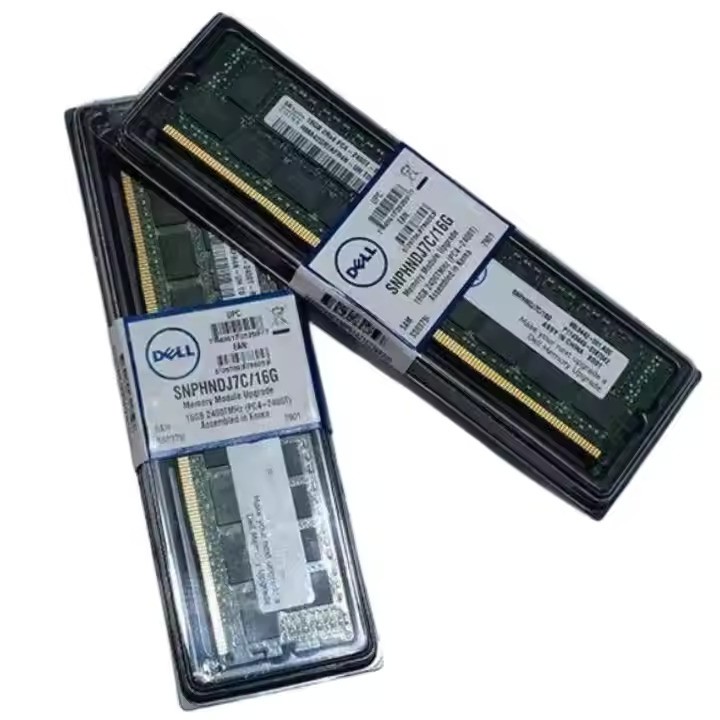
For a more comprehensive range of RAM options, including 32GB, 8GB, 16GB, and 128GB, you can visit Dell 32G 8G 16G 128G RAM. This page offers a variety of RAM modules that are compatible with different Dell Inspiron desktop models.

How to Determine the Exact RAM Compatibility for Your Dell Inspiron
While the general guidelines above can give you a good starting point, the best way to determine the exact RAM compatibility for your Dell Inspiron is to use the Dell support website or contact Dell customer support. You can enter your computer's service tag or model number on the Dell support website to access detailed system specifications, including the type, speed, and maximum capacity of RAM supported by your device.
Another option is to use third - party software tools like Crucial System Scanner. This tool scans your computer's hardware and provides a list of compatible RAM modules based on your system's specifications.
Benefits of Upgrading Your Dell Inspiron's RAM
Upgrading the RAM in your Dell Inspiron can bring several benefits:
1. Improved Multitasking
With more RAM, your computer can handle multiple applications and processes simultaneously without slowing down. You can run your web browser, email client, video editor, and other programs at the same time without experiencing lag.
2. Faster Application Loading
Applications load faster when there is enough RAM available. Upgrading your RAM can significantly reduce the time it takes to open large applications like Adobe Photoshop or Microsoft Word.
3. Enhanced Gaming Performance
Gaming requires a lot of system resources, and having sufficient RAM can improve your gaming experience. You can enjoy smoother frame rates, faster loading times, and fewer stutters in your favorite games.
4. Future - Proofing
As software applications become more resource - intensive over time, having more RAM ensures that your Dell Inspiron can keep up with future software updates and requirements.
Why Choose Our Dell RAM
As a Dell RAM supplier, we are committed to providing high - quality, compatible RAM modules for your Dell Inspiron series. Our RAM products are:
1. Tested for Compatibility
Before we offer any RAM module for sale, we thoroughly test it to ensure that it is compatible with a wide range of Dell Inspiron models. This means you can be confident that the RAM you purchase from us will work seamlessly with your computer.
2. Reliable Performance
Our RAM modules are made from high - quality components and undergo strict quality control measures. This ensures that they provide reliable performance and stability, even under heavy usage.
3. Competitive Pricing
We understand that cost is an important factor when it comes to upgrading your computer. That's why we offer our Dell RAM products at competitive prices without compromising on quality.
Contact Us for Procurement
If you are interested in upgrading the RAM in your Dell Inspiron series device, we would be more than happy to assist you. Whether you need a single 8GB RAM module or a set of 32GB RAM modules, we have the right products for you. Please feel free to contact us to discuss your specific requirements and get a quote. We look forward to helping you optimize the performance of your Dell Inspiron.
References
- Dell Official Website. (n.d.). Dell Inspiron Product Support.
- Crucial Technology. (n.d.). Crucial System Scanner.