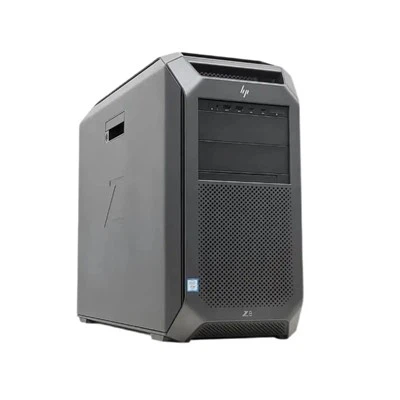
Hey there! So, you're probably sitting there wondering, "Can I upgrade from 32G to 128G RAM?" Well, let's dive right into it and figure this out together.
First off, let's talk about what RAM actually does. RAM, or Random Access Memory, is like the short - term memory of your computer. It's where your computer stores data that it's currently using or processing. Think of it as a workspace. The more space you have in this workspace, the more tasks your computer can handle at once without getting all bogged down.
If you're currently running on 32G of RAM, chances are you're doing some pretty heavy - duty stuff. Maybe you're a gamer, a video editor, or someone who runs multiple virtual machines. But as your needs grow, you might find that 32G just isn't cutting it anymore. That's when the idea of upgrading to 128G RAM starts to sound really appealing.
Now, the big question is, can you actually do it? Well, it depends on a few things.
Compatibility
The first and most crucial factor is compatibility. Not all computers are built to handle 128G of RAM. You need to check your motherboard's specifications. Your motherboard is like the central nervous system of your computer, and it has a limit on how much RAM it can support.
Some high - end desktop motherboards are designed to handle large amounts of RAM. For example, if you have a server - grade motherboard or a high - end gaming motherboard, there's a good chance it can support 128G. But if you're using an older or budget - friendly motherboard, it might max out at 32G or 64G.
To find out, you can usually look up your motherboard's model number on the manufacturer's website. They'll have a list of the maximum RAM capacity and the types of RAM modules it supports.
Type of RAM
Another important thing is the type of RAM. There are different generations of RAM, like DDR3, DDR4, and DDR5. Your computer needs to be compatible with the type of 128G RAM module you want to install. If your computer uses DDR4 RAM, you can't just slap in a DDR5 module. It simply won't work.
Physical Space
You also need to consider the physical space inside your computer case. Each RAM module takes up a slot on the motherboard. To get to 128G, you might need to use multiple RAM modules. For example, if you're using 16G modules, you'll need eight of them. Make sure your motherboard has enough available RAM slots, and that there's enough room in your case to accommodate all those modules without causing any overheating issues.
Benefits of Upgrading to 128G RAM
If your computer can handle the upgrade, there are some serious benefits to going from 32G to 128G.
For gamers, it means smoother gameplay, especially in games that require a lot of memory. You'll experience fewer lags and stutters, and you can run multiple applications in the background without affecting your game performance.
Video editors and graphic designers will also see a huge improvement. They can work with larger projects, handle high - resolution footage and complex graphics without having to constantly worry about running out of memory.
If you're a developer or someone who runs virtual machines, 128G of RAM gives you the ability to run multiple virtual environments simultaneously, making your workflow much more efficient.
Our 128G RAM Offer
As a 128G RAM supplier, we've got you covered. Our 128G RAM modules are of the highest quality. They're designed to be reliable, fast, and compatible with a wide range of motherboards. We've tested them rigorously to ensure that they meet the highest standards.
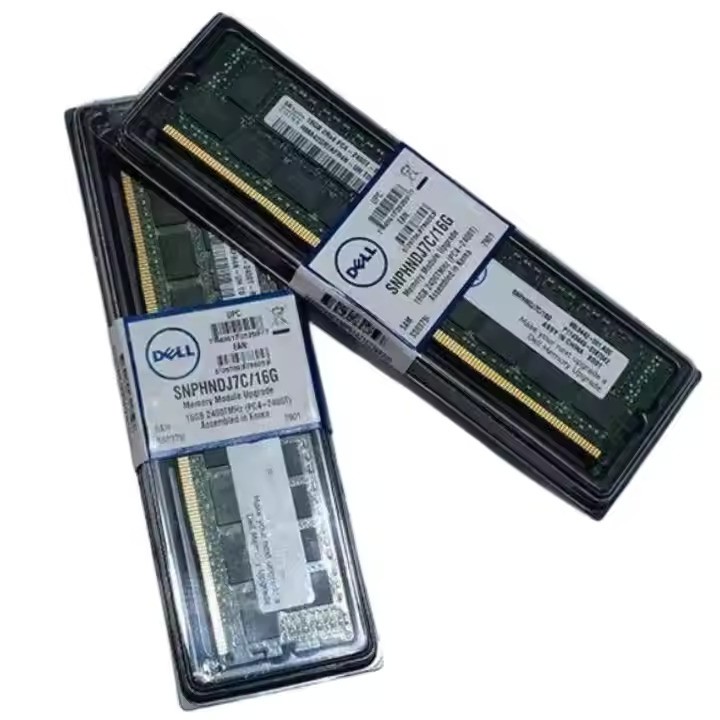
If you're still using less RAM and want to gradually upgrade, we also offer other options. You can check out Dell 16G RAM, Dell 32G RAM, or Dell RAM 8GB to see if they fit your needs.
Cost Considerations
Of course, upgrading to 128G RAM isn't cheap. High - capacity RAM modules are more expensive than their lower - capacity counterparts. But when you think about the long - term benefits in terms of performance and productivity, it can be a worthwhile investment.

You also need to factor in the cost of installation. If you're not comfortable installing the RAM yourself, you'll need to pay someone to do it for you. But don't worry, our team can provide guidance on the installation process to make it as easy as possible for you.
Making the Decision
So, should you upgrade from 32G to 128G RAM? If your computer is compatible, and you have a real need for the extra memory, then the answer is probably yes. It can take your computer's performance to the next level and make your work and entertainment experiences much more enjoyable.
But if you're just a casual user who only browses the web, checks emails, and uses basic applications, 32G of RAM is probably more than enough. There's no point in spending a lot of money on something you don't really need.
Contact Us for Purchase
If you're interested in upgrading to 128G RAM or have any questions about our products, we'd love to hear from you. Whether you're a small business owner looking to upgrade your office computers or an individual enthusiast, we can provide you with the right solution. Reach out to us, and let's start a conversation about how we can help you get the most out of your computer with our high - quality 128G RAM.
References
- Computer Memory Basics: A Beginner's Guide. PCMag.
- Understanding Motherboard Compatibility. Tom's Hardware.
- Benefits of High - Capacity RAM. TechRadar.