

Hey there, fellow video editing enthusiasts! As a supplier of Dell Workstations, I've had a front - row seat to the ever - evolving world of video editing. And one question that comes up time and time again is: "Is Dell Workstation suitable for video editing?" Well, buckle up, because I'm about to break it down for you.
First off, let's talk about what makes a good workstation for video editing. You need a machine that can handle high - resolution footage, complex effects, and multiple layers without breaking a sweat. That means having a powerful processor, a decent amount of RAM, a top - notch graphics card, and plenty of storage space.
Processor Power
The heart of any workstation is its processor. Dell Workstations offer a range of processors from Intel, known for their multi - core performance. For video editing, multi - core processors are a must. They allow you to handle multiple tasks simultaneously, like rendering a video while you're editing another one.
Take the Workstation Dell Precision 3660 Tower for example. It can be configured with Intel Xeon processors. These processors are designed for heavy - duty workloads, making them perfect for handling large video files and complex editing tasks. With a high - core count, you can expect faster rendering times and smoother playback.
RAM: The Memory Game
When it comes to video editing, RAM is king. You need enough memory to store all those video clips, effects, and project files. Dell Workstations typically come with a base amount of RAM, but they're also highly customizable. You can upgrade the RAM to suit your specific needs.
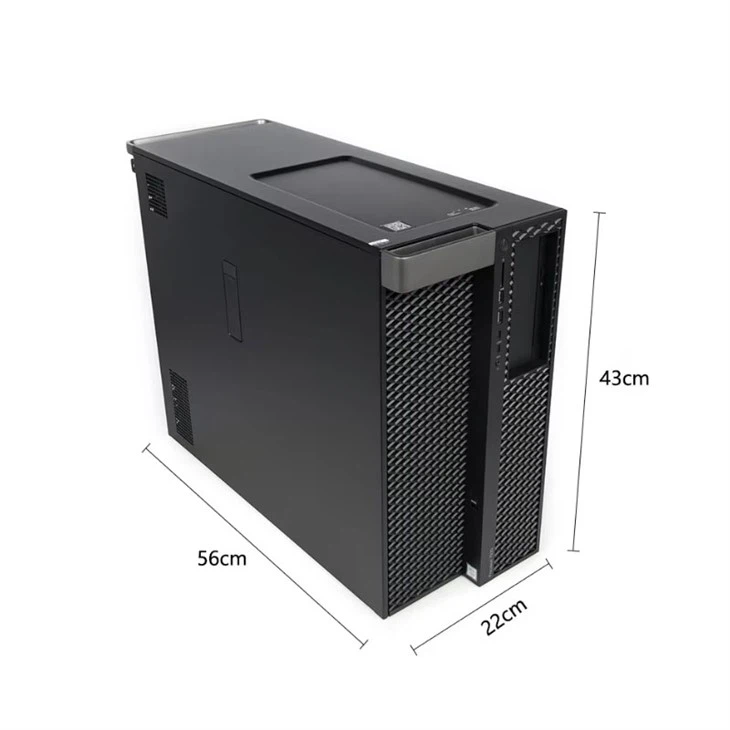
The 3680 Tower Workstation can be equipped with a substantial amount of RAM. This means you can work on multiple high - definition video streams at once, without experiencing any lag or slowdowns. Whether you're cutting together a short film or a long - form documentary, having plenty of RAM ensures that your editing process is smooth and efficient.
Graphics Card: Bringing Your Vision to Life
A good graphics card is essential for video editing. It helps with real - time previewing of your edits, applying effects, and color grading. Dell Workstations offer a variety of graphics card options from NVIDIA and AMD.
The Dell Workstation T7920 can be outfitted with high - end NVIDIA Quadro graphics cards. These cards are specifically designed for professional applications like video editing. They offer excellent performance, high - quality rendering, and support for multiple monitors. With a powerful graphics card, you can see your video projects in all their glory, with accurate colors and sharp details.
Storage: Where Your Files Live
Video files are huge, and you need a lot of storage space to keep them all. Dell Workstations come with different storage options, including hard disk drives (HDDs) and solid - state drives (SSDs).
SSDs are the way to go for video editing. They offer much faster read and write speeds compared to HDDs. This means quicker access to your video files, faster import and export times, and overall better performance. Many Dell Workstations allow you to configure a combination of SSDs and HDDs, giving you the best of both worlds: fast access for your working files and plenty of long - term storage.
User - Friendly Design and Support
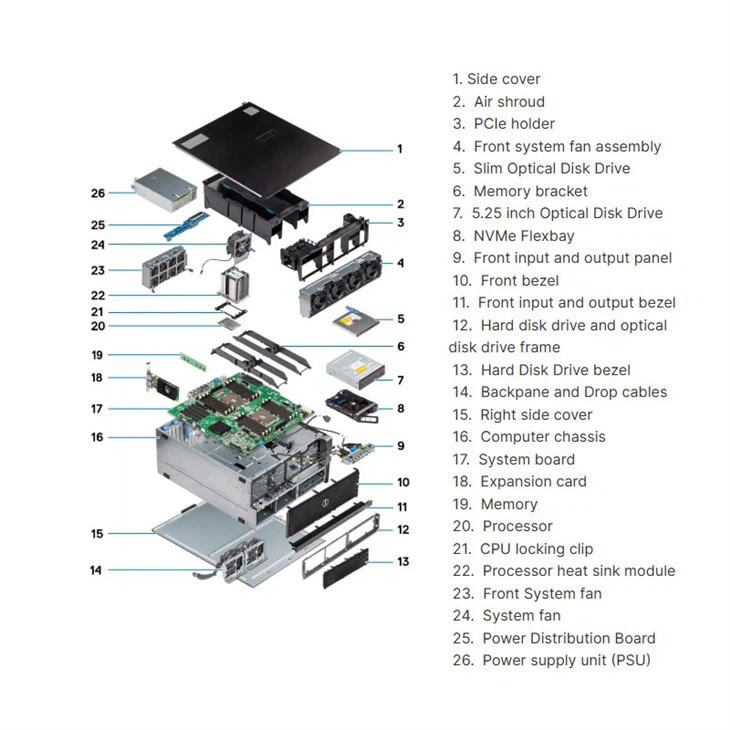
Another great thing about Dell Workstations is their user - friendly design. They're easy to open up and upgrade, which is a big plus if you're planning to expand your system in the future. And Dell offers excellent customer support. If you run into any issues with your workstation, their support team is there to help you out.
Cost - Effectiveness
Now, I know what you're thinking. All these high - end features must come at a hefty price. Well, Dell Workstations are actually quite cost - effective when you consider the value they offer. You're getting a reliable, high - performance machine that's built to last. And with the ability to customize your workstation, you can choose the features that you need without paying for unnecessary extras.
Real - World Examples
I've had many customers who have used Dell Workstations for their video editing projects. One customer, a freelance video editor, was working on a project with a tight deadline. He needed a machine that could handle 4K footage and complex effects. He decided to go with the Workstation Dell Precision 3660 Tower. He was blown away by the performance. The machine was able to render his videos quickly, and he was able to meet his deadline with ease.
Another customer, a small video production company, was looking for a workstation that could handle multiple projects at once. They chose the Dell Workstation T7920. With its powerful processor, ample RAM, and high - end graphics card, they were able to work on several videos simultaneously without any issues.
Conclusion
So, is Dell Workstation suitable for video editing? Absolutely! With their powerful processors, ample RAM, top - notch graphics cards, and plenty of storage options, Dell Workstations are well - equipped to handle the demands of video editing. Whether you're a beginner or a professional, a Dell Workstation can help you take your video editing to the next level.
If you're interested in learning more about our Dell Workstations or are ready to start a purchase discussion, don't hesitate to reach out. We're here to help you find the perfect workstation for your video editing needs.
References
- Intel Corporation. (2023). Intel Xeon Processors Product Information.
- NVIDIA. (2023). NVIDIA Quadro Graphics Cards for Professional Use.
- AMD. (2023). AMD Graphics Card Specifications.