Hey there! As a Dell server supplier, I'm super excited to dive into the management interfaces available for Dell servers. These interfaces are like the control centers for your servers, allowing you to monitor, configure, and troubleshoot with ease. So, let's take a closer look at what's out there.
iDRAC (Integrated Dell Remote Access Controller)
First up, we've got iDRAC. This is one of the most popular management interfaces for Dell servers, and for good reason. iDRAC is built right into the server's motherboard, which means you don't need any additional hardware to use it. It gives you remote access to your server, even if the operating system isn't running.
With iDRAC, you can do a whole bunch of things. You can power on, off, or restart the server, check the system's health and status, and even view the server's console remotely. It's like having a virtual seat in front of the server, no matter where you are.
One of the really cool features of iDRAC is its ability to perform out-of-band management. This means you can manage the server without having to rely on the server's operating system. So, if your server crashes or the OS is unresponsive, you can still use iDRAC to get things back up and running.
iDRAC also has a web-based interface that's easy to use. You can access it from any browser, and it provides a graphical view of the server's hardware and configuration. It's a great way to quickly see what's going on with your server and make any necessary changes.

OpenManage Enterprise
Another great management interface for Dell servers is OpenManage Enterprise. This is a centralized management solution that allows you to manage multiple Dell servers from a single console. It's ideal for large enterprises that have a lot of servers to manage.
OpenManage Enterprise gives you a comprehensive view of your server infrastructure. You can monitor the health and performance of your servers, view inventory information, and even automate tasks like firmware updates. It also has a powerful reporting feature that allows you to generate detailed reports on your server's performance and usage.
One of the key benefits of OpenManage Enterprise is its scalability. You can start with a small deployment and then scale up as your business grows. It also integrates with other Dell management tools, such as iDRAC, to provide a seamless management experience.
OpenManage Essentials
If you're a small to medium-sized business, OpenManage Essentials might be the right management interface for you. It's a lightweight, easy-to-use solution that provides basic server management capabilities.
With OpenManage Essentials, you can monitor the health and performance of your Dell servers, view inventory information, and perform basic tasks like software updates. It's a great way to keep an eye on your servers without having to invest in a more complex management solution.
OpenManage Essentials also has a simple web-based interface that's easy to navigate. You don't need to be a technical expert to use it, and it provides a quick and easy way to manage your servers.
Server Administrator
Server Administrator is a management interface that's installed directly on the server's operating system. It provides a local management solution that allows you to manage the server's hardware and software configuration.
With Server Administrator, you can monitor the server's health and performance, view system logs, and perform tasks like disk configuration and network setup. It's a great way to have more control over your server's configuration and ensure that it's running optimally.
Server Administrator also integrates with other Dell management tools, such as iDRAC and OpenManage Enterprise, to provide a more comprehensive management solution.
Which Interface is Right for You?
So, which management interface is right for you? Well, it depends on your specific needs and requirements. If you're a small business with just a few servers, OpenManage Essentials might be the best option. It's easy to use and provides basic management capabilities at an affordable price.
If you're a large enterprise with a lot of servers to manage, OpenManage Enterprise is probably the way to go. It provides a centralized management solution that allows you to manage multiple servers from a single console, and it has a lot of advanced features and capabilities.
If you need remote access to your server, iDRAC is a great choice. It's built right into the server's motherboard and provides out-of-band management capabilities, so you can manage the server even if the operating system isn't running.
And if you want more control over your server's configuration, Server Administrator is a good option. It's installed directly on the server's operating system and provides a local management solution.
Our Dell Server Offerings
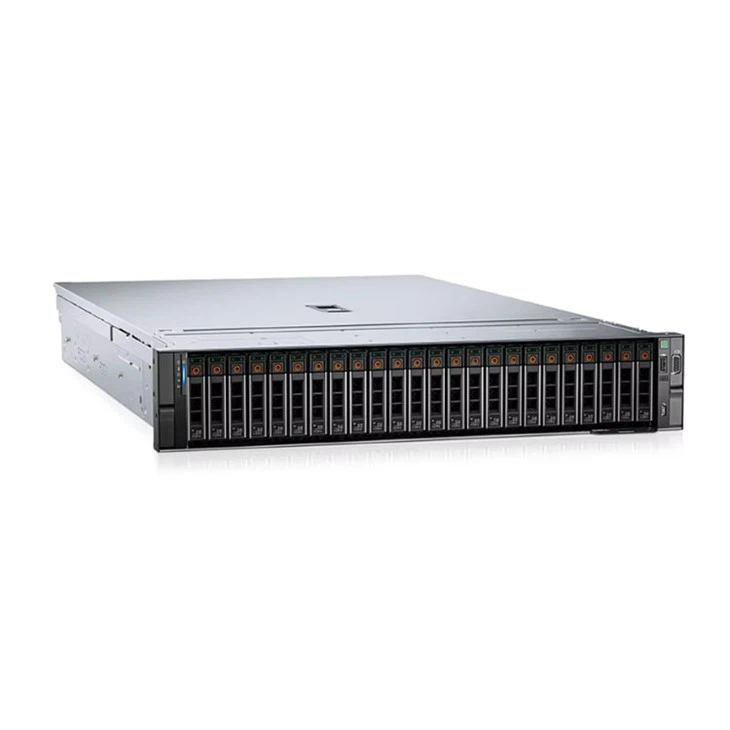
As a Dell server supplier, we offer a wide range of Dell servers, including the Server Dell Poweredge R750, Dell Poweredge R760 Rack Server, and Dell Server R525. These servers are all compatible with the management interfaces we've discussed, so you can choose the one that's right for your needs.
Whether you're looking for a high-performance server for your data center or a reliable server for your small business, we've got you covered. Our team of experts can help you choose the right server and management interface for your specific requirements, and we can provide you with all the support and assistance you need to get up and running quickly.
Contact Us for Procurement
If you're interested in purchasing Dell servers or learning more about our management solutions, we'd love to hear from you. Contact us today to start a procurement discussion, and our team will be happy to assist you in finding the perfect solution for your business.
References
- Dell official documentation
- Industry whitepapers on server management