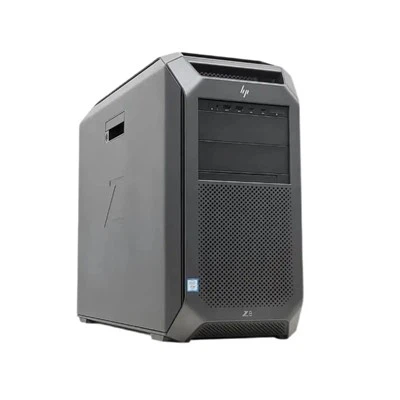
As a supplier of Lenovo Workstations, I often get asked about the lifespan of these powerful machines. Understanding the lifespan of a workstation is crucial for businesses and professionals who rely on them for their daily operations. In this blog post, I'll delve into the factors that influence the lifespan of Lenovo Workstations and provide some insights to help you make informed decisions.
Factors Affecting the Lifespan of Lenovo Workstations
Hardware Quality
Lenovo is renowned for its high - quality hardware. The company uses premium components in its workstations, which are designed to withstand heavy usage. For example, the Lenovo Tiny P360 is built with durable materials and high - performance processors that can handle intensive tasks. These high - quality components generally have a longer lifespan compared to lower - grade alternatives. They are less prone to hardware failures and can maintain their performance over a longer period.
Usage Patterns
The way a workstation is used has a significant impact on its lifespan. If a Lenovo workstation is used for basic office tasks such as word processing and email, it can last much longer than one used for resource - intensive applications like 3D modeling, video editing, or scientific simulations. For instance, a Thinkstation P340 Tower used in a design studio for creating complex 3D models will experience more wear and tear on its CPU, GPU, and memory. Frequent high - load usage can lead to increased heat generation, which can potentially shorten the lifespan of the components.
Maintenance and Upgrades
Regular maintenance is essential for extending the lifespan of a Lenovo workstation. This includes tasks such as cleaning the internal components to prevent dust buildup, which can cause overheating. Additionally, keeping the operating system and software up - to - date helps ensure the workstation runs smoothly and securely. Upgrading certain components, like adding more RAM or replacing an old hard drive with a solid - state drive (SSD), can also breathe new life into an aging workstation. For example, upgrading the storage on a Lenovo P920 Workstation can significantly improve its performance and extend its useful life.
Environmental Conditions
The environment in which a workstation operates can also affect its lifespan. Workstations placed in areas with high humidity, extreme temperatures, or a lot of dust are more likely to experience hardware problems. For example, if a workstation is located in a factory where there is a lot of dust, the dust can accumulate inside the machine and clog the cooling fans, leading to overheating and potential component failure. On the other hand, a workstation kept in a clean, climate - controlled office environment will generally have a longer lifespan.
Typical Lifespan Estimates
Basic Office Use
For workstations used for basic office tasks, such as general business applications, web browsing, and document creation, a Lenovo workstation can last anywhere from 5 to 8 years. These machines don't put a lot of stress on the hardware, so the components can remain functional for an extended period. With proper maintenance and occasional software upgrades, they can continue to meet the needs of a basic office environment.


Mid - Level Professional Use
In a mid - level professional setting, where workstations are used for tasks like graphic design, light video editing, and data analysis, the lifespan is typically around 3 to 5 years. These applications require more processing power and graphics capabilities, which can cause the hardware to degrade faster. As new software versions are released, the older hardware may struggle to keep up, making it necessary to replace the workstation after a few years.
High - End Professional Use
For high - end professional applications such as 3D animation, virtual reality development, and large - scale data processing, the lifespan of a Lenovo workstation is usually 2 to 3 years. These tasks demand the highest level of performance from the CPU, GPU, and memory. As technology advances rapidly in these fields, the hardware can quickly become obsolete, and users need to upgrade to newer models to stay competitive.
Strategies to Maximize the Lifespan of Lenovo Workstations
Proactive Maintenance
Implement a regular maintenance schedule for your workstations. This should include cleaning the internal components at least once every six months, checking for loose connections, and monitoring the temperature and fan speeds. You can also use software tools to monitor the health of the hardware and detect any potential issues early.
Strategic Upgrades
Instead of replacing an entire workstation, consider upgrading key components. For example, if your workstation is starting to slow down, adding more RAM or upgrading the graphics card can often improve its performance significantly. This approach can save you money and extend the useful life of the machine.
Environmental Management
Ensure that your workstations are placed in a suitable environment. Keep the temperature and humidity within the recommended range, and use air filters to reduce dust in the workspace. If possible, use rack - mounted workstations in a data center with proper cooling and ventilation systems.
Conclusion
The lifespan of a Lenovo workstation varies depending on several factors, including hardware quality, usage patterns, maintenance, and environmental conditions. By understanding these factors and implementing strategies to maximize the lifespan, businesses and professionals can get the most out of their investment. Whether you're using a Lenovo workstation for basic office tasks or high - end professional applications, proper care and management can ensure that it serves you well for many years.
If you're interested in purchasing Lenovo Workstations or need advice on extending the lifespan of your existing ones, I'd be more than happy to assist you. Contact me to start a procurement discussion and find the best solutions for your needs.
References
- Lenovo official product documentation
- Industry reports on workstation hardware longevity
- Technical studies on the effects of usage patterns and environmental conditions on computer hardware