Hey there! I'm a supplier of Lenovo servers, and today I wanna chat about the management overhead of Lenovo servers.
First off, let's understand what management overhead means. In simple terms, it's all the extra work, time, and resources you need to put in to manage your server infrastructure. This includes tasks like server monitoring, software updates, security management, and hardware maintenance.
Lenovo offers a wide range of servers, each with its own features and management requirements. Take the Lenovo Thinksystem SR650 V2 Server for example. This bad - boy is a powerful 2U rack server that's great for data - intensive applications. But with great power comes some management challenges.
One of the key aspects of management overhead is server monitoring. You need to keep an eye on things like CPU usage, memory utilization, and disk I/O. Lenovo provides some pretty cool tools to help with this. Their Lenovo XClarity Controller is a built - in management interface that allows you to monitor and manage your server remotely. It gives you real - time insights into the server's health, so you can catch any potential issues before they turn into big problems.
But setting up and configuring these monitoring tools does take some time. You've gotta define the thresholds for different metrics, and make sure the alerts are set up correctly. And if you have multiple Lenovo servers, like a whole data center full of 'em, the management overhead can start to add up. You'll need to manage the monitoring settings for each server, and make sure they're all working in harmony.
Software updates are another big part of the management overhead. Lenovo regularly releases firmware updates, drivers, and security patches for their servers. These updates are crucial for keeping your servers secure and running smoothly. But updating a server isn't as simple as just clicking a button. You've gotta test the updates in a staging environment first to make sure they don't cause any compatibility issues. And then, you've gotta schedule the updates for your production servers during off - peak hours to minimize the impact on your business operations.
Let's talk about the New Lenovo SR630 V3 1U Rack Server. This 1U server is known for its compact size and high performance. But because it's so small and densely packed, the hardware maintenance can be a bit tricky. You need to be extra careful when replacing components like hard drives or memory modules. And if you don't have the right tools or expertise, you could end up causing more damage than good.

Security management is also a major concern when it comes to Lenovo servers. With the increasing number of cyber threats out there, you need to make sure your servers are well - protected. Lenovo offers features like Trusted Platform Module (TPM) for secure boot and data encryption. But managing these security features requires a good understanding of security best practices. You need to configure the TPM correctly, manage user access rights, and keep an eye on security logs.
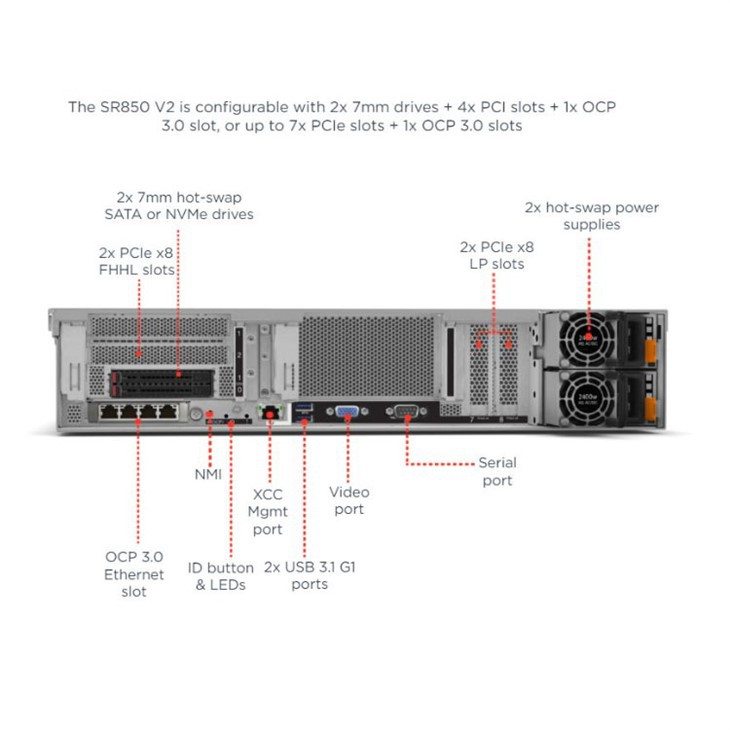
Now, let's look at the Lenovo SR850 V3 2U Server. This server is designed for high - end applications that require a lot of processing power and memory. It comes with advanced features like multi - socket support and high - speed interconnects. But these advanced features also mean more complex management. You'll need to optimize the server's configuration for your specific application, and make sure all the components are working together efficiently.
Despite all these management challenges, Lenovo servers do offer some benefits that can help reduce the overall management overhead in the long run. For example, their servers are designed for easy scalability. If your business grows and you need to add more servers to your infrastructure, you can do it relatively easily. And Lenovo's standardized management interfaces across different server models make it easier to manage a mixed - environment of servers.
So, how can you manage the management overhead of Lenovo servers more effectively? Well, one option is to outsource the management to a third - party service provider. They have the expertise and resources to manage your servers 24/7, so you can focus on your core business. Another option is to invest in training for your IT staff. Make sure they're well - versed in Lenovo server management, so they can handle the day - to - day tasks more efficiently.
In conclusion, the management overhead of Lenovo servers is a combination of monitoring, software updates, hardware maintenance, and security management. While it does require some time and effort, the benefits of using Lenovo servers, like performance, scalability, and security, often outweigh the management challenges.
If you're interested in learning more about Lenovo servers or are thinking about making a purchase, I'd love to have a chat with you. We can discuss your specific needs and see how Lenovo servers can fit into your business. Whether you're a small business looking for a single server or a large enterprise in need of a whole data center solution, I'm here to help.
References:
Lenovo official documentation on server management tools
Industry reports on server management best practices