


As a supplier of HPE Workstations, I am often asked about the support for USB devices on these powerful machines. USB (Universal Serial Bus) has become an essential interface in modern computing, allowing users to connect a wide range of peripheral devices such as keyboards, mice, external hard drives, printers, and more. In this blog post, I will delve into the details of USB support on HPE Workstations, exploring the different USB standards available, their features, and how they enhance the user experience.
USB Standards on HPE Workstations
HPE Workstations support a variety of USB standards, including USB 2.0, USB 3.0 (also known as USB 3.1 Gen 1), USB 3.1 Gen 2, and USB Type-C. Each standard offers different levels of data transfer speeds, power delivery capabilities, and compatibility with various devices.
USB 2.0
USB 2.0 is the oldest and most widely supported USB standard. It offers a maximum data transfer speed of 480 Mbps, which is sufficient for most basic peripheral devices such as keyboards, mice, and low-speed printers. While USB 2.0 is relatively slow compared to newer standards, it is still widely used due to its compatibility with a vast range of legacy devices.
USB 3.0 (USB 3.1 Gen 1)
USB 3.0, also known as USB 3.1 Gen 1, is a significant improvement over USB 2.0. It offers a maximum data transfer speed of 5 Gbps, which is ten times faster than USB 2.0. This makes USB 3.0 ideal for transferring large files, such as high-resolution videos and large data sets, between a workstation and an external storage device. USB 3.0 ports are typically blue in color to distinguish them from USB 2.0 ports.
USB 3.1 Gen 2
USB 3.1 Gen 2 is the next step up from USB 3.0. It offers a maximum data transfer speed of 10 Gbps, which is twice as fast as USB 3.0. This makes USB 3.1 Gen 2 suitable for applications that require even faster data transfer rates, such as professional video editing and high-speed data backup. USB 3.1 Gen 2 ports are usually red in color.
USB Type-C
USB Type-C is a new and increasingly popular USB connector that offers several advantages over traditional USB connectors. It is smaller, more versatile, and supports higher data transfer speeds and power delivery capabilities. USB Type-C ports can support USB 3.1 Gen 2 speeds of up to 10 Gbps, as well as Thunderbolt 3 technology, which offers even faster data transfer speeds of up to 40 Gbps. USB Type-C also supports power delivery of up to 100 watts, which means it can be used to charge laptops and other devices.
Compatibility with USB Devices
One of the key advantages of HPE Workstations is their wide compatibility with a variety of USB devices. Whether you are using a legacy USB 2.0 device or the latest USB Type-C device, you can be confident that it will work seamlessly with your HPE Workstation.
HPE Workstations come with a combination of USB 2.0, USB 3.0, USB 3.1 Gen 2, and USB Type-C ports, allowing you to connect a wide range of devices. For example, you can connect a USB 2.0 keyboard and mouse to the USB 2.0 ports, an external hard drive to a USB 3.0 or USB 3.1 Gen 2 port for fast data transfer, and a high-speed SSD or a Thunderbolt 3 device to a USB Type-C port.
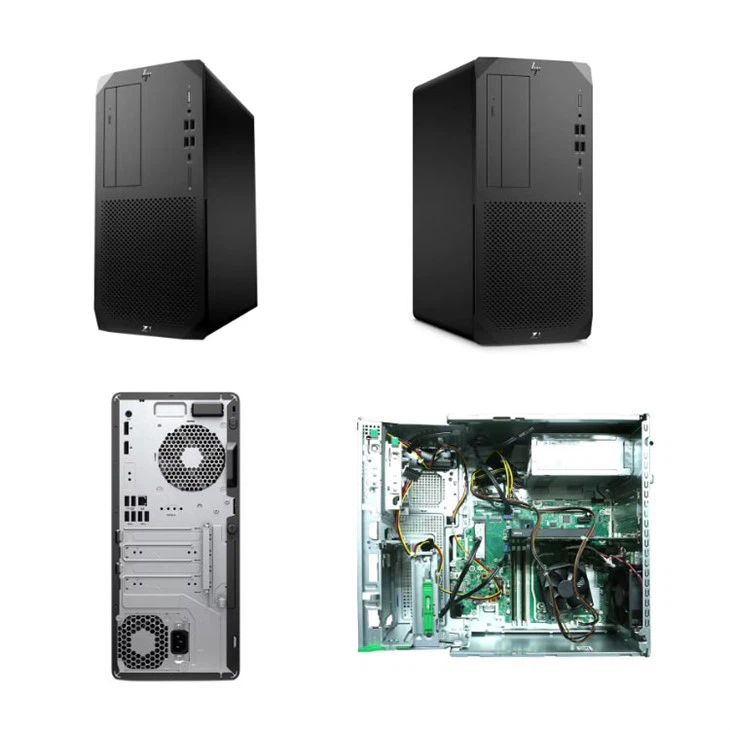
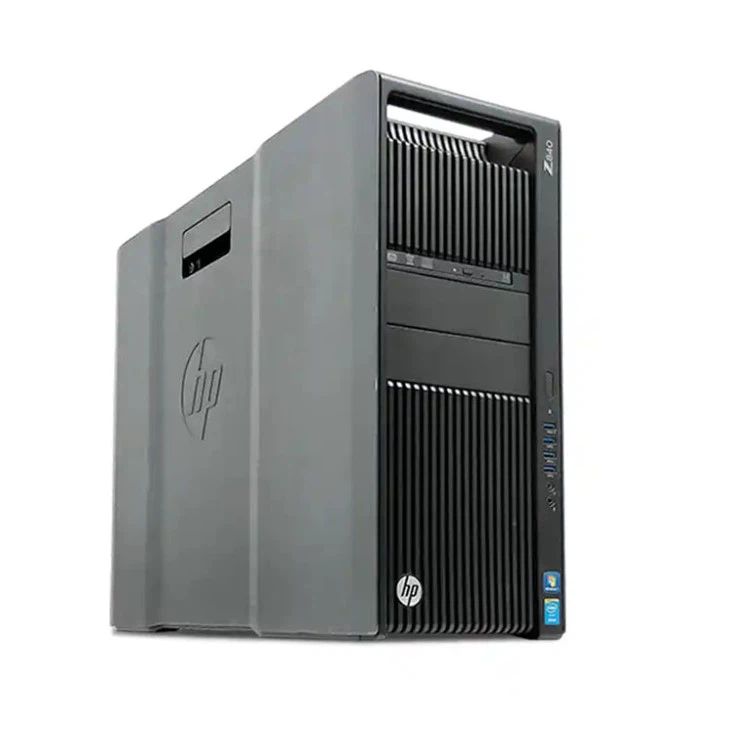
In addition to standard USB devices, HPE Workstations also support a range of specialized USB devices, such as USB audio interfaces, USB cameras, and USB scanners. These devices can enhance the functionality of your workstation, allowing you to create high-quality audio and video content, capture images and videos, and scan documents.
Power Delivery and Charging
Another important aspect of USB support on HPE Workstations is power delivery and charging. USB Type-C ports on HPE Workstations support power delivery of up to 100 watts, which means you can use them to charge your laptop, tablet, or smartphone. This eliminates the need for multiple chargers and cables, making it more convenient to power your devices.
In addition to charging mobile devices, USB power delivery can also be used to power external devices such as USB-powered monitors and docking stations. This allows you to create a more streamlined and efficient workspace, with fewer cables and power adapters.
Examples of HPE Workstations and Their USB Support
Let's take a look at some specific examples of HPE Workstations and their USB support:
Z 840
The Z 840 is a high-performance workstation designed for professional users who require maximum computing power. It comes with a variety of USB ports, including USB 2.0, USB 3.0, and USB 3.1 Gen 2. The Z 840 also supports Thunderbolt 3 technology, which offers even faster data transfer speeds and power delivery capabilities.
HP Z1 G9 Workstation
The HP Z1 G9 Workstation is a compact and powerful all-in-one workstation that combines a high-performance computer with a large display. It features a range of USB ports, including USB 3.2 Gen 2 Type-C ports, which support fast data transfer speeds and power delivery. The HP Z1 G9 Workstation also offers Thunderbolt 4 support, providing even greater connectivity options.
HP Z420 Upgrades
The HP Z420 is a popular workstation that can be upgraded to meet the changing needs of users. It comes with a combination of USB 2.0 and USB 3.0 ports, and can be further enhanced with additional USB expansion cards. Upgrading the USB ports on the HP Z420 can improve its performance and compatibility with newer USB devices.
Conclusion
In conclusion, HPE Workstations offer excellent support for USB devices, with a wide range of USB standards and ports available to meet the needs of different users. Whether you are a professional user who requires high-speed data transfer for video editing or a casual user who needs to connect basic peripheral devices, HPE Workstations have you covered.
The compatibility with a variety of USB devices, the support for high-speed data transfer, and the power delivery capabilities of USB Type-C ports make HPE Workstations a versatile and reliable choice for any computing task.
If you are interested in purchasing an HPE Workstation or have any questions about USB support on these machines, please feel free to contact us for a detailed discussion. We are here to help you find the right workstation that meets your specific requirements.
References
- Hewlett Packard Enterprise official documentation
- USB Implementers Forum specifications




