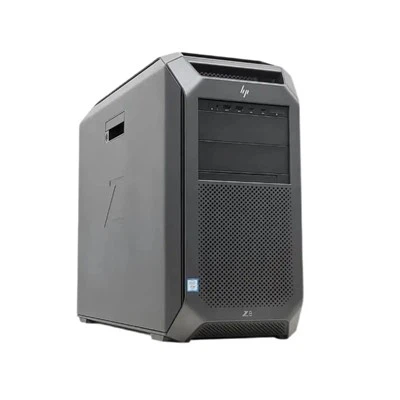
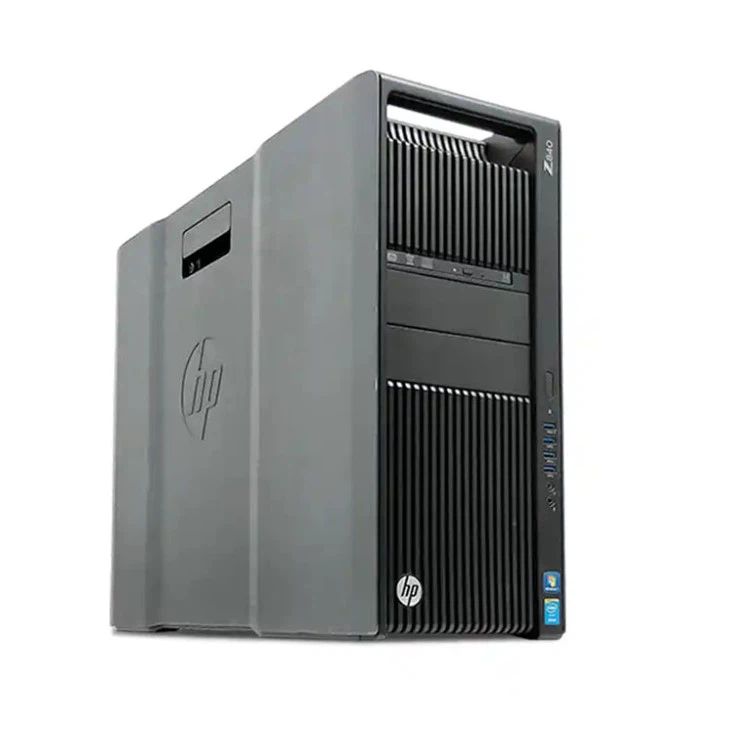
Hey there! As a supplier of the Z 840, I often get asked about the RAID levels this powerhouse workstation can support. So, I thought I'd put together this blog post to clear things up and give you all the deets.
First off, let's quickly go over what RAID is. RAID, which stands for Redundant Array of Independent Disks, is a technology that combines multiple physical hard drives into a single logical unit. This can provide benefits like increased data storage capacity, improved performance, and data redundancy.
The Z 840 is a beast of a workstation, and it offers support for several RAID levels. Let's break them down one by one.
RAID 0
RAID 0 is all about performance. It stripes data across multiple drives, which means that data is split up and written across all the drives in the array simultaneously. This can significantly increase read and write speeds, making it great for tasks that require a lot of data throughput, like video editing, 3D rendering, and scientific simulations.
However, RAID 0 doesn't provide any data redundancy. If one drive fails, you lose all the data on the entire array. So, it's not the best choice if data safety is your top priority. But if you're willing to take the risk for the sake of speed, RAID 0 on the Z 840 can really give your workstation a boost.
RAID 1
RAID 1 is the opposite of RAID 0 when it comes to data safety. It uses disk mirroring, where the same data is written to two or more drives at the same time. This means that if one drive fails, you still have a copy of all your data on the other drive(s).
RAID 1 is a great option for users who need to protect important data, like business-critical files or personal photos and videos. The downside is that you're effectively using half of your total storage capacity for redundancy, so your usable storage space is reduced. But for the peace of mind that comes with knowing your data is safe, it's often worth it.
RAID 5
RAID 5 is a popular choice for a balance between performance and data redundancy. It uses block-level striping with distributed parity. Parity is a form of error-checking data that allows the array to reconstruct data in case of a single drive failure.
With RAID 5, you can have a minimum of three drives in the array. As data is written, it's striped across the drives, and parity information is also distributed among them. This provides good read performance and the ability to withstand a single drive failure without losing any data. However, write performance is a bit slower compared to RAID 0 because of the additional overhead of calculating and writing parity.
RAID 6
RAID 6 is similar to RAID 5 but offers even more data protection. It uses double distributed parity, which means it can tolerate the failure of two drives simultaneously. This makes it a great choice for environments where data availability is crucial, like enterprise servers or data centers.
However, like RAID 5, RAID 6 has a performance hit when it comes to writing data because of the extra parity calculations. And you need at least four drives to set up a RAID 6 array.
RAID 10
RAID 10, also known as RAID 1+0, combines the best of both worlds: the performance of RAID 0 and the data redundancy of RAID 1. It's created by first mirroring pairs of drives (RAID 1) and then striping across those mirrored pairs (RAID 0).

This results in high read and write speeds, as well as the ability to withstand the failure of any single drive in the array. But you need a minimum of four drives to set up RAID 10, and like RAID 1, you're using half of your total storage capacity for redundancy.
Now, how do you set up these RAID levels on the Z 840? Well, it's actually pretty straightforward. The Z 840 comes with a built-in RAID controller that supports all the levels I've mentioned. You can access the RAID configuration utility during the system boot process and follow the on-screen instructions to create and manage your RAID arrays.
But what if you're not sure which RAID level is right for you? That's where I come in. As a Z 840 supplier, I've helped countless customers choose the best RAID configuration for their specific needs. Whether you're a creative professional looking for maximum performance or a business owner who needs to protect your data, I can provide personalized advice and support.
And if you're in the market for a new workstation, don't forget to check out some of our other great options. The HP Z1 G9 Workstation is a sleek and powerful all-in-one workstation that's perfect for users who want a compact and stylish solution. And the Workstation Z4 G4 offers a great balance of performance and affordability.
Of course, the Z 840 remains a top choice for users who need the ultimate in power and flexibility. With its support for multiple RAID levels, high-end processors, and plenty of expansion options, it's a workstation that can handle even the most demanding tasks.
If you're interested in learning more about the Z 840 or any of our other products, or if you're ready to start the procurement process, don't hesitate to reach out. I'm here to answer all your questions and help you find the perfect workstation for your needs.
In conclusion, the Z 840 is a versatile workstation that offers support for a wide range of RAID levels. Whether you're looking for speed, data redundancy, or a balance of both, there's a RAID configuration that's right for you. So, if you're in the market for a new workstation, consider the Z 840 and let me help you make the most of its capabilities.
References
- HP Z 840 Product Documentation
- RAID Technology Whitepapers