Hey there! As a supplier of Huawei servers, I've got a ton of experience in deploying these bad boys in small - and medium - sized enterprise (SME) environments. Today, I'm gonna walk you through the whole process, from planning to the final setup.
Pre - deployment Planning
Before you even think about unpacking those shiny Huawei servers, you need to do some serious planning. First off, assess your enterprise's needs. What kind of applications will be running on the servers? Are they data - intensive apps like databases, or more lightweight ones like email servers?
For instance, if you're running a database for your sales records, you'll need a server with high - performance storage and processing power. The Huawei Server 2288h V5 is a great option here. It's got a robust architecture that can handle large - scale data processing and storage, making it perfect for SMEs that rely on data - driven decision - making.
Next, think about your budget. SMEs usually have limited funds, so you gotta make every dollar count. Look at the total cost of ownership (TCO), which includes not just the purchase price of the server but also things like power consumption, maintenance, and software licenses. Some servers might be cheaper upfront but end up costing you more in the long run due to high energy bills or expensive software licenses.
Another crucial aspect is scalability. Your business is likely to grow, so you need servers that can grow with you. The Huawei 2488h V7 is designed with scalability in mind. You can easily add more memory, storage, or processing power as your business expands, without having to replace the entire server.
Network Infrastructure
Your network is the backbone of your server deployment. Make sure your network can handle the traffic that the servers will generate. Check the bandwidth requirements of your applications and ensure that your network has enough capacity.
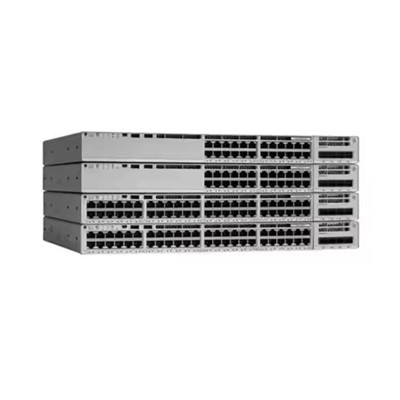
If you're using a local area network (LAN), consider upgrading your switches and routers to support high - speed data transfer. For example, if you're using Gigabit Ethernet, you might want to look into 10 Gigabit Ethernet switches for better performance.
Also, think about network security. Implement firewalls, intrusion detection systems, and access controls to protect your servers from unauthorized access. Huawei servers come with built - in security features, but you still need to configure your network properly to take full advantage of them.
Physical Installation
Once you've got your planning and network infrastructure sorted, it's time to install the servers. Find a suitable location for your servers. It should be a well - ventilated area with a stable power supply. Servers generate a lot of heat, so proper ventilation is essential to prevent overheating.
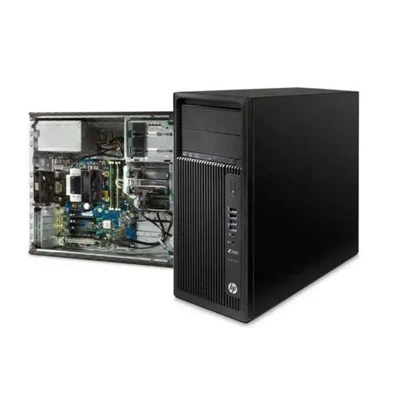
Make sure the rack or cabinet where you're installing the servers is sturdy and can support their weight. Follow the installation instructions provided by Huawei carefully. This includes things like connecting the power cables, network cables, and storage devices correctly.
For example, the 1288h V6 has a modular design that makes it relatively easy to install. But you still need to pay attention to details like cable management to ensure optimal performance.
Software Installation and Configuration
After the physical installation, it's time to install the operating system and other software on your servers. Choose an operating system that is compatible with your applications and the Huawei server hardware. Popular options for SMEs include Windows Server and Linux distributions like Ubuntu or CentOS.
During the installation process, make sure to configure the server settings correctly. This includes things like setting up user accounts, network settings, and security policies. Huawei provides management tools that can help you simplify the configuration process.
For example, you can use the Huawei iManager NetEco to monitor and manage your servers remotely. It allows you to check the server's health, performance, and power consumption in real - time, making it easier to troubleshoot any issues that might arise.


Testing and Optimization
Once you've installed and configured the software, it's time to test your servers. Run some basic tests to make sure everything is working properly. Check the network connectivity, storage performance, and application functionality.
If you encounter any issues during the testing phase, don't panic. Most problems can be resolved by checking the configuration settings or updating the drivers and firmware. Huawei's support team is also available to help you troubleshoot any complex issues.
After the testing, it's time to optimize your servers for better performance. This might involve adjusting the server settings, optimizing the database queries, or upgrading the hardware components. For example, if you find that your server is running out of memory, you can add more RAM to improve its performance.
Ongoing Maintenance
Server deployment is not a one - time thing. You need to perform regular maintenance to keep your servers running smoothly. This includes tasks like updating the operating system, applications, and firmware, backing up your data regularly, and monitoring the server's performance.
Create a maintenance schedule and stick to it. For example, you can schedule monthly firmware updates and weekly data backups. Regular maintenance will not only prevent downtime but also extend the lifespan of your servers.
Conclusion
Deploying Huawei servers in a small - and medium - sized enterprise environment might seem like a daunting task, but if you follow these steps, you'll be able to do it successfully. From careful planning to ongoing maintenance, every step is crucial to ensure that your servers provide reliable and efficient performance.
If you're interested in purchasing Huawei servers for your SME, I'd love to have a chat with you. We can discuss your specific needs, budget, and how we can help you get the most out of your server deployment. Feel free to reach out and let's start the conversation!
References
- Huawei Server Product Documentation
- Industry Best Practices for Server Deployment in SMEs
- IT Infrastructure Management Guides