Hey there! As a workstation supplier, I've seen firsthand how important it is for workstations to perform well in a multi - user environment. In this blog, I'm gonna break down what makes a workstation shine when multiple users are in the mix and share some insights on a few top - notch models.
What's a Multi - User Environment?
First off, let's quickly define what a multi - user environment is. It's basically a setup where several people are using the same workstation or a group of workstations at the same time. This can happen in all sorts of places, like offices, schools, or data centers. Each user might be doing different tasks, from running complex software for design projects to crunching numbers in spreadsheets.
Key Performance Factors in a Multi - User Environment
1. Processing Power
The CPU is like the brain of the workstation. In a multi - user environment, you need a CPU that can handle multiple tasks simultaneously without slowing down. A high - core - count processor is a must. For example, some of the latest CPUs come with 16, 24, or even more cores. This allows each user to have their own set of resources to work with, so there's less competition for processing power.
2. Memory (RAM)
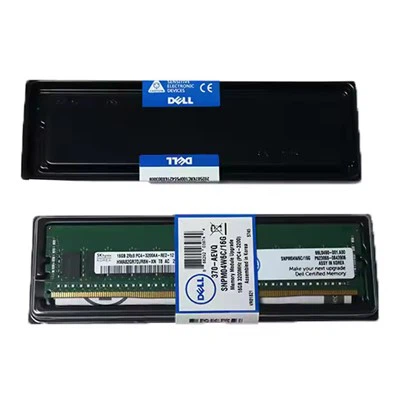
RAM is where the workstation stores the data that it's currently working on. In a multi - user setup, you need a generous amount of RAM. If there's not enough RAM, the workstation will start swapping data to the hard drive, which can really slow things down. I usually recommend at least 64GB of RAM for a multi - user workstation, but for more demanding tasks, 128GB or even 256GB might be necessary.
3. Storage
Fast storage is crucial. Solid - State Drives (SSDs) are the way to go because they offer much faster read and write speeds compared to traditional Hard Disk Drives (HDDs). In a multi - user environment, multiple users might be accessing and writing data to the storage at the same time. An SSD can handle these concurrent requests much more efficiently, reducing wait times for users.


4. Graphics Performance
If users are doing tasks that involve graphics, like video editing, 3D modeling, or gaming, a powerful graphics card is essential. A good graphics card can handle the rendering and display of complex visual content, ensuring that each user gets a smooth and responsive experience.
How Some Popular Workstations Perform
Workstation Dell Precision 3660 Tower
The Workstation Dell Precision 3660 Tower is a great option for a multi - user environment. It comes with a range of powerful CPU options, including Intel Xeon processors. These processors have a high core count and can handle multiple threads efficiently, making them ideal for multi - tasking.
In terms of memory, it can support up to 128GB of DDR4 RAM. This gives users plenty of space to run their applications without worrying about running out of memory. The storage options are also quite flexible, with support for both SSDs and HDDs. You can configure it with a large - capacity SSD for fast data access.
The graphics capabilities of the Dell Precision 3660 Tower are also impressive. It can be equipped with NVIDIA graphics cards, which are well - known for their performance in graphics - intensive tasks. Whether users are working on 3D models or editing high - resolution videos, the graphics card can handle it with ease.
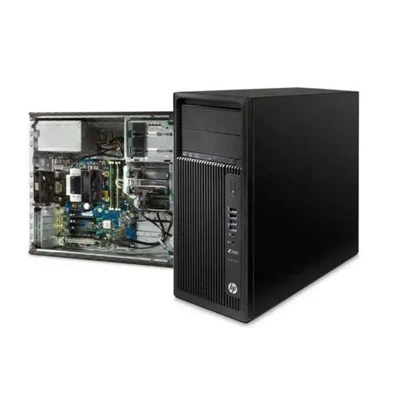
Workstation HP Z8 G4
The Workstation HP Z8 G4 is another heavy - hitter in the multi - user environment. It features Intel Xeon processors with a large number of cores and high clock speeds. This means it can handle multiple users' tasks simultaneously without breaking a sweat.
The HP Z8 G4 can support up to 3TB of RAM. That's an insane amount of memory, which is perfect for multi - user scenarios where users are running memory - hungry applications. The storage system is also designed for high - performance, with support for fast SSD arrays. This ensures that data access is quick and efficient, even when multiple users are accessing the storage at the same time.
In terms of graphics, it can be configured with AMD Radeon Pro graphics cards. These cards offer excellent performance in a variety of graphics - related tasks, from CAD design to virtual reality applications.
3680 Tower Workstation
The 3680 Tower Workstation is a beast when it comes to multi - user performance. It has a powerful CPU architecture that can handle a large number of concurrent tasks. The high - speed memory support allows for smooth operation of multiple applications.
This workstation also offers great storage options, with the ability to configure multiple SSDs in a RAID setup. This not only provides fast data access but also adds a layer of data redundancy, which is important in a multi - user environment where data integrity is crucial.
The graphics capabilities of the 3680 Tower Workstation are top - notch. It can be outfitted with high - end NVIDIA graphics cards, providing users with a great visual experience for their graphics - intensive tasks.
Challenges in a Multi - User Environment
Of course, there are some challenges that come with running workstations in a multi - user environment. One of the biggest challenges is resource management. You need to make sure that each user has access to the resources they need without overloading the system. This might involve setting up user profiles with specific resource limits or using resource management software.
Another challenge is security. With multiple users accessing the same workstation, there's a higher risk of data breaches or unauthorized access. You need to implement strong security measures, such as user authentication, encryption, and regular software updates.
Tips for Optimizing Workstation Performance in a Multi - User Environment
- Regular Maintenance: Keep the workstation clean, both physically and software - wise. Regularly update the operating system, drivers, and applications to ensure optimal performance.
- Resource Monitoring: Use monitoring tools to keep an eye on CPU, memory, and storage usage. This will help you identify any potential bottlenecks and take action before they cause problems.
- User Training: Make sure users are trained on how to use the workstation efficiently. This can include things like closing unnecessary applications and using the correct file management practices.
Conclusion
In a multi - user environment, a workstation needs to be a powerhouse. It has to handle multiple tasks from different users simultaneously, all while providing a smooth and efficient experience. The Workstation Dell Precision 3660 Tower, Workstation HP Z8 G4, and 3680 Tower Workstation are all great options that offer the performance and features needed to excel in such an environment.
If you're in the market for a workstation for your multi - user setup, I'd love to have a chat with you. We can discuss your specific needs and find the perfect solution for your organization. Don't hesitate to reach out for a detailed consultation and to start the procurement process.
References
- Intel Corporation. (2023). Intel Xeon Processor Family Specifications.
- NVIDIA Corporation. (2023). NVIDIA Graphics Card Product Guide.
- HP Inc. (2023). HP Z8 G4 Workstation Technical Documentation.
- Dell Technologies. (2023). Dell Precision 3660 Tower and 3680 Tower Workstation User Manuals.