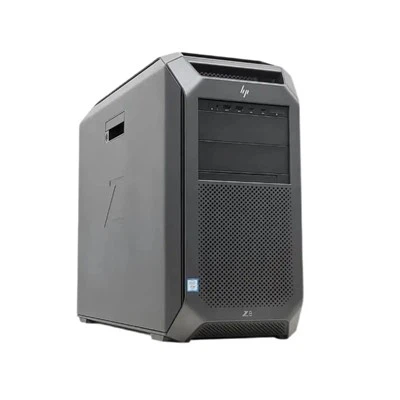
As a trusted Huawei server supplier, I've witnessed firsthand the transformative power of Huawei servers in the e - commerce landscape. Deploying e - commerce applications on Huawei servers is a strategic move that can significantly enhance performance, reliability, and scalability for businesses of all sizes. In this blog, I'll guide you through the process of deploying e - commerce applications on Huawei servers, sharing insights and best practices along the way.
Understanding the Requirements of E - commerce Applications
Before diving into the deployment process, it's crucial to understand the unique requirements of e - commerce applications. These applications typically handle a large volume of transactions, customer data, and real - time interactions. They need to be highly available, secure, and capable of handling sudden spikes in traffic, especially during peak shopping seasons like Black Friday or Cyber Monday.
E - commerce applications also rely on a variety of technologies, including databases, web servers, and content delivery networks (CDNs). These components need to work seamlessly together to provide a smooth and engaging shopping experience for customers.
Selecting the Right Huawei Server
Huawei offers a wide range of servers that are well - suited for e - commerce applications. Here are some popular models that you might consider:
- Huawei 2488h V7: This server is a great choice for medium to large - scale e - commerce applications. It offers high performance, reliability, and scalability. With its advanced processors and large memory capacity, it can handle a significant amount of traffic and data processing. You can find more information about it here.
- 1288h V6: Ideal for small to medium - sized e - commerce businesses, the 1288h V6 provides a cost - effective solution without compromising on performance. It has a compact design and is easy to manage, making it a popular choice for businesses with limited IT resources. Check out the details here.
- 2488h V6: Another powerful option, the 2488h V6 offers excellent performance and flexibility. It can be configured to meet the specific needs of your e - commerce application, whether you need to handle a large number of concurrent transactions or store a vast amount of customer data. Learn more about it here.
When selecting a server, consider factors such as the expected traffic volume, the complexity of your e - commerce application, and your budget. It's also a good idea to consult with a Huawei server expert to ensure that you choose the right server for your specific requirements.
Preparing the Server Environment
Once you've selected the appropriate Huawei server, the next step is to prepare the server environment. This involves several key tasks:
Hardware Installation
First, you need to physically install the server in a suitable data center or server room. Make sure that the server is properly ventilated and connected to a stable power supply. Follow the manufacturer's instructions carefully to ensure that all hardware components are installed correctly.
Operating System Installation
Next, install the operating system on the server. For e - commerce applications, popular choices include Linux distributions such as Ubuntu or CentOS, as well as Windows Server. Choose an operating system that is compatible with your e - commerce application and provides the necessary security and performance features.
Software Configuration
After installing the operating system, you need to configure the necessary software components. This includes installing web servers (such as Apache or Nginx), databases (such as MySQL or PostgreSQL), and application servers (such as Tomcat or JBoss). Make sure to optimize the software settings for performance and security.
Deploying the E - commerce Application
Once the server environment is ready, it's time to deploy the e - commerce application. Here are the general steps involved:
Application Code Deployment
Upload the e - commerce application code to the server. You can use tools like FTP or Git to transfer the code files. Make sure that the code is properly organized and that all dependencies are installed.
Database Configuration
Configure the database for the e - commerce application. This includes creating the necessary database tables, importing initial data, and setting up user accounts and permissions. Make sure to optimize the database for performance and security.
Web Server Configuration
Configure the web server to serve the e - commerce application. This involves creating virtual hosts, setting up URL rewriting rules, and configuring security settings such as SSL/TLS encryption. Make sure that the web server is configured to handle the expected traffic volume and that it provides a secure and reliable connection for customers.


Testing and Optimization
After deploying the e - commerce application, it's important to test it thoroughly to ensure that it works correctly and provides a good user experience. Here are some key testing areas:
Functionality Testing
Test all the features of the e - commerce application, including product catalog browsing, shopping cart functionality, checkout process, and payment processing. Make sure that all functions work as expected and that there are no errors or bugs.
Performance Testing
Conduct performance testing to measure the response time, throughput, and resource utilization of the e - commerce application. Use tools like Apache JMeter or Gatling to simulate a large number of concurrent users and measure the application's performance under different load conditions. Identify any performance bottlenecks and optimize the application and server configuration accordingly.
Security Testing
Perform security testing to identify and fix any security vulnerabilities in the e - commerce application. This includes testing for SQL injection, cross - site scripting (XSS), and other common security threats. Use tools like OWASP ZAP or Nmap to scan the application for security vulnerabilities.
Ongoing Maintenance and Support
Deploying an e - commerce application on a Huawei server is not a one - time task. It requires ongoing maintenance and support to ensure that the application continues to perform well and remains secure. Here are some key maintenance tasks:
Software Updates
Regularly update the operating system, web server, database, and application software to patch security vulnerabilities and improve performance. Make sure to test the updates in a staging environment before deploying them to the production environment.
Server Monitoring
Monitor the server performance, resource utilization, and security status on an ongoing basis. Use tools like Nagios or Zabbix to monitor the server metrics and receive alerts in case of any issues.
Backup and Recovery
Implement a regular backup strategy to ensure that your e - commerce application data is protected. Backup the database, application code, and configuration files on a regular basis and test the recovery process to ensure that you can restore the application in case of a disaster.
Contact Us for Procurement and Consultation
If you're interested in deploying e - commerce applications on Huawei servers or need more information about our server products and services, please don't hesitate to contact us. Our team of experts is ready to assist you in selecting the right server, preparing the server environment, and deploying your e - commerce application. We can also provide ongoing maintenance and support to ensure the success of your e - commerce business.
References
- Huawei Server Product Documentation
- E - commerce Application Development Best Practices Guides
- Server Deployment and Management Industry Standards