


As a dedicated supplier of Dell Workstations, I've had the privilege of closely examining the expansion slot situations across various Dell workstation models. Expansion slots are crucial for users who need to enhance the functionality of their workstations, whether it's for adding high - end graphics cards, extra storage controllers, or specialized networking cards. In this blog, I'll delve into the expansion slot configurations of some popular Dell Workstation models.
Dell T5820 Workstation
The Dell T5820 Workstation is a powerhouse in the Dell workstation lineup. It offers a well - thought - out expansion slot layout that caters to a wide range of professional needs.
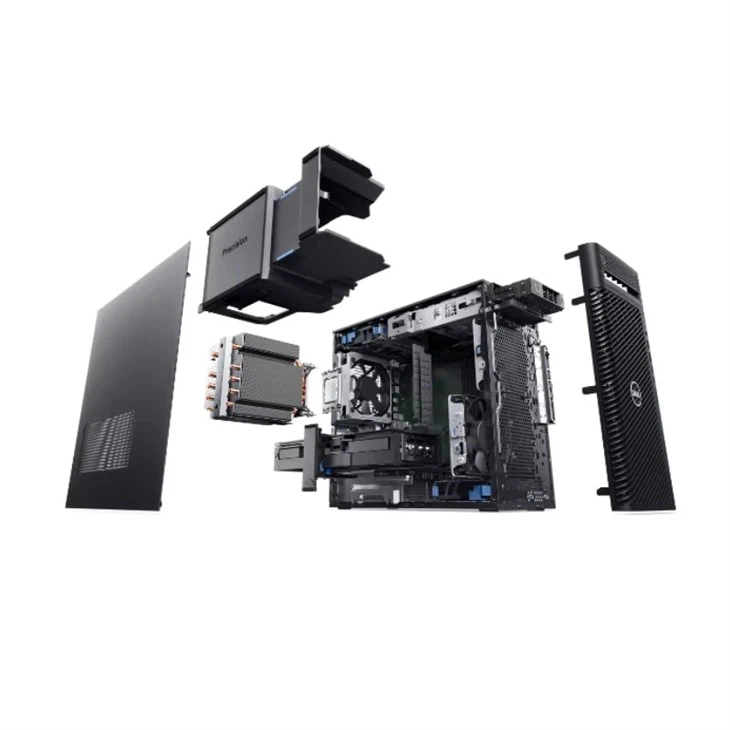
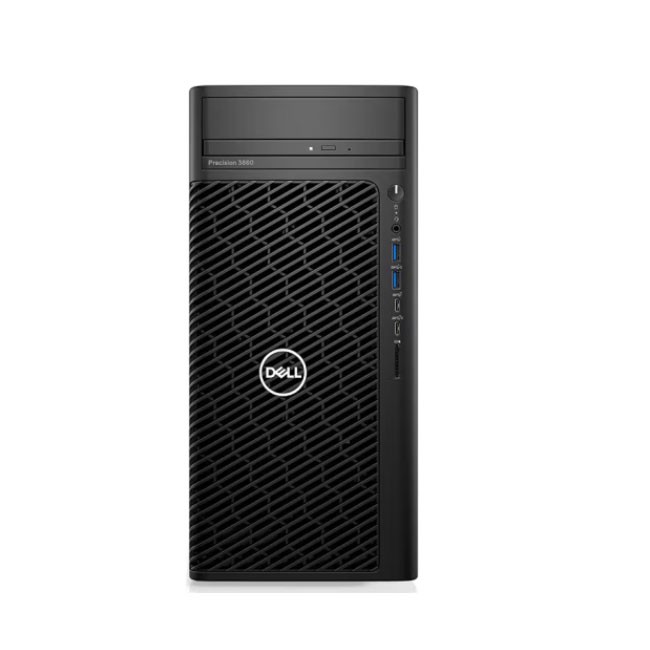
This workstation comes with a total of 7 expansion slots. There are 3 PCIe Gen3 x16 slots, which are the high - speed lanes designed for graphics cards and other high - bandwidth devices. These slots can support the latest and most powerful graphics cards, allowing for seamless 3D rendering, video editing, and gaming experiences. For example, if you're a professional 3D animator, you can install a high - end NVIDIA Quadro graphics card in one of these slots to handle complex models and animations with ease.
In addition to the PCIe Gen3 x16 slots, there are 2 PCIe Gen3 x4 slots. These slots are suitable for adding devices such as high - speed storage controllers or network interface cards. If you need to expand your storage capacity with a high - performance NVMe SSD array, a storage controller installed in a PCIe Gen3 x4 slot can provide the necessary bandwidth.
There are also 2 PCIe Gen3 x1 slots. These are typically used for adding low - bandwidth devices like serial or parallel port cards, which can be useful in industrial or legacy system environments. The Dell T5820's expansion slot design provides a good balance between high - bandwidth and low - bandwidth expansion options, making it a versatile choice for different industries.
3680 Tower Workstation
The 3680 Tower Workstation is another great option from Dell. It offers a slightly different expansion slot configuration compared to the T5820.
This workstation has a total of 4 expansion slots. There are 2 PCIe Gen3 x16 slots, which are again ideal for graphics cards. Whether you're using it for content creation or running virtual machines, these slots can support high - end graphics processing. For instance, if you're a video game developer, you can install multiple graphics cards in these slots to perform real - time testing and optimization of your games.
There is also 1 PCIe Gen3 x4 slot and 1 PCIe Gen3 x1 slot. The PCIe Gen3 x4 slot can be used for adding additional storage or networking capabilities, similar to the T5820. The PCIe Gen3 x1 slot can be used for adding small peripheral devices. The 3680 Tower Workstation's expansion slot setup is more compact but still provides sufficient options for users who don't need as many expansion capabilities as the T5820.
Workstation Dell Precision 3660 Tower
The Workstation Dell Precision 3660 Tower offers a modern and efficient expansion slot configuration.
It comes with a total of 3 expansion slots. There are 2 PCIe Gen4 x16 slots, which are the latest generation of high - speed expansion slots. These slots offer even higher bandwidth compared to the PCIe Gen3 slots, enabling faster data transfer rates. This is especially beneficial for applications that require large amounts of data to be transferred quickly, such as high - resolution video editing and AI training.
There is also 1 PCIe Gen3 x4 slot. This slot can be used for adding supplementary storage or networking devices. The Dell Precision 3660 Tower's focus on high - speed PCIe Gen4 slots makes it a great choice for users who need the latest technology for their workstations.
Considerations When Choosing a Workstation Based on Expansion Slots
When selecting a Dell workstation based on its expansion slot situation, there are several factors to consider.
Firstly, think about your current and future needs. If you're just starting out and don't have many expansion requirements at the moment, a workstation like the 3680 Tower Workstation with a more limited number of expansion slots might be sufficient. However, if you anticipate significant growth in your business or project requirements, such as adding more graphics cards or storage arrays in the future, a workstation like the Dell T5820 with a larger number of expansion slots would be a better choice.
Secondly, consider the type of devices you plan to install. If you need to install high - bandwidth devices like high - end graphics cards, make sure the workstation has enough PCIe x16 slots. On the other hand, if you only need to add low - bandwidth peripheral devices, the PCIe x1 slots might be more relevant to your needs.
Finally, budget is also an important factor. Workstations with more expansion slots and higher - end slot generations (such as PCIe Gen4) tend to be more expensive. You need to balance your expansion requirements with your budget to make the most cost - effective decision.
Conclusion
In conclusion, the expansion slot situation of Dell workstations varies across different models, each designed to meet the specific needs of different users. Whether you're a professional in the creative industry, a scientist, or an IT administrator, there is a Dell workstation with an appropriate expansion slot configuration for you.
If you're interested in learning more about the expansion slot capabilities of Dell workstations or are considering a purchase, I encourage you to reach out for a detailed discussion. We can help you select the right workstation based on your unique requirements and guide you through the procurement process. Don't hesitate to contact us to start the conversation about your ideal Dell workstation.
References
- Dell official product documentation
- Industry reports on workstation expansion slot technologies




