


As a supplier of Dell Workstations, I often get asked about the warranty policy for these high - performance machines. Understanding the warranty policy is crucial for any business or individual looking to invest in a Dell Workstation, as it provides peace of mind and protection against unforeseen issues. In this blog, I'll break down the key aspects of Dell's warranty policy for workstations, including what's covered, the different types of warranties available, and how to make a claim.
What's Covered Under Dell Workstation Warranty?
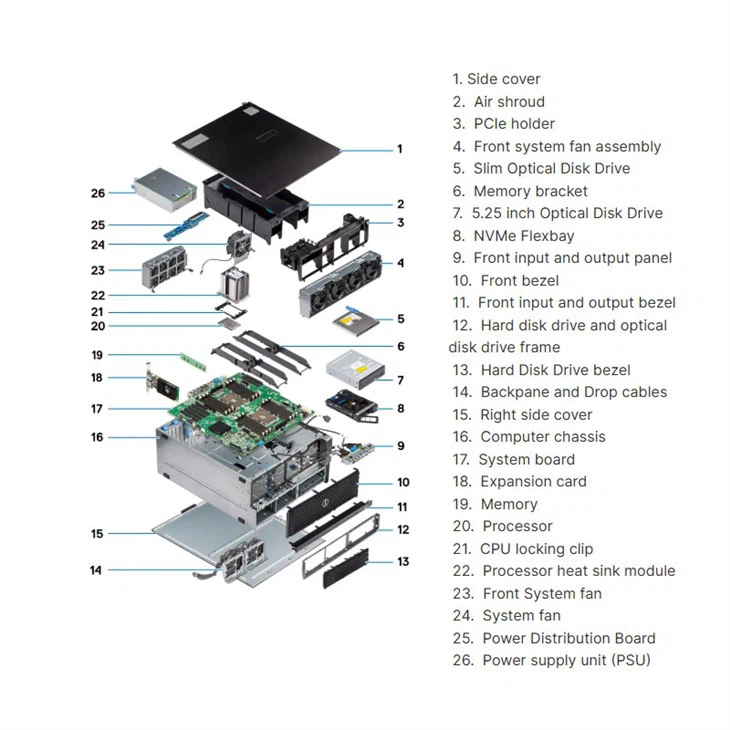
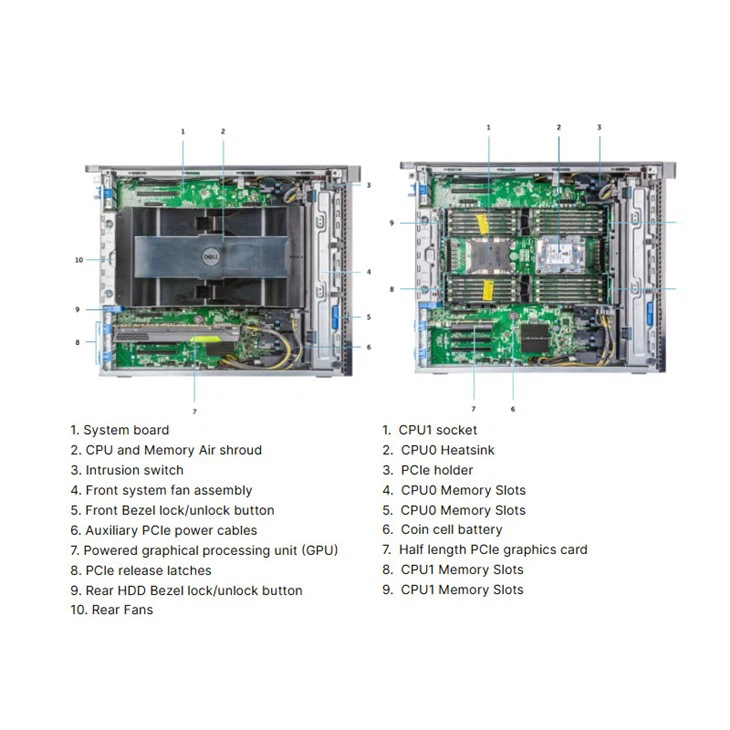
Dell's warranty for workstations typically covers defects in materials and workmanship. This means that if your Dell Workstation, such as the Dell Workstation T7920, has a problem due to faulty parts or improper manufacturing, Dell will repair or replace the defective components at no cost to you.
Hardware failures are also covered. This includes issues with the motherboard, CPU, memory, hard drive, and other internal components. For example, if the hard drive in your Workstation Dell Precision 3660 Tower suddenly fails within the warranty period, Dell will replace it.
Software support is another important aspect. Dell provides basic software support to help you troubleshoot and resolve software - related issues. This can include assistance with operating system installation, driver updates, and general software configuration.
Types of Dell Workstation Warranties
Basic Warranty
The basic warranty that comes with most Dell Workstations is usually a 1 - year limited warranty. This provides standard coverage for the issues mentioned above. It includes on - site service in many cases, which means that a Dell technician will come to your location to repair or replace the faulty parts.
Extended Warranties
Dell offers extended warranty options that allow you to extend the coverage beyond the initial 1 - year period. You can choose to extend the warranty for an additional 1, 2, or 3 years. Extended warranties are a great option for businesses that rely heavily on their workstations and want to ensure long - term protection. For instance, if you have a Dell T5820 Workstation that is used for critical design or data analysis tasks, an extended warranty can save you a significant amount of money in case of hardware failures.
ProSupport Warranty
The ProSupport warranty is a premium service that offers enhanced support. It includes 24/7 access to Dell's technical support team, proactive monitoring of your workstation's health, and priority service. With ProSupport, you can expect faster response times and more in - depth troubleshooting. This is ideal for businesses that need immediate assistance to minimize downtime.
Making a Warranty Claim
If you encounter an issue with your Dell Workstation and believe it's covered under the warranty, the first step is to contact Dell's support team. You can do this through their website, phone, or email. Provide them with your workstation's service tag, which is a unique identifier that helps Dell quickly access your system's information.
Once you've reported the problem, a Dell technician will assess the issue. If it's determined that the problem is covered under the warranty, they will schedule a repair or replacement. In the case of on - site service, a technician will visit your location at a convenient time.
Additional Considerations
It's important to note that the warranty may have some limitations. For example, damage caused by improper use, accidents, or unauthorized modifications is not covered. If you open the workstation case and make changes to the internal components without Dell's authorization, the warranty may be voided.
Also, keep in mind that the warranty terms may vary depending on your location. Different regions may have different service levels and warranty conditions. It's always a good idea to read the warranty documentation carefully before making a purchase.
Why Choose a Dell Workstation with Warranty from Our Company
As a Dell Workstation supplier, we offer several advantages. Firstly, we have a team of experts who can help you choose the right workstation and the appropriate warranty option for your needs. We understand that every business is unique, and we can provide personalized advice based on your usage requirements and budget.
Secondly, we have a strong relationship with Dell, which means that we can ensure a smooth warranty claim process. In case you have any issues with your workstation, we'll be there to assist you every step of the way, from reporting the problem to getting it resolved.
Finally, we offer competitive pricing on both the workstations and the warranty options. We believe that high - quality workstations and reliable warranty coverage should be accessible to businesses of all sizes.
Conclusion
The warranty policy for Dell Workstations is comprehensive and provides valuable protection for your investment. Whether you choose the basic warranty or opt for an extended or ProSupport warranty, you can be confident that Dell will stand behind their products. As a supplier, we are committed to helping you make the most of your Dell Workstation purchase. If you're interested in learning more about our Dell Workstation offerings or have questions about the warranty policy, we encourage you to reach out to us for a procurement discussion. We're here to help you find the perfect solution for your business needs.
References
- Dell official documentation on workstation warranties
- Industry reports on workstation reliability and warranty policies




